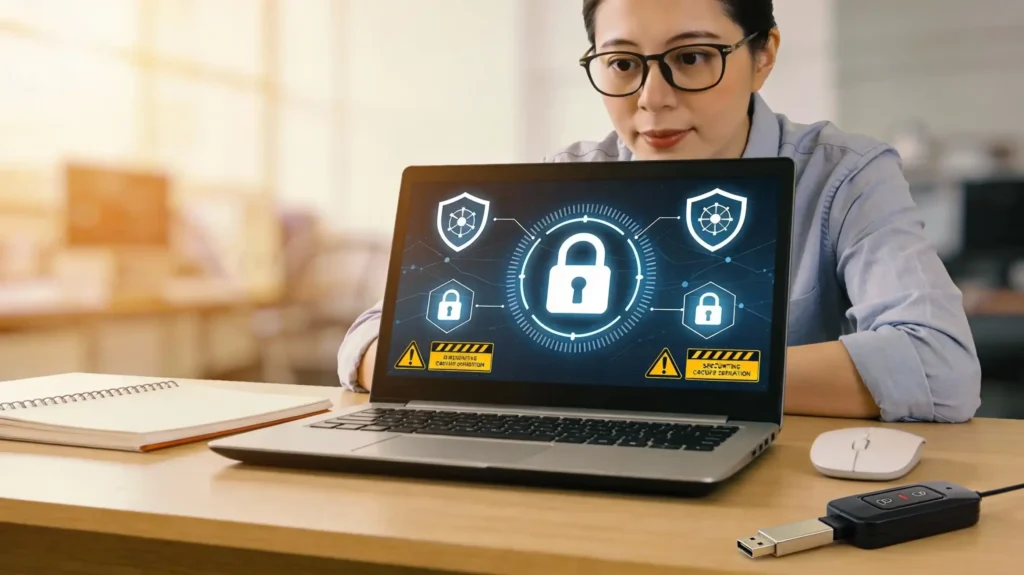
Cybersecurity basics for everyday users matter more than ever today. Your personal devices store sensitive financial information constantly. Moreover, cyber criminals target ordinary people like you every single day. Additionally, most breaches happen due to simple security mistakes online. Consequently, protecting yourself requires understanding fundamental security principles today.
In short, cybersecurity isn’t just for tech experts anymore. Furthermore, knowledge empowers you to stay safe online effortlessly. Most importantly, implementing basic security habits dramatically reduces your risk of becoming a victim. Beyond doubt, the average person can master essential protection strategies. Thus, this guide shows you exactly what you need today.
Key Points Summary
This comprehensive guide covers everything about cybersecurity:
Fundamental concepts define what cybersecurity is and why it matters urgently
Common threats explained including phishing, malware, ransomware, and DDoS attacks simply
Password strategies that create unbreakable security without complexity
Safe browsing habits protect your data across all your digital devices
Simple protection steps you can implement immediately without technical expertise
UNDERSTANDING CYBERSECURITY FUNDAMENTALS
What Is Cybersecurity and Why It Matters
Cybersecurity refers to protecting your devices, networks, and data systematically. These protections guard against hacking, malware, and phishing attacks effectively. Essentially, it’s about keeping your digital life private and secure. Importantly, cybersecurity protects your financial accounts and personal information constantly. Furthermore, it prevents criminals from accessing your sensitive data online.
The stakes are extremely high in today’s world. Hackers steal millions of identities yearly. Data breaches expose personal information like Social Security numbers and credit cards. Consequently, your financial security depends on strong cybersecurity practices. Moreover, identity theft can take years to recover from completely. Therefore, understanding these basics becomes absolutely essential today.
The CIA Triad: Confidentiality, Integrity, and Availability
Security experts use the CIA triad to explain cybersecurity fundamentals clearly. Confidentiality means keeping your data private from unauthorized users. Integrity ensures your information stays accurate and unmodified constantly. Additionally, availability means your systems work when you need them. Together, these three principles protect you comprehensively from cyber threats.
Think about your bank account information first. Confidentiality keeps your login details secret from hackers. Integrity prevents criminals from changing your account balance. Availability ensures your bank’s website works when you need it. All three protect your financial security simultaneously.
COMMON CYBERSECURITY THREATS EXPLAINED
Major Types of Cyber Attacks Threatening You
Understanding common threats helps you recognize and avoid them easily. Hackers use various techniques to compromise your security and steal data. Phishing, malware, ransomware, and DDoS attacks represent the biggest threats today. Additionally, tech support scams and business email fraud cost people billions yearly. Therefore, learning to identify these threats is absolutely critical.
Phishing: The Most Dangerous Threat
Phishing attacks trick you into revealing sensitive information through deceptive messages. Hackers create fake emails that look like they’re from trusted companies like PayPal, Amazon, or your bank. These messages urgently ask you to update account information or verify your identity. Furthermore, clicking the link takes you to a fake website designed to steal credentials.
Phishing emails contain red flags you should recognize immediately. Check the sender’s email address carefully for misspellings. Look for poor grammar or unusual phrasing throughout. Additionally, hover over links to see the actual URL before clicking anything. Never share passwords or personal information via email. Real companies never request this information electronically.

Malware and Ransomware Attacks
Malware is malicious software that damages your devices or steals data. Different types include trojans, viruses, spyware, and worms that spread rapidly across networks. Additionally, ransomware locks your files and demands money for unlocking them. Consequently, you could lose access to important documents and photos forever.
Ransomware attacks have cost businesses millions of dollars in damage. Hackers encrypt your most important files without warning. Then they demand cryptocurrency payment for decryption keys. Most concerning, even paying the ransom doesn’t guarantee you get your files back. Therefore, backing up your data regularly becomes absolutely essential protection.
Other Critical Threats
DDoS attacks flood websites with traffic to crash them temporarily. Advanced persistent threats (APTs) infiltrate networks secretly and steal data. Tech support scams trick you into calling fake support numbers. These criminals then access your computer remotely and steal personal information. Man-in-the-middle attacks intercept data between you and websites you visit.
| Threat Type | How It Works | What It Steals |
|---|---|---|
| Phishing | Fake emails pretending to be trusted companies | Passwords and financial information |
| Malware | Malicious software installed on your device | Files, documents, and personal data |
| Ransomware | Encrypts your files and demands payment | Access to important files and photos |
| DDoS Attack | Floods website with massive traffic | Website availability and services |
| Tech Scams | Fake support calls requesting remote access | Bank accounts and personal information |
ESSENTIAL CYBERSECURITY BEST PRACTICES
Protecting Yourself: Simple Steps That Work
Implementing cybersecurity basics requires only commitment, not technical expertise. You don’t need advanced knowledge to stay safe online significantly. Instead, following straightforward security habits protects you comprehensively from most threats. Let’s explore the essential practices that create strong digital security:
Create Unbreakable Passwords That Hackers Can’t Crack
Your password is your first line of defense against unauthorized access. Strong passwords should be at least 12 characters long. Include uppercase letters, lowercase letters, numbers, and special symbols always. For example, “MyBirthday1985!” works better than “password123” infinitely.
Furthermore, never reuse passwords across different accounts whatsoever. If hackers breach one website, they can’t access your other accounts. Additionally, avoid using personal information like birthdays or names obviously. Consider using a password manager like Bitwarden or 1Password. These tools generate and store complex passwords safely for you. Moreover, they automatically fill passwords when you need them conveniently.
Enable Multi-Factor Authentication Everywhere
Multi-factor authentication (MFA) adds an extra security layer remarkably. Beyond just entering your password, you’ll verify your identity additionally. This verification might involve a code sent to your phone or email. Alternatively, you could use a security key for even stronger protection. Enabling MFA makes hacking your accounts infinitely harder.
Keep Your Software and Systems Updated
Software updates contain critical security patches constantly. Hackers actively exploit outdated software vulnerabilities to gain access. Setting updates to automatic ensures you never miss important security fixes. Update your operating system, web browsers, and applications regularly. Additionally, enable automatic updates on your smartphone immediately. This simple step protects you from most malware attacks effortlessly.
Use Secure Wi-Fi Networks and VPNs
Public Wi-Fi networks expose your data to hackers and criminals easily. Never conduct banking or shopping on public Wi-Fi without protection. Instead, use a Virtual Private Network (VPN) when connecting remotely. VPNs encrypt your internet traffic making it unreadable to outsiders. This encryption protects your passwords and financial information effectively.
Back Up Your Data Regularly
Data loss happens without warning due to various reasons. Ransomware, hardware failure, or theft could destroy your important files. Back up your data to external hard drives or cloud storage regularly. Furthermore, keep backups disconnected from your main network. This way, if ransomware attacks occur, you can restore files from backups. Regular backups provide peace of mind and financial protection.
ADDITIONAL BEST PRACTICES
| Best Practice | Purpose | How To Do It | Benefit |
|---|---|---|---|
| Strong Passwords | Prevent unauthorized account access | 12+ characters with symbols, numbers, mixed case | Hackers can’t guess or crack access |
| Multi-Factor Authentication | Add extra login security layer | Enable 2FA on email, bank, and social media | Even compromised passwords won’t allow access |
| Regular Updates | Patch security vulnerabilities | Set automatic updates on all devices | Protects against known security exploits |
| Secure Wi-Fi | Protect data during transmission | Use home network with WPA3 or VPN | Prevents interception by hackers |
| Data Backups | Recover from ransomware/theft | Cloud storage and external hard drives | Restores files if devices compromised |
| Antivirus Software | Detect and remove malware | Install Norton, McAfee, or Windows Defender | Prevents malware from damaging files |
| Phishing Awareness | Avoid falling for email scams | Check sender address and hover over links | Prevents credential theft and fraud |
| Firewall Protection | Block unauthorized network access | Enable Windows Firewall or Mac firewall | Monitors and controls network traffic |
Conclusion
Cybersecurity basics for everyday users are simpler than you think. You don’t need a computer science degree to stay safe online. Rather, following fundamental practices protects you from most common threats. Additionally, these simple habits save you thousands in potential fraud losses. Most importantly, implementing these steps takes minimal time and effort. Your personal security depends on your willingness to act today. Thousands of people lose money to cyberattacks yearly unnecessarily. Therefore, don’t wait—start protecting yourself immediately now. Your digital future depends on the actions you take today.
Frequently Asked Questions:
What is the biggest cybersecurity threat to everyday users?
Phishing attacks represent the most dangerous threat to ordinary people today. These emails look completely legitimate and trick you into revealing passwords. Furthermore, phishing attacks often lead to identity theft and financial fraud. Hackers create fake emails from trusted companies like banks and retailers. They urgently request you to update account information or verify credentials. Most importantly, never click links or share information through unsolicited emails. Instead, contact companies directly using phone numbers from their official websites.
How often should I change my passwords for security?
Security experts recommend changing passwords every 90 days for maximum protection. However, the bigger priority is creating strong, unique passwords initially. If you use strong passwords and avoid reusing them, changing less frequently works fine. Change passwords immediately if you suspect compromise. Additionally, change them after using public Wi-Fi or untrusted networks. Password managers make changing passwords easier by storing them securely. Therefore, prioritize creating strong passwords over frequent changes.
Can I really prevent all cyberattacks with these basic steps?
No, no security measure prevents 100% of cyberattacks unfortunately. However, following cybersecurity basics prevents most common attacks statistically. Implementing these practices reduces your risk by approximately 85-90% significantly. Most importantly, these steps protect you from casual attacks that target unprepared users. Moreover, large organizations spending millions still experience breaches occasionally. The goal is reducing your risk, not achieving perfect security. Therefore, these basic practices provide excellent protection for everyday users.
What should I do if I think I’ve been hacked?
Act immediately if you suspect your account has been compromised. First, change your passwords on affected accounts from a safe device. Furthermore, enable multi-factor authentication if not already active. Additionally, check your financial statements for unauthorized transactions immediately. If hackers stole financial information, contact your bank right away. Monitor your credit reports for suspicious accounts and report fraud immediately. You can also place a fraud alert with credit bureaus. Speed matters when responding to security incidents. Therefore, don’t delay taking these protective actions.
Is it worth investing in paid antivirus software?
Yes, investing in quality antivirus software provides essential protection. Windows Defender, Norton, and McAfee offer comprehensive protection against malware. Additionally, these programs detect ransomware before it encrypts files. Furthermore, they monitor real-time threats as you browse constantly. Free antivirus software provides basic protection but lacks advanced features. Paid software typically includes secure browsing, VPN protection, and password managers. Most importantly, the annual cost is minimal compared to potential losses. Therefore, paid antivirus software represents an excellent investment for digital security.
Fact Sources & Further Reading
FTC Cybersecurity Guide — Official Cybersecurity Basics for Small Business & Everyday Users
Norton Security Blog — Complete Cybersecurity Basics Guide for Beginners and Users
GeeksforGeeks Cybersecurity — What is Cybersecurity: Comprehensive Fundamentals and Best Practices
StartupMandi — Digital Security Resources for Indian Users and Startups
Security.org Guide — Cybersecurity Best Practices for Everyday Internet Users

Arshia Jahan
Digital Marketing and SEO professional, focused on content strategy & optimizing content, improving search rankings, and delivering results through smart, audience-focused strategies. As a Content Strategist and SEO professional, I believe that search engines don't buy products—people do. By blending technical SEO precision with a human-first content approach. I provide readers with the strategic blueprints needed to scale in a competitive digital world.