



On-Device AI in 2026: How Hyper-Personalized Apps Are Changing Everyday Experiences
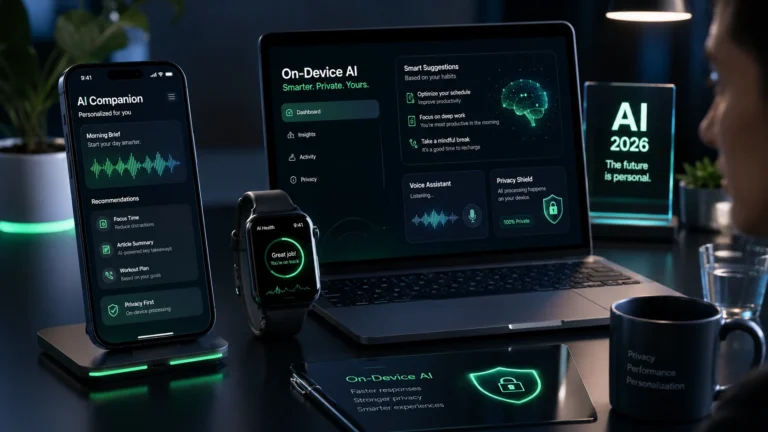
On-device AI is quickly becoming the foundation of hyper-personalized apps in 2026. Instead of sending every request to the cloud, these apps can process data locally, which leads to faster responses, stronger privacy, and more context-aware experiences.
In simple terms, it runs models directly on your phone, laptop, or wearable rather than relying on remote servers. As a result, it improves speed, reduces data exposure, and enables smarter personalization across everyday apps, from mobile assistants to health tools and productivity software.
What Is On-Device AI?
On-device AI is artificial intelligence that runs locally on a user’s device instead of relying entirely on cloud servers. That device could be a smartphone, laptop, smart glasses, smartwatch, or any other connected product that handles the model inference itself.
The main advantage is straightforward : the app responds faster and keeps more data on the device. As a result, users get a smoother experience, and current trend coverage suggests that on-device intelligence is quickly becoming a baseline expectation rather than just a premium feature.
“The smartest gadget of 2026 isn’t the one with the most features—it’s the one that understands you locally.”
Why Is It Trending Now?
The rise of on-device AI is being driven by better mobile hardware, smaller model sizes, and stronger privacy expectations. Gartner lists AI-native development, confidential computing, and multiagent systems among its 2026 strategic technology trends, showing how quickly the market is shifting toward more local, intelligent systems.
There is also a commercial push. Market data suggests the on-device AI market is expanding quickly, with one forecast putting it at USD 35.2 billion in 2026 and another projecting growth to USD 156.59 billion by 2033. That kind of growth usually signals a category moving from experimentation into mainstream adoption.
How Does On-Device AI Improve Apps?
It improves apps in three important ways : speed, privacy, and relevance. Because more of the processing happens locally on the device, users usually get instant feedback instead of waiting for a network request to travel back and forth.
In addition, it enables stronger personalization. Apps can use local context, recent behavior, and device signals to adjust content or actions in real time, all while avoiding the constant need to upload sensitive data. As a result, the experience feels faster, smarter, and more personal at the same time.
| Benefit | What changes | Why users care |
|---|---|---|
| Faster response | Less cloud dependence | Feels instant |
| Better privacy | Data stays local longer | Reduces exposure |
| Smarter personalization | Uses local context | Feels more relevant |
What Makes On-Device AI Hyper-Personalized?
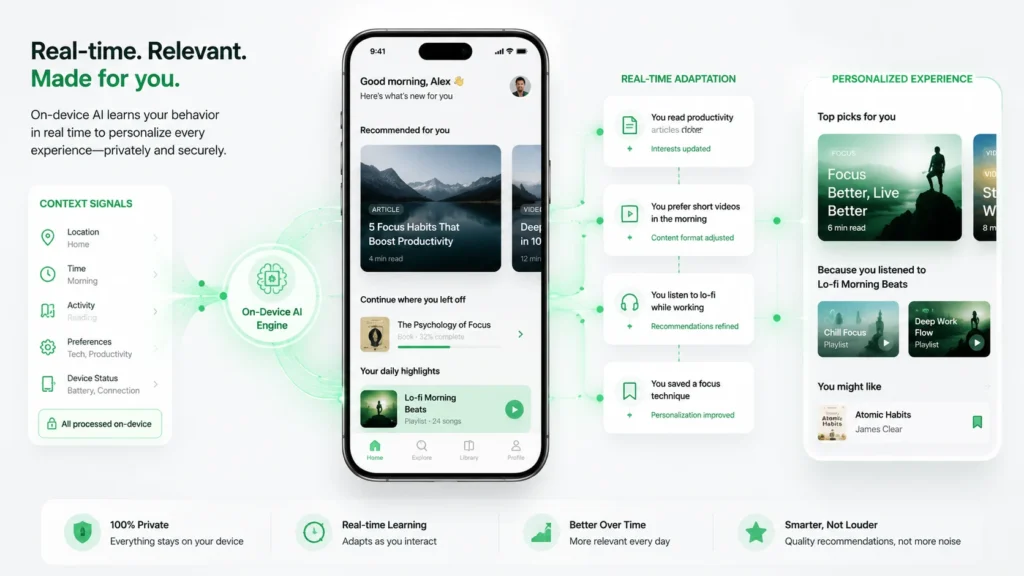
Hyper-personalization means tailoring the experience to a specific user in real time, not just to a broad segment. With on-device AI, that can include locally learned preferences, recent app usage, location context, voice patterns, or even sensor data.
This is why the trend is showing up in mobile assistants, consumer apps, wearables, and productivity tools. The app does not just know the user; it adapts to the moment the user is in.
Where Is It Being Used?
On-device AI is already changing several categories of everyday apps. Trend coverage points to smartphones, wearables, automotive systems, health devices, and smart home products as the most visible use cases.
- Mobile apps : for live translation, photo enhancement, and contextual suggestions.
- Wearables : for always-on health monitoring and voice interaction.
- Productivity apps : for offline assistants and local memory features.
- Consumer electronics : for privacy-first processing and smarter personalization.
How Do Companies Build On-Device AI?
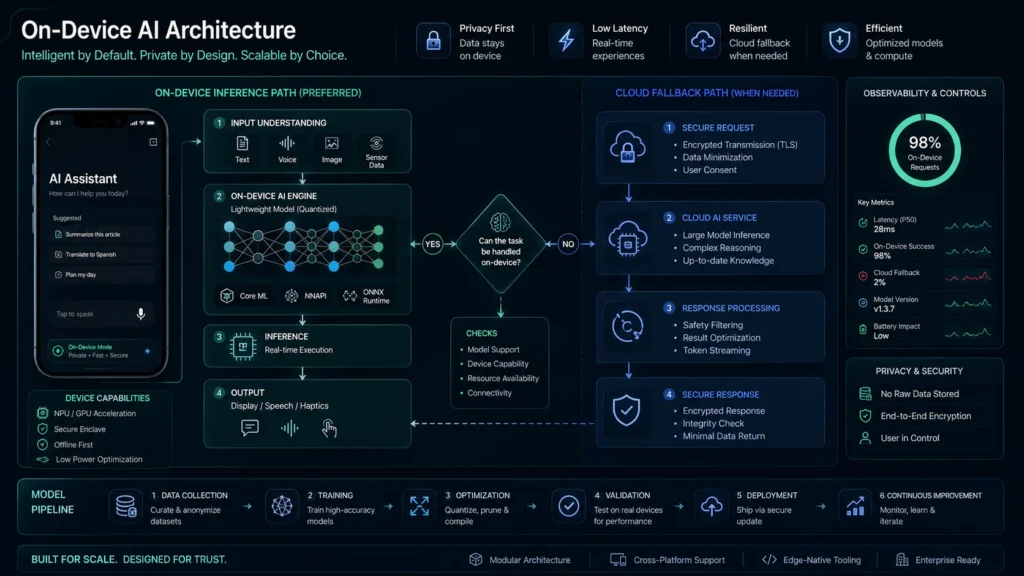
Building it usually begins with selecting a small, efficient model and then tuning it for local hardware performance. From there, teams often rely on lightweight frameworks and optimized runtimes to make the model run smoothly on the device.
In recent coverage, tools such as TensorFlow Lite, Core ML, and ONNX Runtime Mobile are frequently mentioned as part of this workflow, along with other edge-focused runtimes. As a result, developers can balance speed, memory use, and battery efficiency while still delivering a strong user experience.
Typical build flow
- Pick a use case that benefits from low latency or privacy.
- Select a lightweight model that can run on-device.
- Optimize the model with quantization or compression.
- Test performance on common devices and battery conditions.
- Add cloud fallback only when heavier processing is needed.
What Are the Trade-Offs of On-Device AI?
On-device AI is powerful, but it still comes with a few trade-offs. Local models are often smaller than large cloud systems, hardware support can vary from device to device, and continuous inference may affect battery life over time.
Even so, many teams consider those trade-offs worthwhile. Faster interactions, offline support, and stronger privacy can significantly improve retention and trust, especially in consumer apps where user experience matters most.
“The shift is clear – AI is moving closer to the user, not farther away.”
How Is Privacy Changing?
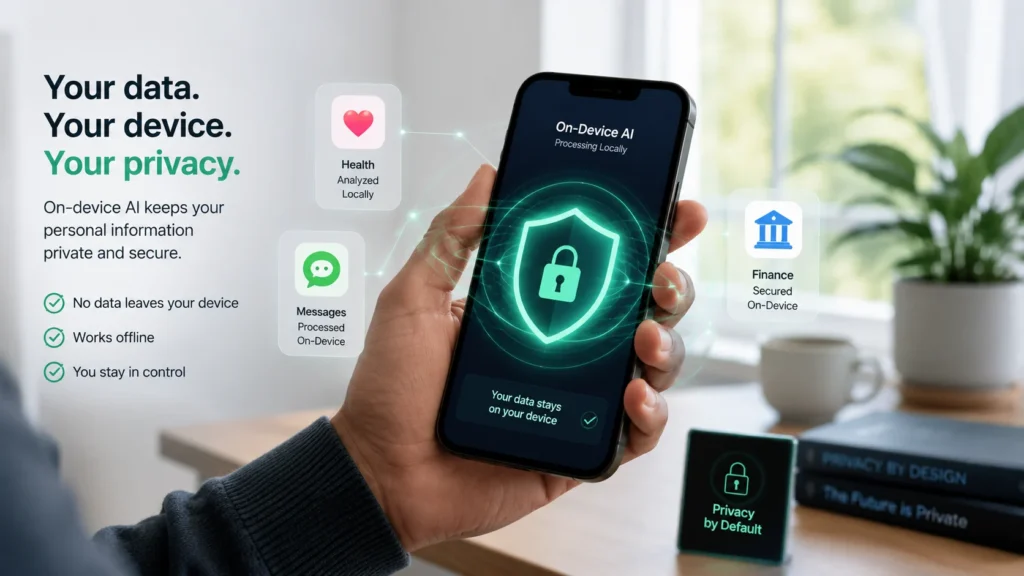
Privacy is one of the biggest reasons users and companies are embracing on-device AI. By processing data locally, apps reduce how often sensitive information needs to leave the device, which is especially important for health, finance, and personal productivity use cases.
That said, privacy is not automatic just because the processing happens on-device. Strong implementations still need encryption, clear permissions, and careful data handling, but the architecture itself gives teams a much better starting point than cloud-only inference.
What Should Teams Watch?
Product teams should watch three important signals closely in 2026. First, they need to assess whether their app can deliver real value through faster local inference. Second, they should check whether the target device hardware can support the experience smoothly. Third, they need to judge whether users will find the privacy trade-off worthwhile enough to prefer the on-device version.
A useful rule of thumb is this: if a feature depends on instant response, personal context, or offline reliability, on-device AI is often the better default. However, if the task requires very large-scale reasoning or heavier processing, cloud support may still be the smarter choice.
Key Takeaways
- On-device AI is moving from niche to mainstream in 2026.
- Hyper-personalization is becoming more practical because apps can learn locally.
- Privacy and speed are the two biggest user-facing advantages.
- Many successful products will use a hybrid edge-cloud model.
- The strongest use cases are mobile, wearable, health, and productivity apps.
Next Steps
- Audit whether your app has features that need low latency or local context.
- Identify one feature that could benefit from on-device processing.
- Compare lightweight runtimes and model options for your target devices.
- Test a hybrid setup before fully replacing cloud workflows.
- Monitor privacy expectations in your user base and market.
FAQ
It is AI that runs on the user’s device instead of sending every request to the cloud.
Because it improves speed, privacy, offline support, and personalization at the same time.
They are closely related. Edge AI is the broader category, while on-device AI usually refers to intelligence running on a local device.
Apps that need fast response, private data handling, or offline support benefit the most.
Not always. Many products will use local AI for fast tasks and cloud AI for heavier work.
It is more privacy-friendly by design, but security still depends on implementation.
Devices with strong NPUs, efficient chips, and enough memory handle local models more smoothly.
Yes. They usually notice faster responses, better privacy, and more relevant app behavior.
Conclusion
On-device AI is shaping a new kind of app experience in 2026, where personalization feels faster, safer, and more natural. For product teams, this is more than a technical upgrade; it is also a strategic advantage, because privacy, speed, and responsiveness are becoming some of the strongest product differentiators.
As this trend grows, teams that build with local intelligence can create smoother experiences and reduce friction for users in everyday tasks. For more related reading, explore AI mobile app trends 2026 and on-device intelligence in real-time user experience. You can also visit StartupMandi Global for broader digital and business insights.
Resources
- Gartner : Top Strategic Technology Trends for 2026 — trend context.
- Microsoft-Style Mobile AI Trend Coverage — app trends and personalization.
- On-Device AI Market Forecast — market growth data.
- Google on-Device AI and App Trust — UX and privacy perspective.
- On-Device AI in 2026 — development-focused overview.