
startupmandi-blog-background

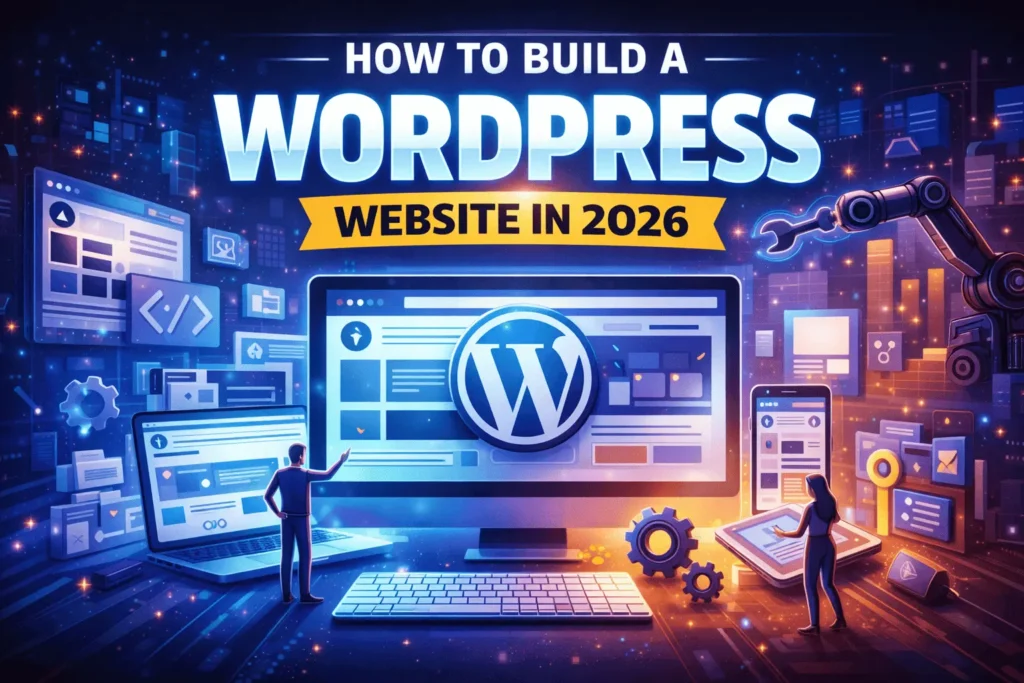
Learn WordPress Website Design in 2026: Build Pro Sites Fast (No Coding) šŸ”„

Unlock WordPress website design magic in 2026! šŸš€ Build stunning sites fast, master website design basics, and launch your dream project effortlessly. Discover now!

WordPress website design powers 43% of sites worldwide. Startups love its flexibility in 2026. Moreover, beginners graspĀ website design basicsĀ quickly. Tools like Elementor speed up creation. Lucknow creators thrive with local hosting.​

This guide walks through steps simply. You gain pro tips too. Follow along for success.

  1. Pick hosting and domain first.​

  2. Install WordPress easily.​

  3. Choose themes and plugins.​

  4. Customize with builders.​

  5. Optimize and launch confidently.

Check Website Design Plan by StartupMandi – Starts from 24,999/- only

Setup Your Foundation šŸ› ļøĀ 

Kickstart your WordPress website designĀ with rock-solid basics. First, secure domain and hosting wisely. For instance, choose providers withĀ India-optimized serversĀ for Lucknow startups. Then, install WordPress seamlessly. However, skip free hosting traps.​

Pick providers offeringĀ one-click installsĀ and free SSL. Speed matters hugely for SEO. Moreover, uptime guarantees protect visitors. Always verify renewal costs upfront.

Choose Hosting Wisely-:

YouStable dominates India hostingĀ in 2026. Plans start at ₹59/monthĀ with NVMe SSDs. Consequently, sites load 3x faster. Bluehost offers global CDN too.​Hostinger tempts with ₹149/month deals. LiteSpeed servers boost performance.Ā 

Design Your Website through StartupMandi & Get 3 Years Domain + Hosting for FREE

Ā 

India-Specific Recommendations-:

  1. YouStable: Best for startups.Ā Free migration included.​

  2. Hostinger: Budget king. Unlimited bandwidth rocks.

  3. Bluehost: WordPress recommended.Ā Free domain 1st year.​

  4. SiteGround: Premium speed. Slightly pricier though.

Pro Tip: CheckĀ 95% uptime minimum. Test speed via GTmetrix post-setup.

Ā 

Domain Registration Steps-:

Register via GoDaddy or Namecheap. PickĀ .comĀ orĀ .inĀ extensions. Enable privacy protection always. Moreover, point DNS to hosting instantly.​

Install WordPress Perfectly-:

AccessĀ cPanel or hPanel. Locate “WordPress Installer.” Enter site details swiftly. However, choose strong admin passwords. Softaculous auto-installsĀ plugins too. Update toĀ WordPress 6.7+ immediately. Delete default content. Set permalinks to “Post name.

Security Setup Checklist-:

  1. Enable SSL certificateĀ (free via Let’s Encrypt).

  2. Install WordfenceĀ firewall immediately.​

  3. Limit login attemptsĀ (3 max).

  4. ChangeĀ database prefixĀ fromĀ wp_.

  5. Disable file editingĀ in wp-config.php.

Initial Configuration-:

Delete sample page/post. Create “About” page first. UploadĀ logo/favicon. Set timezone to Asia/Kolkata. However, backup viaĀ UpdraftPlusĀ before changes.​

Verify Foundation Strength

Run speed testsĀ via Pingdom. Aim forĀ 2-second loads. Compress default images. However, enable browser caching now. InstallĀ LiteSpeed CacheĀ plugin.​

Mobile preview essential. Use Google’s Mobile-Friendly Test. Fix issues immediately. Consequently, Google ranks responsive sites higher.

Ā 
Checkout Our Latest Services

Master Themes & Plugins šŸŽØ

Themes shape your look. Plugins add power.Ā Blocksy tops free themes for speed. Pair with Elementor for drag-drop magic

Essential Plugins-:

Plugins transform basic WordPress sites into powerful platforms. . In 2026, prioritize speed and security alongside functionality. For instance, lightweight options likeĀ MonsterInsightsĀ track visitors without slowing pages. Moreover, combine analytics withĀ WPFormsĀ for lead capture.

  1. Analytics & Insights MonsterInsights connects Google Analytics seamlessly. Track top pages instantly.
  2. Conversion Tracking-: Setup goals for form submissions.Ā Monitor ROI precisely. Free version suffices for startups.
  1. Contact Forms Mastery-: WPForms builds drag-drop forms fast.
  2. Advanced Features-: Create multi-step surveys.Ā SurveyMonkey integration saves time. Export entries to Google Sheets.
  3. SEO Powerhouse -:All-in-One SEO handles schema markup. TruSEO scores guide content fixes. Pro version offers local SEO.
  4. Local Business Boost-: Add Google My Business schema. Video schema ranks clips higher.
  5. Performance & Security -: LiteSpeed Cache-: optimizes images automatically.. Meanwhile,Ā UpdraftPlus schedules daily backups to Google Drive.Ā compresses images without quality loss.

Pro Tip: Install only 8-12 plugins maximum. Delete unused ones monthly. Use Query Monitor to spot conflicts. These tools make website design basics shine brighter! ✨

Ā 

Ā 
ThemeSpeed ScoreBest ForFree?
Blocksy99/100​BlogsYes
Astra98/100EcommerceYes
Phlox97/100PortfoliosYes
OceanWP96/100MultipurposeYes

Sale

Website Design & Maintenance Service by AI Agents (Ready to Outsource)
  • Subscribe Now This product has multiple variants. The options may be chosen on the product page

Website Design & Maintenance Service by AI Agents (Ready to Outsource)

Completely Replace Your Backend Team & Outsource your website design and maintenance to StartupMandi AI Agents. Get a dedicated AI-powered...

 1,999.00 / month

Conclusion

WordPress website design transforms ideas into reality in 2026.Ā Startups now launch professional sites in hours, not weeks.Ā Master these steps, and watch your online presence soar.Ā From hosting to launch, every choice builds your digital empire. Experiment boldly, optimize relentlessly, and connect with your audience instantly. Your startup deserves a stunning site – build it today! šŸŽ‰

Start Designing your Website from Today & Take Your Business Online

Ā 

5 FAQs – 

  1. Which hosting works best for Indian WordPress sites?
    YouStableĀ orĀ Bluehost IndiaĀ lead with NVMe speeds and local servers. Plans start at ₹59/month with free SSL.​

  2. What’s the fastest free WordPress theme in 2026?
    BlocksyĀ scores 99/100 on speed tests. Perfect for blogs and startups. Customize headers in minutes.​

  3. Should beginners use Elementor or Gutenberg?
    ElementorĀ wins for drag-drop ease. Gutenberg suits simple sites. Both handleĀ website design basicsĀ perfectly.​

  4. How many plugins should a new site have?
    5-7 essential pluginsĀ maximum. More slows speed. Pick MonsterInsights, WPForms, All-in-One SEO.​

  5. Does mobile-first design really matter?
    Absolutely critical.Ā Google prioritizes mobile. Always preview responsive layouts before launch.​

5 Referring Blog / Fact Sources-:

  1. WPBeginner Ultimate Guide​

  2. Elementor Design Steps​

  3. Best Free Themes 2026​

  4. India Hosting Picks​

  5. Full Site Editing

Ā 

Shubhangi Mishra
Shubhangi Mishra

I’m a passionate content writer who loves transforming ideas into engaging stories. With a focus on clarity, creativity, and connection, I create blog posts, website copy, and digital content that captivate audiences and drive results.

Articles: 24

Leave a Reply

Your email address will not be published. Required fields are marked *