Introduction
The modern data warehouse is no longer confined to on-premises hardware. Today’s successful analytics architecture separates storage from compute, scales elastically, and integrates AI-driven insights seamlessly. Organizations migrating to cloud-native data warehouse platforms report 65% faster query performance and 40% lower total cost of ownership compared to traditional systems.
Whether you’re building your first analytics platform or modernizing legacy infrastructure, understanding data warehouse architecture design patterns is critical. This guide explores cloud-native architectures (Snowflake, BigQuery, Redshift), design principles, and best practices that power analytics at petabyte scale.
What is Modern Data Warehouse Architecture?
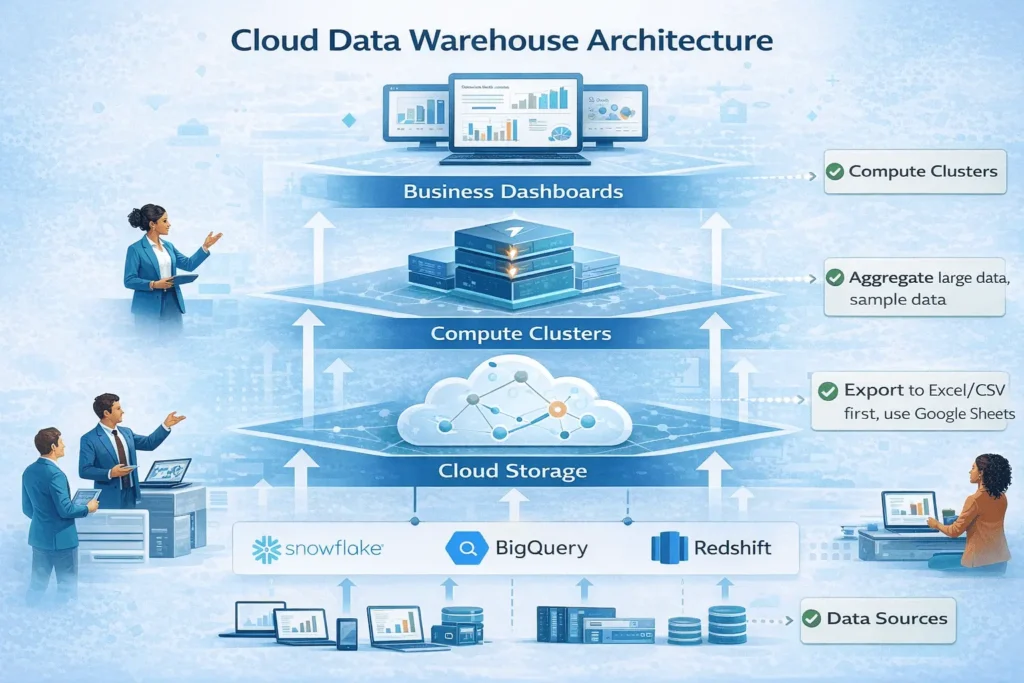
Modern data warehouse architecture is a cloud-native system that separates storage from compute, enabling independent scaling of both resources. Unlike traditional systems where storage and processing power are tightly coupled, cloud architectures provide flexibility, cost efficiency, and performance at massive scale.
Why Architecture Matters
Poor architecture decisions create technical debt that compounds over years:
- ❌ Rigid systems that can’t scale with data growth
- ❌ Complex queries that timeout under load
- ❌ High operational overhead and maintenance costs
- ❌ Limited ability to integrate emerging tools (AI/ML)
Good architecture enables:
- ✅ Queries completing in seconds on petabyte-scale data
- ✅ Automatic scaling without manual intervention
- ✅ Predictable, transparent costs
- ✅ Seamless integration with modern analytics tools
Key Architecture Components
Every modern data warehouse includes these essential layers:
| Component | Purpose | Example Technology |
|---|---|---|
| Data Ingestion | Collect data from sources | Kafka, Fivetran, Stitch, Snowpipe |
| Storage Layer | Persist data at scale | S3, GCS, Azure Blob Storage |
| Compute Layer | Process and query data | Virtual Warehouses (Snowflake), BigQuery slots |
| Query Engine | Execute SQL efficiently | MPP (Massively Parallel Processing) engines |
| Metadata Management | Track schema, lineage, quality | Catalogs, data dictionaries |
| Access & Security | Control who accesses what | Role-based access, encryption, audit logs |
Key Evolution: From On-Premises to Cloud-Native
The Three Generations of Data Warehousing
Generation 1: Traditional On-Premises (2000s-2010s)
- Fixed hardware capacity (servers in your data center)
- Scaling required weeks of procurement
- High upfront capital costs
- Manual maintenance and updates
- Example: Teradata, Oracle Data Warehouse
Generation 2: Hybrid (2010s-2015)
- Some workloads moved to cloud
- Kept sensitive data on-premises
- Complex data movement between systems
- Increasing operational complexity
- Example: Exasol, legacy systems + AWS
Generation 3: Cloud-Native (2015-Present)
- 100% cloud-hosted, fully managed
- Elastic scaling in seconds/minutes
- Pay-as-you-go pricing
- Native AI/ML integration
- Example: Snowflake, BigQuery, Redshift
The Business Impact
Organizations adopting cloud-native architectures experience:
- 78% improvement in data accessibility
- 42% reduction in operational costs (year 1)
- 65% faster query processing times
- 71% improvement in data processing capabilities
“Migrating to cloud-native architecture wasn’t just a technical upgrade—it transformed how our entire organization makes decisions. We went from monthly reports to real-time dashboards, all while cutting infrastructure costs by 40%.”—Enterprise Data Lead, Fortune 500
Core Architecture Layers Explained
Layer 1: Data Ingestion
The first layer collects data from operational systems, sensors, third-party APIs, and logs.
Ingestion patterns:
- Batch ingestion – Collect data periodically (daily, hourly)
- Streaming ingestion – Real-time data flow with sub-second latency
- Change Data Capture (CDC) – Capture only changed records for efficiency
- File uploads – Direct CSV/Parquet file imports
Best practice: Use ELT (Extract, Load, Transform) instead of ETL. Load raw data first, transform in the warehouse where compute is cheaper and faster.
Layer 2: Storage Layer
Cloud-native platforms decouple storage from compute, enabling independent scaling.
Storage characteristics:
- Object Storage – S3 (AWS), GCS (Google), Blob Storage (Azure)
- Columnar Format – Parquet, ORC for analytics-optimized access
- Tiered Storage – Hot (frequent access), Cold (archival), Frozen (compliance)
- Compression – 10:1 compression ratios reduce costs
Cost optimization: Implement data tiering to move infrequently accessed data to cheaper storage tiers.
Layer 3: Compute Layer
Separate compute clusters process queries at massive scale.
Compute features:
- Multi-cluster Architecture – Multiple compute nodes run queries in parallel
- Auto-scaling – Add/remove nodes based on demand
- Query Prioritization – Assign resources based on business criticality
- Workload Isolation – Separate compute for ETL, BI, Data Science to prevent interference
Example: Snowflake’s Multi-Cluster Shared Data Architecture allows infinite scaling while sharing one copy of data.
Layer 4: Query Engine
The MPP (Massively Parallel Processing) engine distributes queries across compute nodes.
How it works:
- Query received → 2. Optimizer determines best execution plan → 3. Distribute work to nodes → 4. Nodes process in parallel → 5. Results merged → 6. Return to user
Modern engines optimize for:
- Micro-partitioning – Auto-partition large tables for faster pruning
- Vectorized Processing – Process multiple rows in one CPU operation
- Predicate Pushdown – Filter data before it reaches compute
- Result Caching – Return identical queries instantly from cache
Three-Tier Architecture Model
The three-tier architecture is the most common pattern for enterprise data warehouses.
Tier 1: Data Source Layer
What it contains: Operational systems, databases, APIs, log streams
Responsibility: Generate and capture raw business data
Tier 2: Staging/Integration Layer
What it contains: Raw data zone, transformation logic, cleansing rules
Responsibility:
- Land raw data (minimal processing)
- Apply quality checks
- Run transformation pipelines (ELT)
- Create standardized entities
Key benefit: Separates raw data from cleaned data, enabling rollback and auditing.
Tier 3: Analytics/Business Layer
What it contains:
- Conformed dimensions (customers, products, dates)
- Fact tables (transactions, events)
- Aggregated data marts
- Published datasets for BI tools
Responsibility: Serve business users and data scientists with clean, performant data
Data Flow Through Tiers
Operational Systems
    ↓ (Extract)
Source Systems
    ↓ (Load)
Staging/Raw Zone (Landing Layer)
    ↓ (Transform, Cleanse, Validate)
Transformation Layer
    ↓ (Aggregate, Conform)
Analytics Layer (Facts & Dimensions)
    ↓ (Query, Visualize, Model)
BI Tools, Dashboards, Data Science
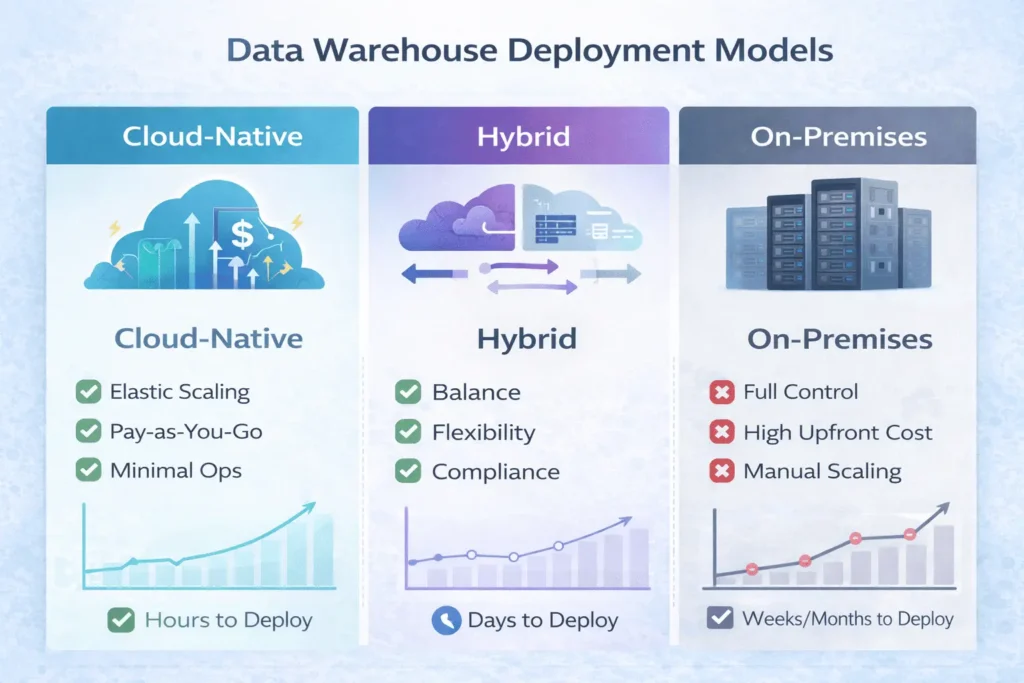
Cloud-Native vs Hybrid vs On-Premises
Detailed Comparison
| Dimension | Cloud-Native | Hybrid | On-Premises |
|---|---|---|---|
| Scalability | Automatic, unlimited | Limited by cloud resources or on-prem hardware | Constrained by physical hardware |
| Upfront Cost | $0 (pay-as-you-go) | Moderate (cloud + on-prem) | High (servers, licenses, setup) |
| Ongoing Costs | Predictable or variable | Mixed | Maintenance-heavy |
| Time to Scale | Seconds to minutes | Minutes to hours | Days to weeks |
| Operational Burden | Minimal (fully managed) | Moderate to high | Very high (DBA-intensive) |
| Data Security | Cloud provider manages | You control sensitive data locally | You control everything |
| Compliance | Provider certifications (SOC 2, HIPAA, etc.) | Flexible for regulated data | Full control, high cost |
| Deployment Speed | Days (setup account, load data) | Weeks (evaluate + configure) | Months (procurement + setup) |
When to Choose Each
Choose Cloud-Native if:
- You prioritize speed and cost efficiency
- Your data is public or non-regulated
- You want minimal infrastructure management
- You need global scalability
Choose Hybrid if:
- You have strict data residency requirements
- You’re migrating from on-premises gradually
- Some data must stay local for compliance
- You want flexibility between environments
Choose On-Premises if:
- Your data requires complete air-gapped isolation
- Compliance mandates prohibit cloud
- You have extreme performance requirements
- You need maximum control over infrastructure
Top Platforms: Snowflake vs BigQuery vs Redshift
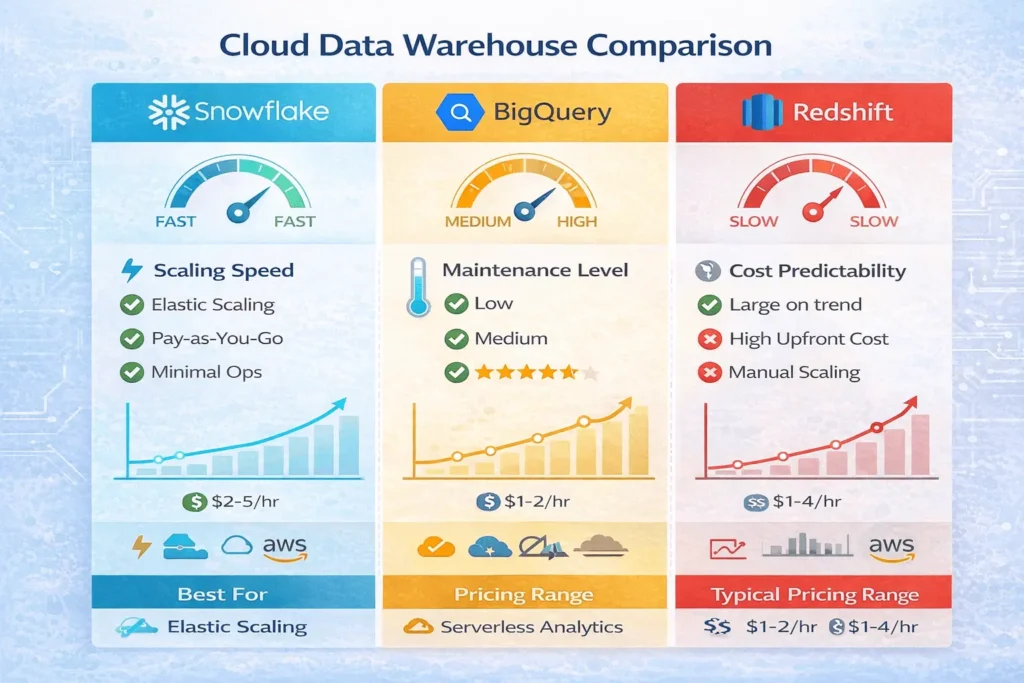
Snowflake: The Multi-Cluster Standard
Architecture:
- Compute-Storage Separation – Scale each independently
- Multi-Cluster Shared Data – All clusters access the same data
- Cross-Cloud Support – Run on AWS, Azure, GCP from one interface
Strengths:
- ✅ Fastest scaling (seconds, not minutes)
- ✅ Zero-copy cloning (full database snapshots instantly)
- ✅ Cross-cloud flexibility
- ✅ Excellent for unpredictable workloads
Ideal for: Organizations with variable workloads, multiple cloud preferences, need for rapid scaling
Pricing: Per-second compute + storage (no wasted resources with auto-suspend)
Google BigQuery: The Serverless Powerhouse
Architecture:
- Fully Serverless – No cluster provisioning
- Nested Data Types – Native JSON, STRUCT, ARRAY support
- Deep Google Integration – Analytics Hub, Vertex AI, Looker
Strengths:
- ✅ Automatic scaling for massive parallelism
- ✅ Best-in-class real-time analytics
- ✅ Native ML integration (Vertex AI)
- ✅ Simplest operational model
Ideal for: Analytics-heavy workloads, real-time dashboards, organizations already in Google ecosystem
Pricing: Per-query (data scanned) or annual slots (fixed cost)
Amazon Redshift: The AWS-Native Choice
Architecture:
- RA3 Nodes – Managed storage with flexible compute
- Redshift Spectrum – Query directly on S3
- Tight AWS Integration – IAM, Glue, Kinesis, Lake Formation
Strengths:
- ✅ Deep AWS ecosystem integration
- ✅ Excellent for batch-heavy workloads
- ✅ Cost-effective for predictable workloads
- ✅ Strong historical performance track record
Ideal for: AWS-committed organizations, batch-heavy ETL, mature enterprises
Pricing: Per-node (RA3) or on-demand Serverless RPU consumption
Quick Comparison Table
| Feature | Snowflake | BigQuery | Redshift |
|---|---|---|---|
| Scaling Speed | Seconds (fastest) | Automatic (instant) | Minutes |
| Maintenance | Minimal | None (fully managed) | Moderate |
| Real-Time Performance | Good | Excellent | Fair |
| Learning Curve | Easy | Easy | Moderate |
| Best For | Flexibility, growth | Real-time, simplicity | AWS ecosystem |
| Starting Cost | Low | Low | Moderate |
Best Practices for Scalable Data Warehouses
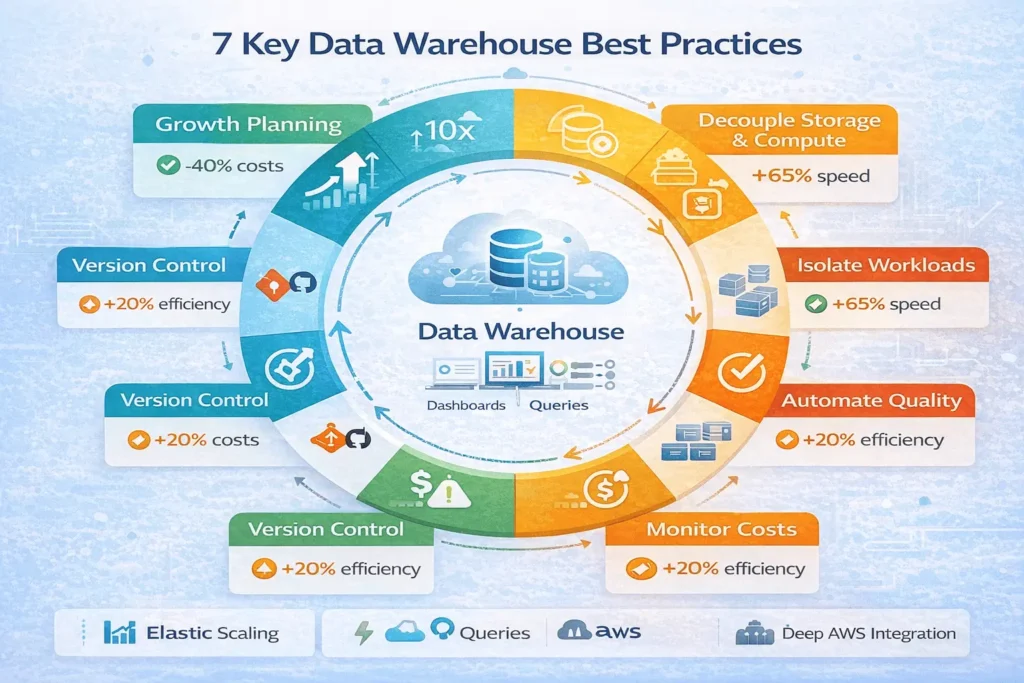
1. Plan for Growth from Day One
Mistake: Building for current data volume only
Practice: Design schemas assuming 10x data growth
- Use partitioning for large fact tables
- Implement clustering keys on frequently filtered columns
- Separate hot (active) from cold (archived) data
2. Decouple Storage and Compute
Mistake: Bundling storage with compute (leads to waste)
Practice: Use cloud-native platforms that scale independently
- Store data in object storage (cheap, durable)
- Spin up compute only when needed
- Archive old data to cheaper tiers
Cost impact: 40-60% reduction in warehouse costs
3. Implement ELT, Not ETL
Mistake: Transforming data outside the warehouse (slow, expensive)
Practice: Load raw data first, transform in-warehouse
| ETL (Old) | ELT (Modern) |
|---|---|
| Transform → Load → Query | Load → Transform → Query |
| Expensive prep work | Cheap, fast transformations |
| Limited data retention | Keep all raw data (audit trail) |
| Slower time-to-insight | Hours-to-minutes |
4. Automate Data Quality Checks
Mistake: Discovering data issues after loading
Practice: Build quality gates into pipelines
Load → Validate → Check → Alert → Remediate → Publish
What to monitor:
- Null value rates (should be stable)
- Volume anomalies (sudden drops/spikes)
- Schema mismatches (column type changes)
- Duplicate records
5. Isolate Workloads with Separate Compute
Mistake: Running ETL and BI queries on same cluster
Practice: Use dedicated compute for each workload type
| Workload | Compute Cluster | Reason |
|---|---|---|
| ETL/Ingestion | Large cluster (runs nights) | Heavy lifting, can be large |
| BI/Dashboards | Medium cluster (daytime) | Consistent demand |
| Data Science | Isolated cluster | Unpredictable resource needs |
Benefit: ETL slowdowns won’t impact dashboards
6. Monitor Costs Obsessively
Mistake: Assuming cloud saves money (without monitoring)
Practice: Implement cost tracking and alerts
Cost optimization tactics:
- Auto-suspend idle compute (saves 50%+)
- Schedule heavy workloads during off-peak hours
- Archive rarely-accessed data
- Use result caching for repeated queries
7. Version Control All Data Pipelines
Mistake: Code changes made directly in production
Practice: Treat infrastructure as code (IaC)
Git → Code Review → Test → Deploy → Production
Tools: dbt (data build tool), Terraform, GitHub Actions
How-To: Building Your First Data Warehouse
Prerequisites
- Basic SQL knowledge
- Cloud account (AWS, GCP, or Azure)
- Understanding of your data sources
Step 1: Define Your Architecture (Days 1-3)
Decisions to make:
- Platform choice: Snowflake, BigQuery, or Redshift?
- Deployment model: Cloud-native or hybrid?
- Data sources: Which systems will feed the warehouse?
- Access patterns: Real-time dashboards or batch reporting?
Recommendation for starters: Begin with BigQuery or Snowflake (simpler operational model than Redshift)
Step 2: Design Your Data Model (Days 3-5)
Approach:
- List key business entities: Customers, Products, Orders, Transactions
- Identify metrics: Revenue, costs, count, duration
- Choose schema pattern: Star schema (most common) or snowflake schema
Example: E-commerce warehouse
Fact Table (Orders):
- order_id (PK)
- customer_id (FK)
- product_id (FK)
- date_id (FK)
- quantity, amount, discount

Dimension Tables:
- customers (name, email, country)
- products (name, category, price)
- dates (date, month, quarter, year)
Step 3: Set Up Cloud Infrastructure (Days 5-7)
For Snowflake:
- Create Snowflake account
- Set up warehouse (compute cluster)
- Create database and schema
- Configure network access
For BigQuery:
- Create Google Cloud project
- Enable BigQuery API
- Create dataset
- Configure IAM roles
For Redshift:
- Create AWS Redshift cluster
- Configure security groups
- Set up IAM roles
- Test connectivity
Step 4: Build Data Pipelines (Days 7-14)
Simple pipeline example:
      Source Database → Extract → Snowpipe/Fivetran → Raw Layer
                               ↓
                    Transform with dbt
                               ↓
                  Analytics Layer (clean data)
                               ↓
                 Load into BI tool (Tableau/Looker)
Use tools:
- Ingestion: Fivetran, Stitch, Apache Airflow
- Transformation: dbt, SQL scripts
- Orchestration: Airflow, Prefect, Dagster
Step 5: Create Business Metrics (Week 3-4)
Define key metrics for your business:
- Revenue (daily, weekly, monthly)
- Customer acquisition cost (CAC)
- Customer lifetime value (LTV)
- Churn rate
- Operational efficiency metrics
Build: Create SQL queries and aggregation tables for each metric
Step 6: Connect BI Tools (Week 4)
Connect your data warehouse to visualization tools:
- Tableau → Snowflake connector
- Looker → BigQuery native integration
- Power BI → Redshift connector
Test: Verify dashboards pull live data from warehouse
Step 7: Monitor & Optimize (Ongoing)
Weekly checks:
- Query performance (< 30 seconds target)
- Cost trends (watch for spikes)
- Data freshness (pipelines ran on schedule)
- User adoption (dashboards being used)
Monthly optimization:
- Add missing indexes/clustering keys
- Archive old data
- Refactor slow queries
- Update documentation
How to Design and Deploy a Scalable Data Warehouse Architecture
Time needed: 28 days
Step-by-step guide to architect, implement, and optimize a modern cloud-native data warehouse from day one.
- Define Architecture Requirements (Day 1-2)
Document data sources, access patterns, scalability needs. Choose between cloud-native, hybrid, or on-premises deployment. Select primary platform (Snowflake, BigQuery, Redshift) based on workload patterns.
- Design Logical Data Model (Day 3-4)
Map business entities and metrics. Create entity-relationship diagrams. Define fact and dimension tables. Document data lineage and definitions.
- Set Up Cloud Infrastructure (Day 5-6)
Provision cloud resources (compute clusters, storage). Configure networking, security groups, and IAM roles. Set up data encryption and access controls. Test connectivity from local machine.
- Build Data Ingestion Pipelines (Day 7-12)
Configure connectors to source systems. Implement schema validation and quality checks. Set up error handling and retry logic. Deploy initial data loads and verify completeness.
- Create Transformation Layer (Day 13-18)
Write SQL transformation queries or dbt models. Build data cleansing and normalization logic. Create aggregation tables for key metrics. Set up automated transformation schedules.
- Deploy Analytics Layer (Day 19-22)
Create business-ready tables and views. Build metric calculations and KPI definitions. Configure row-level security and access controls. Document all tables and fields.
- Connect Business Intelligence Tools (Day 23-25)
Install BI tool connectors to data warehouse. Build initial dashboards for key metrics. Set up automated refresh schedules. Train business users on accessing dashboards.
- Monitor, Test & Optimize (Day 26-28)
Monitor query performance and costs. Run performance baselines and optimization. Create runbooks for common issues. Train data team on operational procedures.
Should we migrate our on-premises data warehouse to the cloud?
Most organizations benefit from cloud migration, but timing matters:
Migrate now if:
You spend >$100K annually on hardware maintenance
You need to scale beyond current capacity
You want modern analytics capabilities (AI/ML)
Your team struggles with infrastructure management
Wait if:
Your system meets all current needs
You have significant regulatory constraints
Your contracts are new (long lock-in)
You lack cloud expertise (budget for training)
Recommendation: Evaluate costs and capabilities over 3-5 years, not just upfront.
What’s the typical cost for a data warehouse?
Depends heavily on your workload:
Startup (< 1TB data):
BigQuery: $100-300/month
Snowflake: $200-500/month
Redshift: $300-600/month
Mid-market (1-100TB):
BigQuery: $500-5,000/month
Snowflake: $1,000-10,000/month
Redshift: $800-8,000/month
Enterprise (100TB+):
BigQuery: $5,000-50,000/month
Snowflake: $10,000-100,000+/month
Redshift: $5,000-50,000/month
Cost optimization tip: 70% of costs come from 20% of queries. Focus optimization there first.
What are the biggest mistakes in data warehouse design?
❌ Not planning for scale → Design buckles when data grows 10x
❌ Mixing storage and compute → Can’t scale independently, wastes money
❌ Poor data quality → Garbage in, garbage out; dashboards become useless
❌ No workload isolation → One heavy query brings down all dashboards
❌ Ignoring costs → Cloud bills shock teams who don’t monitor
❌ Over-engineering initial design → Premature optimization delays launch
❌ No version control → Can’t track who changed what, when, why
Best practice: Start simple, monitor obsessively, optimize iteratively.
Can we integrate AI/ML with our data warehouse?
Absolutely—modern warehouses excel at this:
BigQuery + Vertex AI: Build ML models directly on warehouse data
Snowflake + Snowpark: Use Python/Java for advanced analytics
Redshift + SageMaker: Seamless AWS ML integration
Process:Data → Warehouse → Feature engineering → Model training → Predictions
Use cases: Customer churn prediction, demand forecasting, anomaly detection, price optimization
Key Takeaways
✅ Modern data warehouse architecture separates storage from compute, enabling independent scaling and cost efficiency.
✅ Cloud-native platforms (Snowflake, BigQuery, Redshift) reduce operational overhead by 70% compared to on-premises systems.
✅ Three-tier architecture (source → staging → analytics) is the proven pattern for enterprise data warehouses.
✅ Design for 10x data growth from day one using partitioning, clustering, and tiered storage.
✅ ELT (load first, transform in warehouse) is faster and cheaper than traditional ETL approaches.
✅ Isolate workloads with separate compute clusters to prevent ETL jobs from impacting dashboards.
✅ Monitor costs obsessively—cloud’s flexibility is its greatest cost trap if unmanaged.
Next Steps
This week:
- ✓ Define your architecture requirements (cloud-native, hybrid, on-premises?)
- ✓ Select your platform (Snowflake, BigQuery, or Redshift?)
- ✓ Map your data sources and key business metrics
Next week:
- ✓ Provision your first cloud resources
- ✓ Set up a test data pipeline
- ✓ Create your initial data model
Next month:
- ✓ Deploy your first production warehouse
- ✓ Build initial dashboards and monitor performance
- ✓ Optimize queries and costs
Resources & Tools
Official Platforms:
- Snowflake Documentation – Comprehensive guides and API reference
- Google BigQuery Docs – Getting started, best practices
- AWS Redshift Documentation – Architecture guides, tutorials
Data Pipeline Tools:
- dbt (data build tool) – SQL transformation framework
- Apache Airflow – Workflow orchestration
- Fivetran – Pre-built data connectors
BI & Analytics Tools:
Learning Resources:
- Modern Data Stack courses (Coursera, DataCamp)
- YouTube channels: Seattle Data Guy, Zach Wilson Data
- Communities: r/dataengineering, Analytics Engineering Slack
About StartupMandi
StartupMandi empowers Indian entrepreneurs, data teams, and technology leaders with cutting-edge insights on data infrastructure, cloud architecture, and modern analytics platforms. Our mission is to demystify complex technical decisions and help organizations build data-driven competitive advantages.
Explore our resources:
- StartupMandi Technology Blog – Latest in data engineering and cloud infrastructure
- Data Engineering Resources – Tools, benchmarks, architecture patterns
- Startup Analytics Guide – Data strategy for early-stage startups
References
Accel Data. (2024). Why Modern Data Warehouses Matter Today. Retrieved from https://www.acceldata.io/blog/modern-data-warehouse
Journal of World Advanced Research and Reviews. (2025). The Evolution of Data Warehouse Architectures: From On-Premises to Cloud-Native Solutions. Retrieved from https://journalwjarr.com
DataCamp. (2025). Data Warehouse Architecture: Complete Guide. Retrieved from https://www.datacamp.com/blog/data-warehouse-architecture
Hevo Data. (2025). Snowflake vs Redshift vs BigQuery: 16 Critical Differences. Retrieved from https://hevodata.com/learn/snowflake-vs-redshift-vs-bigquery/
Google Cloud. (2024). BigQuery Official Documentation. Retrieved from https://cloud.google.com/bigquery/docs