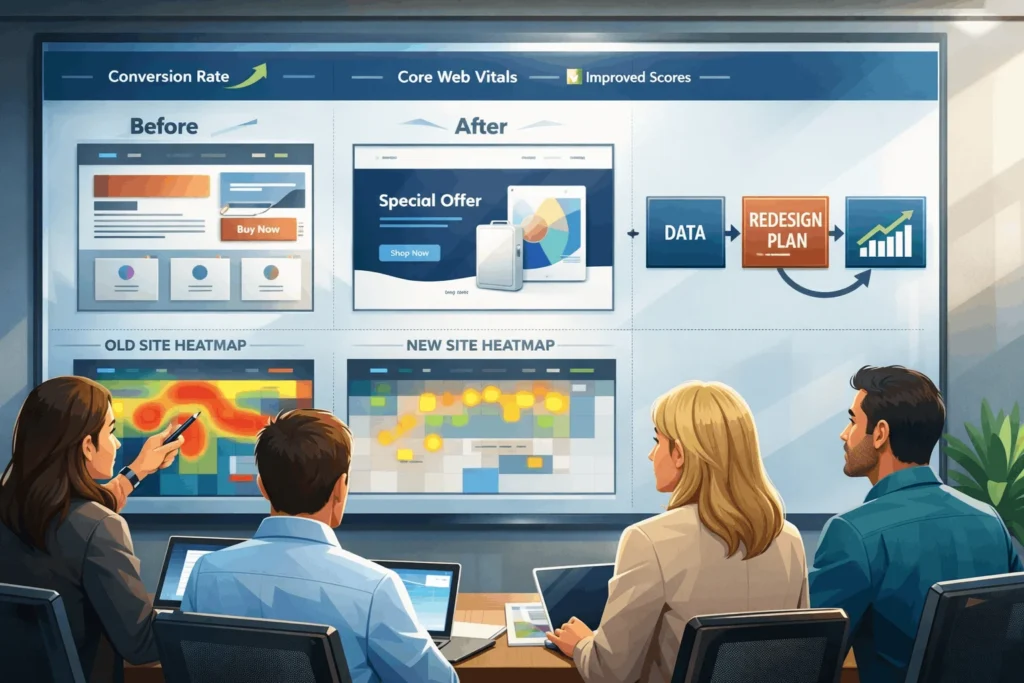
Your website design should be your best-performing salesperson, not a digital brochure you ignore for years. Yet many growing businesses wait until traffic drops or leads dry up before considering a website redesign.
This guide explains when, why, and how to redesign your site using a data-driven framework—so you can invest confidently, protect SEO, and measurably improve conversions, not just aesthetics.
What Is a Website Redesign vs. Refresh?
A website redesign is a strategic rebuild of your website’s structure, user experience, and often technology stack—far beyond changing colors or fonts.
A website refresh is lighter: updating visuals, content, and small UX elements while keeping the core architecture and CMS intact.
Most businesses don’t need a full redesign every year. Many experts recommend major redesigns every 2–3 years or whenever performance and business direction demand it.
“A successful website redesign requires more than just a fresh appearance. You must approach the redesign process with a well-defined strategy that aligns with your business goals and user needs.” — Timmermann Group
When Should I Redesign My Website Design?
You should consider a website redesign when data, not just design trends, tells you your site is holding back growth.
1. What Performance Signals Show It’s Time?
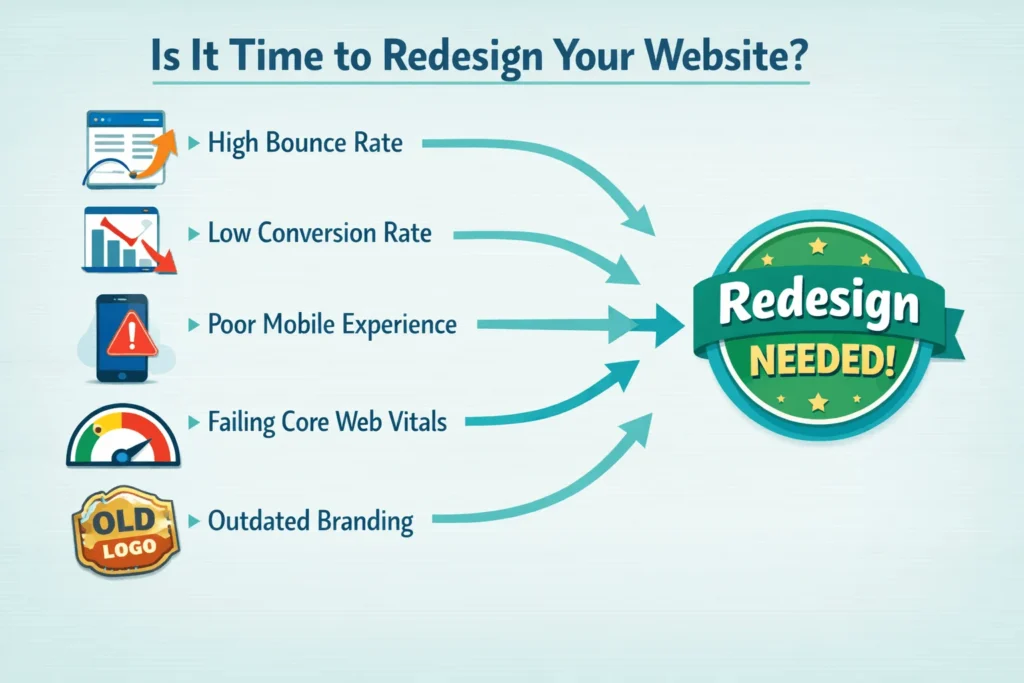
Several hard metrics indicate your current website design is underperforming:
- Conversion rates are below industry norms. Average website conversion rates hover around 2.9%, while optimized landing pages can hit 11.9% or more.
- Bounce rate and exits are high on key pages (home, pricing, contact, product).
- Core Web Vitals fail—slow loads, janky layouts, poor responsiveness.
- Mobile performance is weak, even though over 60–75% of web traffic comes from mobile devices.
Website design and UX heavily influence whether visitors stay or leave. Around 88% of users are less likely to return after a bad UX experience.
2. What Business Triggers Justify a Redesign?
Sometimes business changes are the strongest reasons to redesign:
- Rebranding or repositioning—your visual identity, messaging, and audience have evolved.
- New products, services, or markets—your current structure can’t support new offerings or self-serve journeys.
- Scaling operations—you need better integrations (CRM, marketing automation, payments, or portals).
- Competitive pressure—modern, faster competitors are winning trust and leads.
Infinity Marketing notes many brands see a full redesign every 2–3 years as typical—but only when backed by performance and business signals, not calendar alone.
Why Does Website Design Redesign Impact Growth?
A strategic redesign can improve trust, conversions, and acquisition costs—because website design directly shapes user experience.
1. How Does UX and Speed Affect Revenue?
UX and performance are no longer “nice to have”:
- 88% of users are less likely to return after a bad UX—wasted acquisition cost.
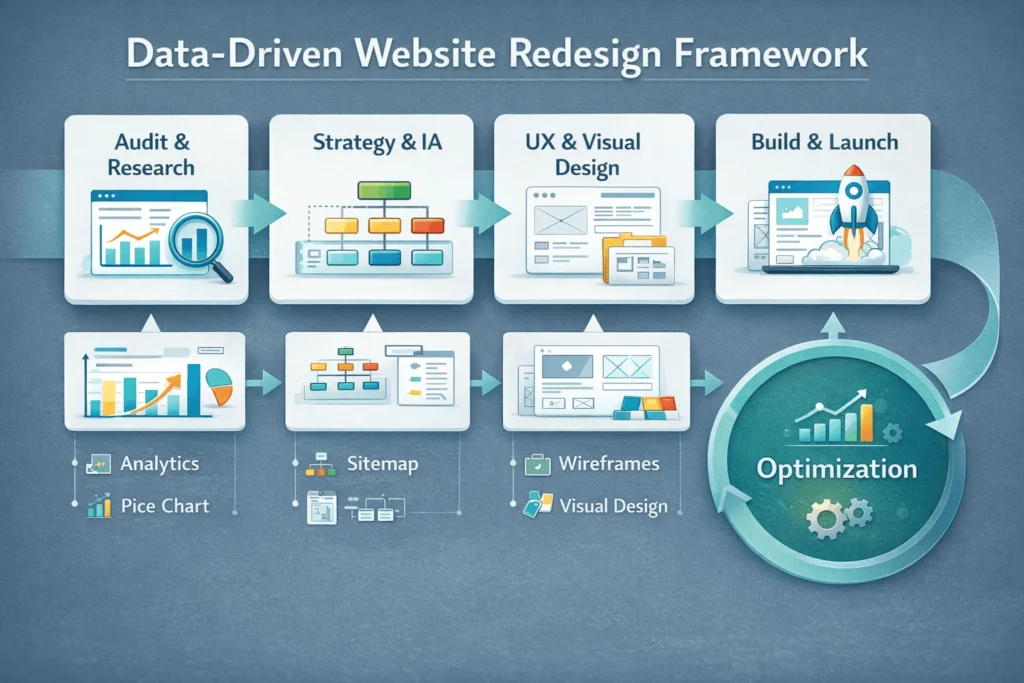
- 47% of users expect pages to load in under 2 seconds; every extra second can cut conversions by ~7%.
- Websites that meet Core Web Vitals benchmarks have reported up to a 24% boost in search rankings and ~15% increase in sales.
Google’s Core Web Vitals (LCP, INP replacing FID, and CLS) now directly affect rankings, engagement, and ad efficiency. A redesign that fixes bloat, layout instability, and blocking scripts can compound into more traffic and higher conversion rates.
2. How Does Modern Website Design Influence Trust?
Modern, responsive website design strongly shapes perceived credibility:
- 72% of local consumers prefer businesses with modern websites, while 50% of local businesses reportedly lose clients due to outdated design.
- Responsive websites with optimized visuals see 11% higher conversion rates than non‑responsive designs.
- Clear CTAs, scannable layouts, and visual hierarchy can increase conversions by up to 120% on landing pages.
Key insight: Your website design is one of the fastest levers to improve conversion rate and ROI without increasing ad spend.
How Do I Decide Between a Refresh and a Full Redesign?
Use a data-driven decision framework, not gut feeling, to choose between improving or overhauling your website.
1. What Criteria Should I Use?
Evaluate these dimensions:
Rule of thumb:
- If structure and tech are sound, but visuals and content lag → Refresh.
- If architecture, tech, and UX are limiting growth → Redesign.
2. How Often Should I Redesign?
Multiple sources suggest:
- Refresh visuals and content continuously through CRO and UX testing.
- Plan a major redesign every 2–3 years for most industries, or 3–5 years for stable B2B sites, depending on performance and business changes.
The best-performing websites are not rebuilt impulsively; they evolve with data and strategy.
How Do I Build a Data-Driven Website Redesign Strategy?
A strong website redesign strategy starts with data, not Dribbble shots.
1. What Data Should I Collect Before Redesign?
- Analytics & Behavior Data
- Performance & Technical Data
- Voice-of-Customer Inputs
2. How Should I Set Redesign Goals?
Tie the redesign to specific, measurable business outcomes:
- Increase lead form conversion rate from 1.5% to 3%+ (above the ~2.9% average benchmark).
- Improve mobile LCP to <2.5 seconds and reduce INP and CLS issues.
- Reduce home-page bounce rate by 20–30% via better above‑the‑fold messaging.
- Increase qualified demo requests or trial signups by 30–50% through clearer funnels.
Key takeaway: A redesign is successful only if post-launch metrics outperform the previous version, not because it looks nicer.
How To Plan and Execute a Website Redesign (Step-by-Step)
Times Needed: Days: 90, Hours: 60, Minutes: 00
Estimated Cost: Currency: USD, Price: 8,000
Description: A 90‑day, data-driven website redesign roadmap for growing businesses, covering research, UX, content, development, and launch without losing SEO or conversions.
Step 1: Diagnose With Analytics and Research
Step Title: Audit Performance, UX, and Business Alignment
Step Description:
Review analytics, heatmaps, and Core Web Vitals to identify where users drop off and which pages underperform. Align findings with business goals and ICPs to decide whether a refresh or full redesign is the right move.
Tools Name: Google Analytics 4, Hotjar/Clarity, PageSpeed Insights
Materials Name: Analytics exports, UX audit notes, KPI targets
Step 2: Define Goals, Scope, and KPIs
Step Title: Set Clear Business and UX Objectives
Step Description:
Document specific goals such as target conversion rates, improved load times, or better lead quality. Define project scope (refresh vs. redesign), timelines, and budget, ensuring leadership signs off on measurable KPIs.
Tools Name: Project management tool, KPI dashboard, stakeholder brief
Materials Name: Scope document, KPI sheet, stakeholder map
Step 3: Restructure Information Architecture
Step Title: Redesign Navigation and Page Hierarchy
Step Description:
Map your existing sitemap and user flows, then design a simplified structure so users can reach key information within 2–3 clicks. Prioritize clear journeys for primary personas (buyers, partners, candidates).
Tools Name: UX mapping tool, whiteboarding app, card-sorting tool
Materials Name: Current sitemap, persona profiles, journey maps
Step 4: Wireframe and Prototype Key Pages
Step Title: Build Wireframes Focused on Conversion
Step Description:
Create low-fidelity wireframes for critical templates (home, product, pricing, blog, landing pages) with clear CTAs and content hierarchy. Test prototypes with a small group of users and adjust before visual design.
Tools Name: Figma/Sketch, prototyping tool, user testing platform
Materials Name: Wireframe library, test scripts, feedback logs
Step 5: Design, Develop, and Optimize Performance
Step Title: Implement Visual Design and Technical Improvements
Step Description:
Apply your brand system to the wireframes, then develop responsive templates with performance budgets. Optimize images, scripts, and Core Web Vitals, and ensure accessibility (contrast, keyboard navigation, ARIA labels).
Tools Name: Design tool, modern CMS, performance testing tools
Materials Name: Design system, component library, performance budget
Step 6: Migrate Content, Test, and Launch
Step Title: Migrate Content and Protect SEO During Launch
Step Description:
Map and implement 301 redirects, migrate high‑value content, and validate forms, tracking, and integrations in staging. After launch, monitor KPIs daily for 30–90 days and A/B test key pages to close performance gaps.
Tools Name: SEO tool, redirect manager, A/B testing platform
Materials Name: Redirect matrix, QA checklist, launch playbook
FAQ Section
Most experts suggest a significant redesign every 2–3 years, or sooner if your metrics decline, your brand changes, or your technology becomes limiting.
It can if mishandled. Proper 301 redirects, preserved content value, and careful URL and on‑page optimization can maintain or improve SEO rather than damage it.
Benchmarks vary by industry, but all-site averages are around 2.9%, while focused landing pages can reach 10–12%+ with proper CRO and UX improvements.
Smaller sites may finish in 4–6 weeks, while larger, complex or B2B sites with integrations typically take 8–16+ weeks from discovery to launch.
A redesign changes UX, visuals, and structure. A replatform moves your site to a new CMS or tech stack. Many strategic projects combine both.
Core Web Vitals directly influence rankings, ad costs, engagement, and conversions. Meeting benchmarks has been linked to 24% higher search visibility and ~15% more sales.
Both. Pre‑launch testing validates UX, messaging, and performance. Post‑launch A/B testing and analytics confirm whether you hit your conversion and retention goals.
Smaller projects can be handled internally if you have UX, dev, and SEO skills. Larger redesigns with complex flows and integrations often benefit from specialized agencies.
Key Takeaways Section
- Website design directly impacts revenue, with UX improvements capable of boosting conversion rates by up to 200% and reducing bounce rates significantly.
- Use data rather than aesthetics to decide between refresh and redesign—evaluate performance, UX, technology, SEO, and business fit systematically.
- Core Web Vitals are now non‑negotiable, influencing search rankings, ad efficiency, and user satisfaction, especially on mobile.
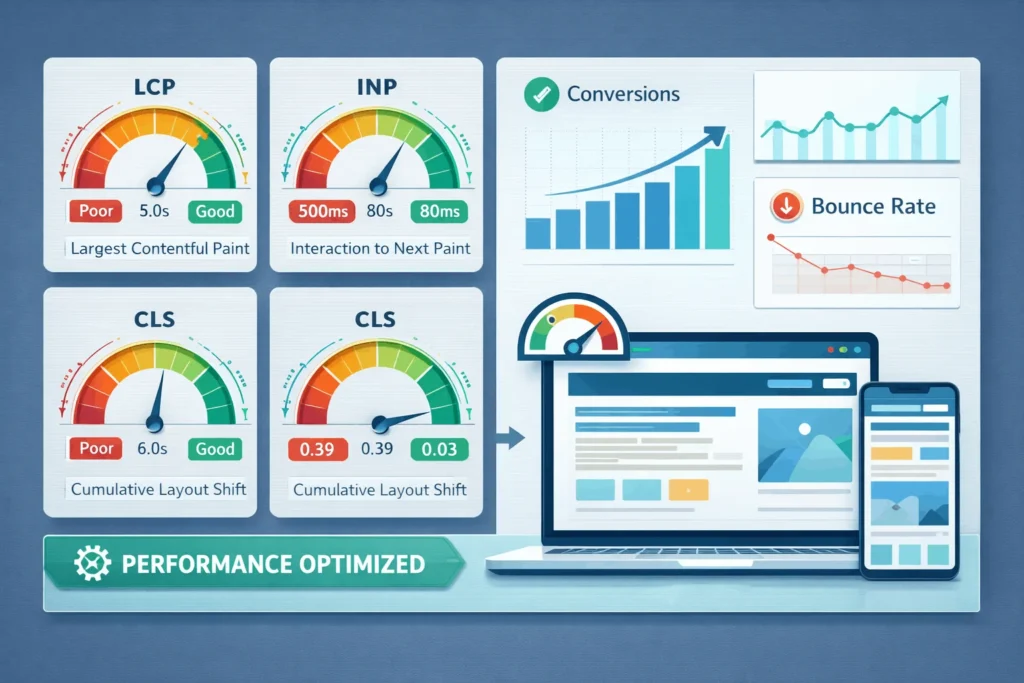
- A successful redesign follows a clear framework: audit, goals, IA, wireframes, high‑performance development, and careful launch with redirects.
- Treat your new website as a living asset, with continuous CRO and UX improvements rather than a one‑off project.
Next Steps Section
- Run a quick diagnostic: check Core Web Vitals, conversion rates, and bounce rates on your top 10 pages today.
- Decide if you need a refresh or a full redesign based on the decision framework and business roadmap for the next 2–3 years.
- Create a 90‑day redesign roadmap with clear scope, KPIs, and ownership across marketing, product, and tech.
- Consider a professional website redesign consultation to validate your plan, avoid SEO pitfalls, and prioritize changes that move business KPIs—not just aesthetics.
Conclusion
A website redesign is one of the highest-leverage investments a growing business can make—if driven by data, strategy, and measurable goals. When you align website design with UX best practices, Core Web Vitals, and conversion-focused architecture, you don’t just get a prettier site—you get a more profitable one.
Approach your next redesign with a structured framework: audit reality, set targets, rebuild information architecture, design for performance, and launch carefully with SEO safeguards. Done right, your website becomes a compound-growth asset that supports your sales, marketing, and brand for years.
REFERENCE LINKS USED FOR RESEARCH
complete guide to website redesign strategy and metrics
website redesign vs refresh best practices
data-backed website design and UX statistics
Core Web Vitals guide for marketers
latest conversion rate optimization benchmarks for 2026