Did you know 65% of beginners waste 50% of their Google Ads budget on avoidable errors like poor keyword choices? This guide shows you how to set up a Google Ads campaign step-by-step, dodging those pitfalls for real results. Perfect for first-time advertisers at startups like yours.
Planning to start Advertise in Google, Youtube, Facebook, Insta ? This can help you a lot
What Is Google Ads?
Google Ads is Google’s pay-per-click (PPC) platform where you bid on keywords to show ads in search results. It drives targeted traffic fast, with businesses earning $2 for every $1 spent on average.
Unlike SEO, Google Ads delivers instant visibility. In 2025, it generated $296 billion in revenue, proving its power. Startups use it for leads without waiting months.
Transition to setup: Now that you know the basics, let’s create your account right.
Why Use Google Ads as a Beginner?
Google Ads offers 200% average ROI for optimized campaigns. Beginners gain quick leads, with search ads boasting 4-6% CTR.
It scales with budgets, ideal for StartupMandi users testing markets. Avoid organic delays—PPC targets intent-driven searches.
“Google Ads delivers an 800% ROI estimate, vital for 79% of marketers.” – WebFX
This efficiency hooks startups. Next, master the common traps.
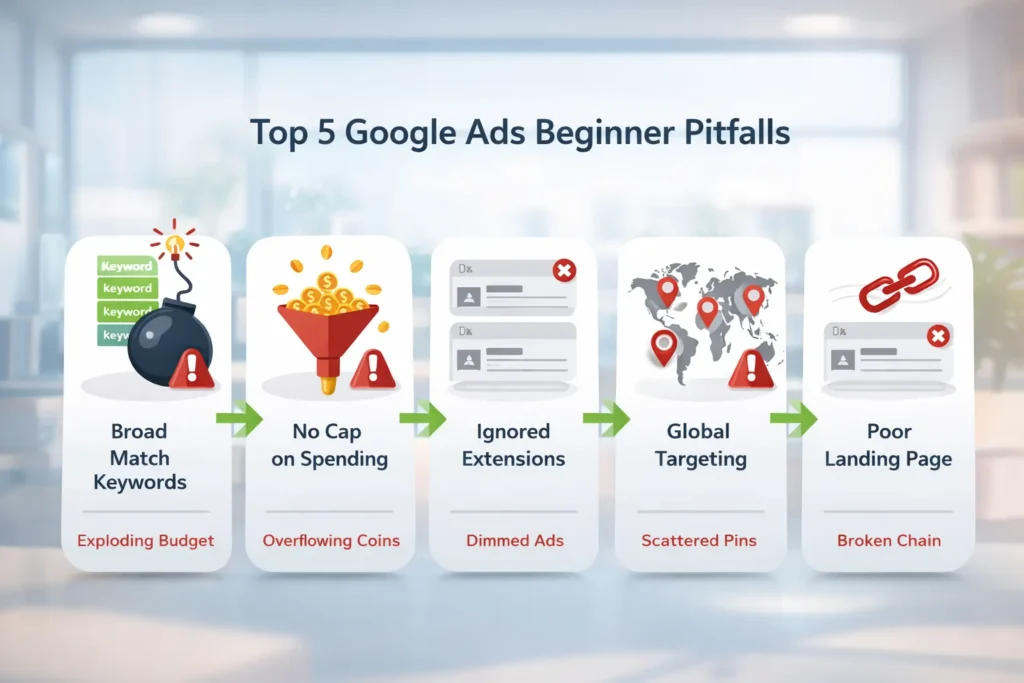
What Are Common Beginner Mistakes?
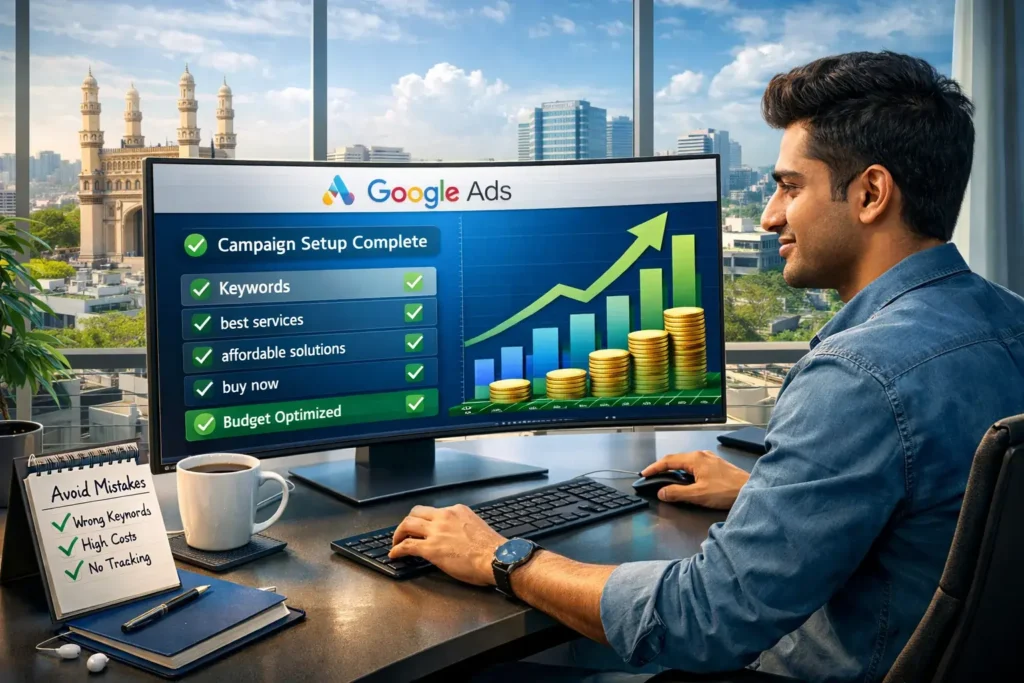
Top mistake: Broad match keywords trigger irrelevant traffic, wasting 30-50% of spend. Another: No daily budget, leading to overspending shocks.
Ignoring ad extensions misses visibility boosts. Targeting too broad locations burns cash on non-buyers.
Key takeaway: Test small budgets first. These errors cost newbies dearly—let’s prevent them.
Now, dive into structured setup.
How Do I Create a Google Ads Account?
Sign up at ads.google.com with your Google account. Switch to Expert Mode for control.
Enter business details and billing. It takes 5-10 minutes. Verify with a small test charge.
Pro tip: Link Google Analytics early for better insights. This avoids data silos from day one.
Ready for campaigns? Follow the steps ahead.
How Do I Set Up My First Campaign?
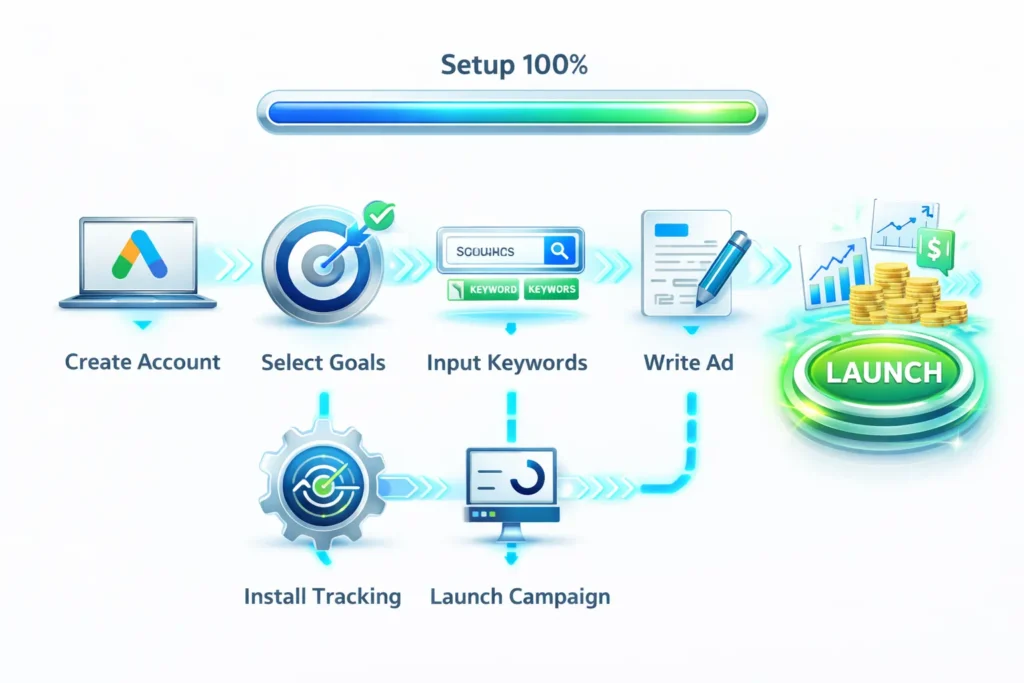
Follow this proven 9-step process to launch without errors.
- Click “New Campaign” in Expert Mode.
- Select goal: Sales or Leads for beginners.
- Choose Search campaign type—focuses on intent.
- Name campaign descriptively, e.g., “Startup Leads Q1”.
- Set networks: Search only to avoid Display waste.
- Define locations: Target India or Hyderabad for relevance.
- Set daily budget: Start at $10-50 to test safely.
- Pick bidding: Manual CPC for control.
- Schedule ads: Business hours only (9 AM-8 PM IST).
Save and continue—your foundation is solid.
This structure scales. Next, keywords.
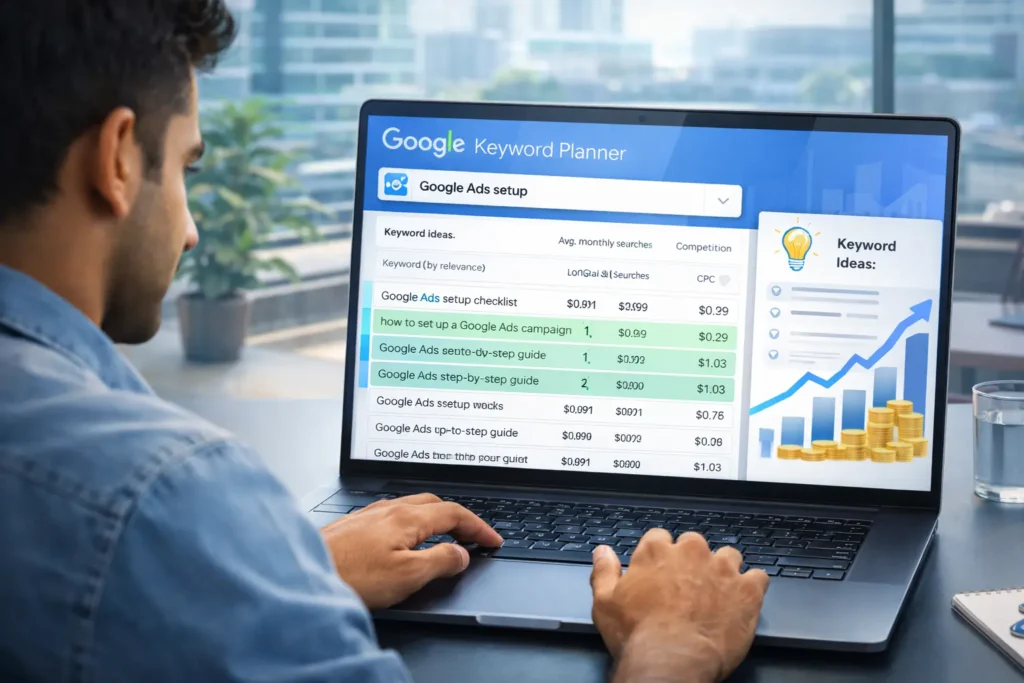
What Is Google Keyword Planner and How Do I Use It?
Google Keyword Planner finds high-intent keywords free. Access via Tools > Planning.
Enter seed terms like “startup funding India”. Filter by volume (100-1K monthly) and low competition.
- Choose “Discover new keywords”.
- Input 5-10 terms or your site URL.
- Filter: India, past 12 months.
- Export top phrase/exact match like “Google Ads setup guide”.
- Aim for long-tail: lower CPC, higher conversion.
Stats: Good keywords boost ROI 2x. Integrate with Google’s AI advances, like Google announces Gemini 3 Flash for faster AI.
Visualize your research:
| Keyword | Monthly Searches | CPC | Competition |
|---|---|---|---|
| Google Ads setup | 1,000 | $2.50 | Medium |
| PPC for startups | 500 | $1.80 | Low |
| beginner Google Ads | 800 | $2.20 | Medium |
Prioritize 10-20 per ad group. Onward to ads.
How Do I Write High-Converting Ads?
Direct answer: Use headline with keyword, strong benefit, urgent CTA.
- Headline 1: “Google Ads for Beginners – Start Free”.
- Headline 2: “Avoid Budget Waste Today”.
- Description: “Step-by-step setup. Get leads fast. 200% ROI possible.”
- Add extensions: Sitelinks to services, callouts like “Expert Audit Free”.
Test 3 ads per group. Responsive Search Ads auto-optimize.
Link to skills boost via Google Skills AI learning platform.
Emotional hook: Imagine leads pouring in.
How Do I Choose the Right Bidding Strategy?
Start with Manual CPC—set max per click based on Keyword Planner.
Gather 15-30 conversions, then switch to Maximize Conversions.
Avoid Target ROAS early—needs data. Enhanced CPC bridges manual to auto.
Beginner ROI tip: 3-6% conversion rate average.
What Is Conversion Tracking and Why Set It Up?
Conversion tracking measures actions like form submits. Install via Tools > Conversions.
- Click + New conversion action.
- Choose Website > Tag.
- Copy global site tag to head.
- Add event snippet to thank-you page.
- Verify in 24 hours.
Without it, you’re flying blind—80% optimize better with data.
Connects to Apple-Google partnership for seamless tracking.
How Do I Launch and Optimize My Campaign?
Review, pause poor performers, scale winners. Check daily first week.
- Monitor CTR >3%, conversions.
- Pause low performers.
- Increase budget 20% on winners.
- A/B test ads weekly.
Use negative keywords to block waste, e.g., “free”.
How To Setup Google Ads – Step by Step Process
Times Needed: 2 Hours & 30 Minutes
Estimated Cost: 50 USD (initial test budget)
Description: Set up a basic Google Ads Search campaign for startups, focusing on leads while avoiding broad targeting pitfalls.
Step 1: Create Account: Sign up at Google Ads , switch to Expert Mode, add billing. Takes 10 mins.
Step 2: Keyword Research: Use Planner for 10-20 long-tail terms, export phrase match. Avoid broad.
Step 3: Build Campaign: Select Search, set $10-50 daily budget, Manual CPC bidding.
Step 4: Write Ads: Craft 3 responsive ads with keyword, benefit, CTA. Add extensions.
Step 5: Track Conversions: Install tags on site, verify actions like form submits. Launch.
Let Me Featured 2 Services Specially Crafted for You
Lead Generation & Sales Acceleration (Paid Ads)
Original price was: ₹49,999.00.₹24,999.00Current price is: ₹24,999.00.Brand Awareness Campaigns – 3 Month Visibility Program
Original price was: ₹24,999.00.₹9,999.00Current price is: ₹9,999.00.

Keyways
- Set daily budgets and Manual CPC to control spend.
- Use Keyword Planner for targeted terms, avoid broad match.
- Track conversions for data-driven tweaks.
- Test small, scale winners—200% ROI possible.
- Add extensions for 15% more clicks.
Next Steps
- Sign up and run Keyword Planner today.
- Build your first campaign using the How To guide.
Conclusion
Mastering Google Ads setup empowers beginners to drive leads without waste. Follow these steps for scalable growth in your startup.
Frequently Asked Questions(FAQs)
How much should a beginner spend on Google Ads?
Start with $10-50 daily to test without risk. Scale based on ROI.
What is the average ROI for Google Ads?
About 200%, or $2 per $1 spent, with optimization.
Do I need a website for Google Ads?
Yes, for landing pages and tracking. Optimize for fast loads
How long until I see results?
Ads approve in hours; data in 1-3 days. Optimize weekly.
Can startups afford Google Ads?
Yes, low budgets work; 43% of startups spend $100-5K/month
What if my ads aren’t converting?
Check keywords, landing pages, bids. Add negatives
Is Google Ads better than Facebook?
Higher CTR (6.42% vs 0.9%) for search intent.
How to avoid account suspension?
Follow policies, no misleading claims.
A Few Link Suggestions for Researching & Fact Checking
- Google announces Gemini 3 Flash
- Google Skills AI learning
- Apple-Google partnership
- Beginner tutorial to – Step-by-step video validation.
- “Common Google Ads mistakes” to – Stats on pitfalls
- “Google Ads statistics” to – ROI and CTR data
- “Keyword Planner guide” to – Research tool details
- “Bidding strategies” to – Beginner bidding advice