Introduction
AI YouTube automation is one of the fastest ways to build a profitable faceless YouTube channel without filming yourself.
By combining artificial intelligence tools with repeatable workflows, creators are launching fully automated channels that generate videos, upload content, and even monetize—without traditional production teams.
In this guide, you will learn exactly how AI YouTube automation works, why it’s exploding in 2026, and how you can build your own profitable channel step-by-step.
Let’s break it down.
What Is AI YouTube Automation?
AI YouTube automation is the process of using artificial intelligence tools to create, edit, and publish YouTube videos with minimal human involvement.
Instead of manually scripting, recording, and editing, AI handles:
- Script generation
- Voiceovers
- Visual creation
- Video editing
- Scheduling uploads
This model enables creators to run multiple faceless channels simultaneously.
According to PwC, AI adoption could contribute $15.7 trillion to the global economy by 2030, largely through automation and productivity gains.
Source: PwC Global AI Study
How Does It Differ From Traditional YouTube?
Traditional YouTube requires:
- On-camera presence
- Manual editing
- Personal branding
AI automation focuses on:
- Data-driven niches
- Template-based videos
- Scalable content production
Result: Faster publishing and higher scalability.
Why Is AI YouTube Automation Growing So Fast?
Because it removes the biggest barriers to YouTube success: time, skill, and cost.
Key growth drivers include:
- Explosion of AI video tools
- Rising CPMs in evergreen niches
- Increased demand for short-form and long-form content
YouTube reports that over 500 hours of video are uploaded every minute, yet algorithmic discovery still rewards consistent niche-focused channels.
Source: YouTube Press Statistics
Who Should Try AI YouTube Automation?
This model is ideal for:
- Beginners with no editing skills
- Side-hustlers seeking passive income
- Digital marketers building portfolios
- Agency owners scaling content
You don’t need to be creative—you need to be systematic.
How Profitable Is AI YouTube Automation?
Well-built automated channels can earn from $500 to $50,000+ per month depending on niche, traffic, and monetization methods.
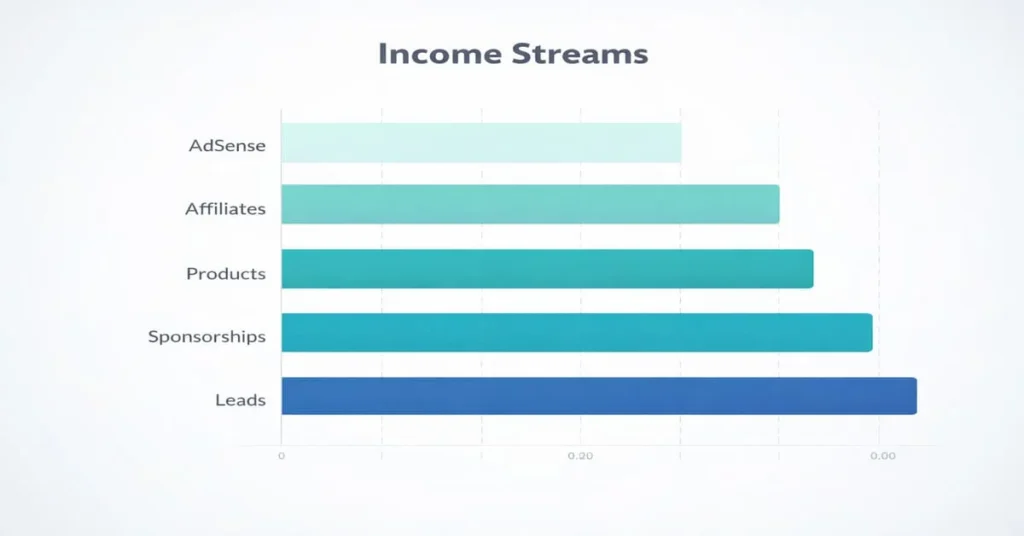
Common revenue streams:
| Monetization Method | Income Potential | Difficulty |
|---|---|---|
| YouTube AdSense | Medium | Easy |
| Affiliate Marketing | High | Medium |
| Digital Products | Very High | Medium |
| Sponsorships | High | Hard |
| Lead Generation | High | Medium |
Many creators stack multiple revenue streams for stability.
“Faceless YouTube channels are not shortcuts; they are scalable media businesses.”
— Think Media
Which Niches Work Best for AI YouTube Automation?
Evergreen, informational, and problem-solving niches perform best.
Top-performing niches:
- Personal finance
- Health & wellness
- Luxury facts
- Tech explainers
- Motivation
- AI tools reviews
- Space & science
Avoid personality-driven niches that rely on faces.
How Do You Validate a Niche?
- Search niche keywords on YouTube
- Check video views
- Analyze upload frequency
- Look for monetization signs
If multiple small channels get high views, the niche is validated.

What Tools Are Needed for AI YouTube Automation?
You only need 4 tool categories to run a complete automation stack.
| Function | Tool Examples |
|---|---|
| Script Writing | ChatGPT, Claude |
| Voiceover | ElevenLabs, Play.ht |
| Video Creation | Pictory, InVideo, Pippit AI |
| Automation | Zapier, Make |
One helpful resource explains modern automation workflows in detail
How Much Does It Cost to Start?
$0–$50 per month is enough to launch.
Many tools offer free tiers suitable for beginners.
How Do You Create AI Videos Step-by-Step?
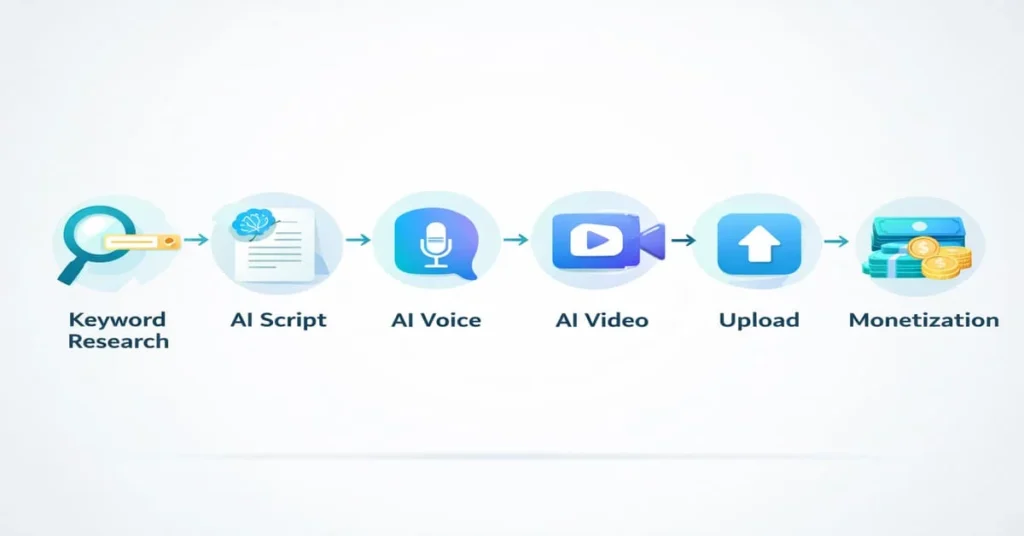
Follow this simple production pipeline:
- Keyword research
- Script generation
- Voiceover creation
- Visual assembly
- Upload & optimize
This workflow is repeatable and scalable.
Step 1: Find Video Topics
Use:
- YouTube search suggestions
- Google Trends
- Competitor analysis
Target long-tail keywords first.
Step 2: Generate Scripts with AI
Prompt example:
Write a 900-word YouTube script about [topic].
Use engaging hook, simple language, and storytelling style.
Edit lightly for clarity.
Step 3: Create AI Voiceover
Upload the script into the voice generator.
Choose:
- Natural tone
- Medium pace
- Neutral accent
Download MP3.
Step 4: Generate Video
Upload the voiceover into the AI video tool.
Select:
- Stock footage
- Animations
- Auto captions
Export video.
Step 5: Upload & Optimize
Add:
- SEO title
- Keyword-rich description
- Relevant tags
- Custom thumbnail
How Do You Optimize AI YouTube Videos for SEO?
YouTube SEO determines whether your automation channel succeeds.
Optimization checklist:
- Keyword in title
- Keyword in first 2 description lines
- Long description (150–300 words)
- Chapters
- Hashtags
Helpful deep-dive guide from ShortGenius
Title Formula
Primary Keyword + Benefit + Curiosity
Example:
AI YouTube Automation: Earn While You Sleep
How Long Until You See Results?
Most channels take 60–120 days to gain traction.
Typical timeline:
| Month | Expected Result |
|---|---|
| 1 | Setup + Uploads |
| 2 | Low views |
| 3 | First spikes |
| 4+ | Monetization |
Consistency beats perfection.
Can AI YouTube Automation Be Fully Automated?
Yes, up to 80–90%.
Automatable tasks:
- Script generation
- Voice creation
- Video assembly
- Scheduling
Manual oversight is still needed for:
- Quality control
- Niche strategy
- Monetization planning
What Are the Biggest Mistakes to Avoid?
- Choosing oversaturated niches
- Low-quality scripts
- Reused visuals
- No thumbnails testing
- Quitting early
Most failures come from impatience.
HowTo: Build an AI YouTube Automation Channel
Times Needed: 5 Days & 6 Hours
Estimated Cost: 30 USD
Description: Launch a faceless YouTube channel using AI tools that automatically create scripts, voiceovers, and videos.
Steps-by-Step Implementation Process
- Choose Profitable Niche – Research demand and monetization.
- Create Channel Brand – Name, banner, description.
- Generate Scripts – Use AI writing tools.
- Create Voiceovers – Convert text to speech.
- Assemble Videos – Add visuals and captions.
- Upload Consistently – Minimum 3 videos weekly.
Tools Name: ChatGPT, ElevenLabs, Pictory, TubeBuddy
Materials Name: Laptop, Internet, Google Account
Key Takeaways
- AI YouTube automation enables faceless income.
- Tools reduce production time by 80%.
- Niche selection determines success.
- SEO optimization is mandatory.
- Consistency creates compounding growth.
Next Steps
- Pick one niche today
- Create the first script
- Generate your first AI video
For deeper learning, explore Pippit.ai Blog
Conclusion
AI YouTube automation is not a gimmick—it’s a scalable digital business model. With the right niche, tools, and consistency, you can build a profitable faceless channel that runs largely on autopilot. Start small. Stay consistent. Let compounding work.
FAQ Section
What is AI YouTube automation?
Using AI tools to create and publish videos automatically.
Do I need experience?
No, beginners can start easily.
How much can I earn?
$500–$50,000+ monthly depending on niche.
Is it legal?
Yes, when using licensed or royalty-free assets.
How many videos per week?
3–7 recommended.
Does YouTube allow automation?
Yes, if the content is original and valuable.
Which niche is best?
Finance, health, tech, motivation.
How long to monetize?
Usually 2–4 months.
A Few Links Suggestions for more Research