How Do Website Builders Help You Build Without Coding?
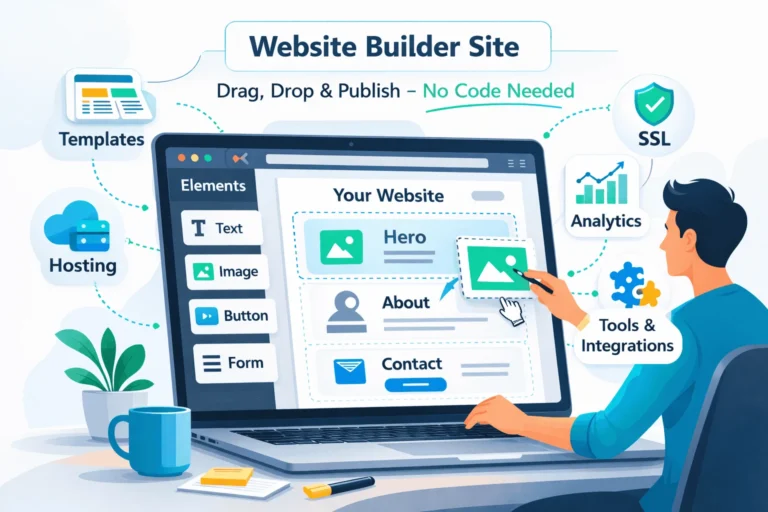
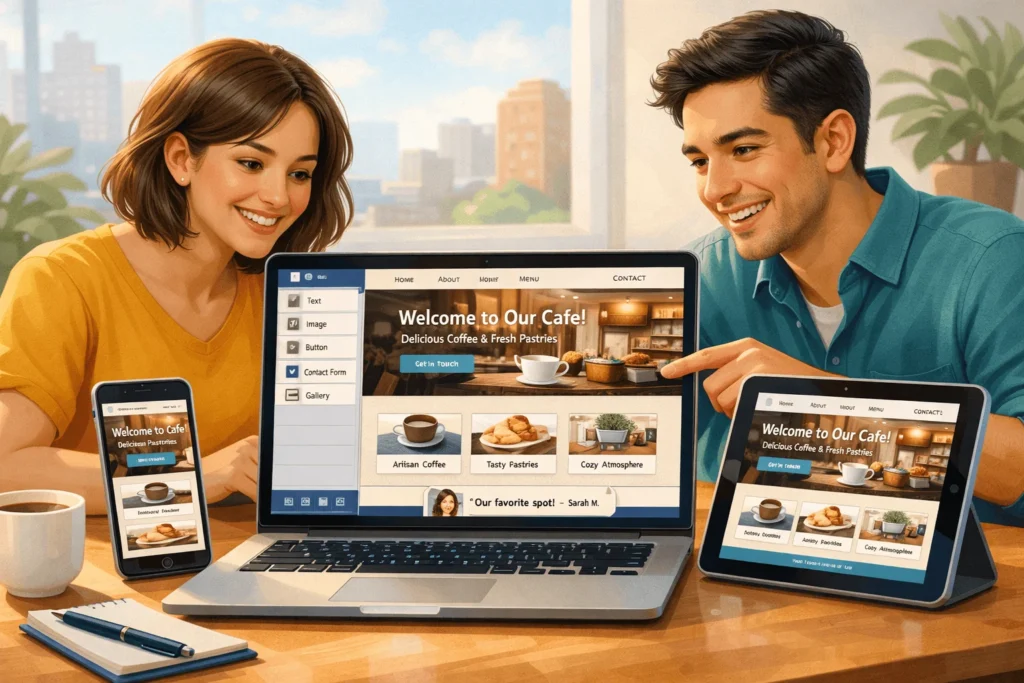
Website builders let you create a website without writing a single line of code by using templates, drag‑and‑drop blocks, and guided setup flows.
Instead of hiring a developer, you choose a design, customize text and images, and publish online in hours—not weeks. Modern website builders handle hosting, security, mobile design, and basic SEO so you can focus on your content and business.
Think of them as Canva for websites: you design visually, while the builder writes the HTML, CSS, and JavaScript in the background.
What Exactly Are Website Builders?
Website builders are software platforms (usually in your browser) that combine design, hosting, and content management into one tool.
You sign up, choose a template, and use a visual editor to add pages like Home, About, Services, and Contact. The platform then hosts your site on its servers and connects your domain automatically.
Most modern website builders share three core characteristics:
- No-code editing: Drag‑and‑drop sections (hero, gallery, FAQ, forms).
- Templates: Professionally designed layouts for different industries.
- All‑in‑one stack: Hosting, SSL, updates, and security handled for you.
Popular examples include Wix, Squarespace, Shopify, Hostinger’s builder, GoDaddy’s builder, and Weebly. There are also hybrid approaches like WordPress.com, which blend CMS with simpler setup.
Website builders are ideal for first‑time creators, small businesses, freelancers, and early‑stage startups that need to go live quickly without a full engineering team.
What Types of Website Builders Exist?
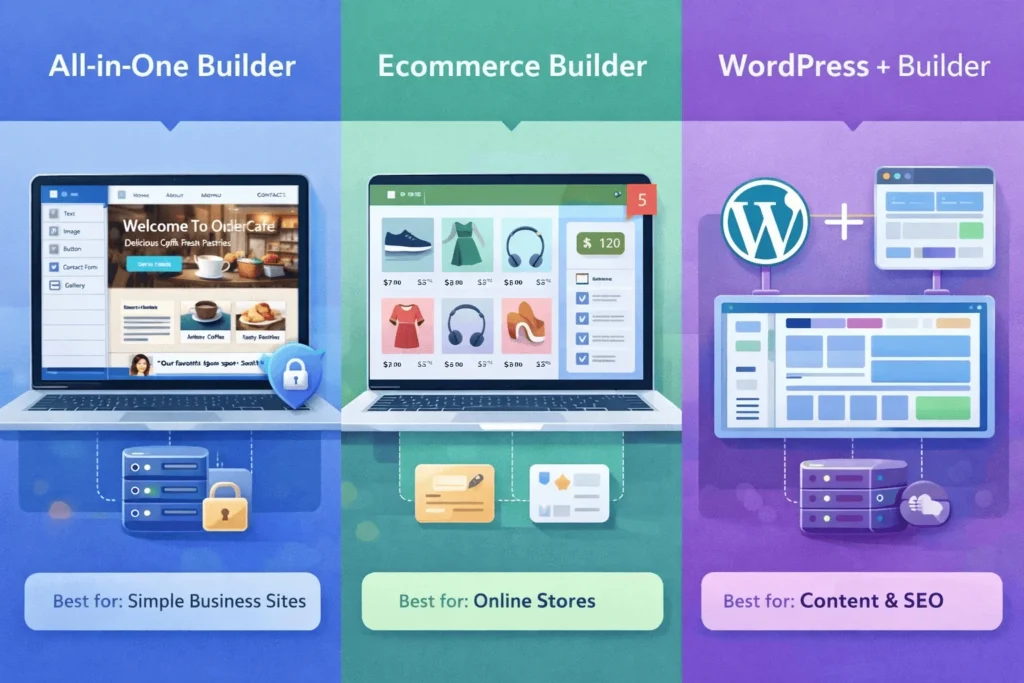
You will encounter three broad categories, each suited to different use cases and budgets.
1. All-in-One Hosted Website Builders
These platforms give you everything in one subscription: builder, hosting, security, and support. You usually pay a monthly or annual fee and never touch servers.
Typical examples (and their entry pricing ranges, from public comparison charts):
- Wix – free plan, then around $16–$17/month for paid plans.
- Squarespace – 14‑day free trial, paid plans from about $16/month on annual billing.
- GoDaddy – free plan, paid options from roughly $10–$11/month.
- Hostinger Website Builder – often $2–$3/month on long‑term deals (with higher renewal rates).
These tools work well if you want simplicity and speed and are okay staying inside one ecosystem long term.
2. Ecommerce-Focused Builders
These are optimized for online stores, with product catalogs, payment gateways, inventory, and shipping tools built in.
- Shopify – known for ecommerce, starter plans as low as $5/month, core plans typically start around $29/month and increase with features.
- Squarespace Commerce – adds store features on top of its website plans.
- Wix eCommerce – dedicated online store plans at higher tiers.
Choose this family if your main goal is selling products rather than just having a brochure site.
3. CMS + Page Builders (WordPress + Builders)
Here, you use WordPress as the CMS and add a visual builder like Elementor, Divi, or Gutenberg blocks. Hosting is separate.
This path suits founders who:
- Want more control and scalability later.
- May eventually hire developers to extend functionality.
- Are willing to manage hosting or work with managed WordPress services.
For a deeper comparison of this route, see:
- WordPress vs custom website for growing businesses (great to decide between off‑the‑shelf builders, WordPress, and custom dev).
- How to build a high‑performance WordPress website for business growth (practical setup guide).
How Do Website Builders Actually Work Behind the Scenes?
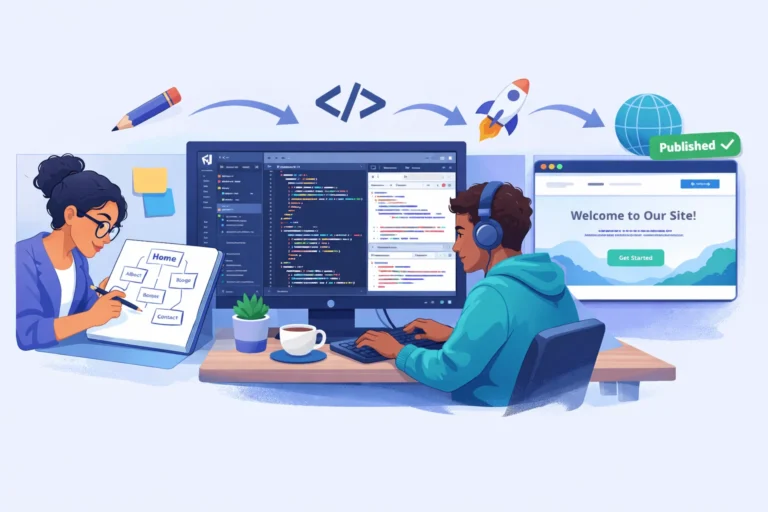
On the surface, you drag blocks. Underneath, the builder is generating HTML (structure), CSS (design), and JavaScript (interactivity).
Most builders follow this flow:
- Template selection: You choose a pre‑made layout for your niche (restaurant, coaching, agency, etc.).
- Visual editing: You click on text, images, buttons, and sections to edit them inline.
- Component system: Each section (hero, pricing, testimonials) is a reusable block.
- Responsive design: The builder auto‑adjusts layouts for mobile and tablet.
- Hosting & deployment: When you click “Publish”, the site files are deployed to the builder’s hosting infrastructure.
You never see the code, but you control the content, structure, and design choices.
Some newer builders also include AI features: suggesting initial layouts, generating placeholder copy, or filling sections based on a short description of your business.
What Real-World Problems Do Website Builders Solve?
Instead of talking only in tech terms, let’s look at concrete use cases.
1. Local Service Business (Salon, Clinic, Coaching)
Goal: Let customers find you, trust you, and book you.
A website builder can give you:
- A clean Home page with your services and USP.
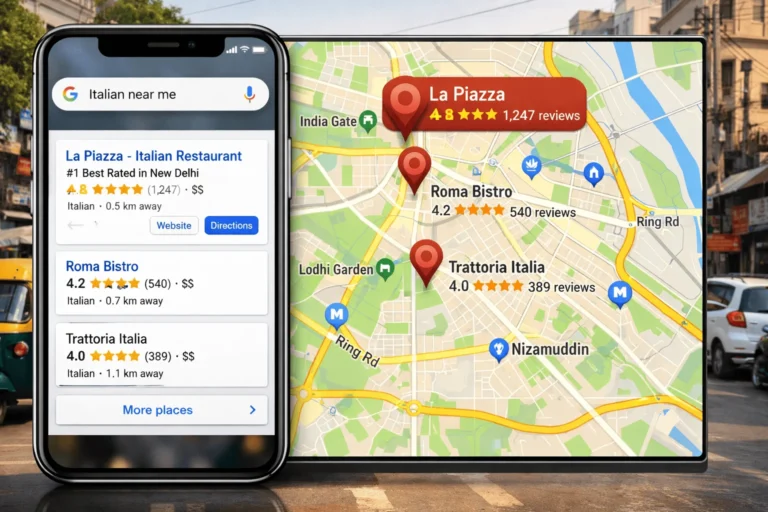
- Google Maps and contact details for discovery.
- A booking form or WhatsApp button for appointments.
- A basic blog or “Tips” page to show expertise.
Most hosted builders include booking and contact form widgets, so you can have this live in a weekend.
2. Freelancer / Portfolio (Designer, Writer, Consultant)
Goal: Show work, build trust, and capture inquiries.
A website builder can:
- Display case studies and project galleries.
- Include testimonial sliders and client logos.
- Integrate Calendly or meeting links.
- Capture leads via project brief or inquiry forms.
Templates for “Portfolio” and “Consultant” are common across major platforms, so you avoid starting from scratch.
3. Ecommerce Store (Clothing, D2C Brand, Digital Products)
Goal: Sell directly online with catalog, checkout, and offers.
An ecommerce builder gives you:
- Product listing pages and detail pages.
- Integrated payment gateways (UPI, cards, wallets).
- Shipping zones, taxes, and coupons.
- Basic inventory tracking and order emails.
If you want more control and scalability, a WordPress+WooCommerce or Shopify store might be better than a very basic builder. StartupMandi’s WordPress guide is helpful here.
4. Startup Landing Page / MVP
Goal: Validate an idea quickly with landing pages and lead capture.
Website builders let you:
- Launch a single, sharp landing page in a day.
- Embed forms, waitlists, and email signup blocks.
- Install analytics/pixels without a dev team.
This is usually much faster than commissioning a custom build for an untested idea.
What Are the Pros and Cons of Website Builders?
Website builders are not perfect. The key is matching pros and cons to your stage.
Advantages
- Speed to launch: You can go from idea to live site in a day.
- No-code simplicity: Great for non‑technical founders and teams.
- Predictable costs: Monthly/annual pricing instead of large dev retainers.
- Maintenance handled: Hosting, security patches, and SSL managed by the provider.
Limitations
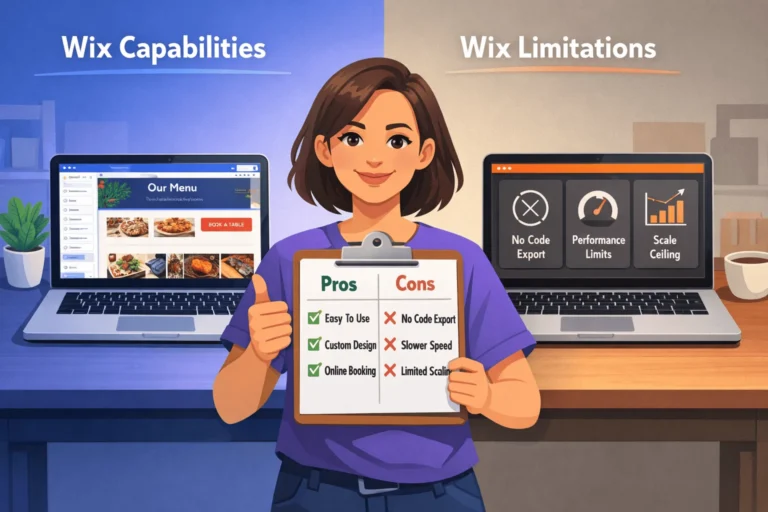
- Less flexibility: Some advanced layouts or flows are hard or impossible without custom code.
- Platform lock‑in: Moving away later can require rebuilding from scratch.
- Performance and SEO trade‑offs: Some builders generate heavier code, which can affect speed if not optimized.
- Scaling complexity: High‑traffic, complex apps still benefit from custom or semi‑custom builds.
This is why many growing businesses eventually ask: should we stay on a builder, move to WordPress, or invest in a custom site? That’s exactly what internal article on WordPress vs custom website explores in detail.
How Do Website Builders Compare on Price and Features?
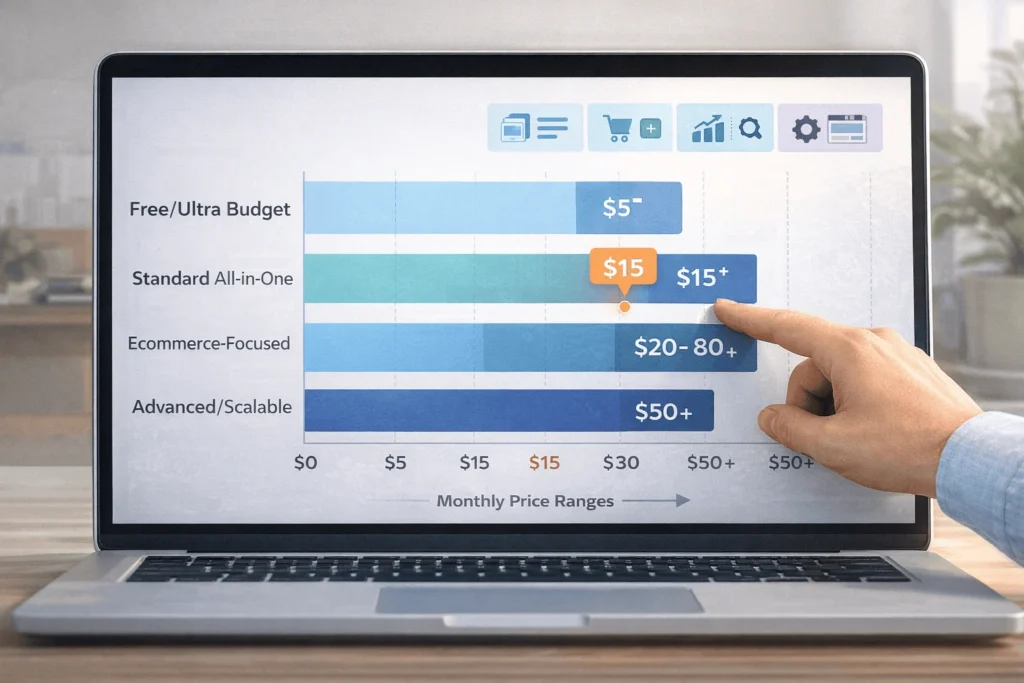
Pricing varies widely, but you can group website builders into rough tiers.
Typical Website Builder Price Ranges (International Benchmarks)
| Builder Type/Brand | Entry Plan / Trial | Typical Starting Paid Price* | Notes |
|---|---|---|---|
| All‑in‑one (Wix) | Free plan available | Around $16–$17/month | Good design flexibility. |
| All‑in‑one (Squarespace) | 14‑day free trial | From ~$16/month (annual billing) | Strong for portfolios/blogs. |
| Cheap builder (Hostinger WB) | Free or low‑cost trial often available | From ~$2–$3/month on long contracts | Very low entry price; higher renewal. |
| Ecommerce (Shopify) | Short free trial | Starter from ~$5/month, core ~$29+ | Optimized for online stores. |
| DIY WordPress + hosting | No builder fee; hosting varies | Hosting often $3–$10/month (entry) | More setup, more control. |
Prices are approximate public ranges in USD, not India‑specific and subject to change.
For Indian founders, the rupee equivalent on long‑term plans is often a few hundred rupees per month for entry tiers, while mid‑tier ecommerce plans can reach low thousands per month.
If budget is extremely tight, free tiers or very cheap builders like Hostinger, IONOS, or Network Solutions can help you start, but always check renewal pricing and limits on features.
How Do You Choose the Right Website Builder?
Instead of comparing 20 tools, focus on use case + budget + future plan.
A simple decision approach:
- For basic business sites and portfolios:
- Choose an all‑in‑one builder (Wix, Squarespace, GoDaddy).
- Priority: design quality, ease of use, and contact forms.
- For serious ecommerce brands:
- Choose Shopify or WooCommerce (WordPress) for scalability.
- Priority: product catalog, payment options, integrations.
- For content‑heavy, SEO‑focused sites:
- Choose WordPress (with a theme or builder) for long‑term content strategy.
- Priority: blogging, SEO plugins, long‑term flexibility.
- For ultra‑tight budgets or simple one‑pagers:
- Consider cheaper builders or even basic hosting with a minimal builder.
Articles on WordPress vs custom website and WordPress performance are excellent reference for readers considering WordPress instead of closed builders.
How To Build Your First Website Using a Website Builder
Times Needed: 1 Day
Estimated Cost: 0–15 USD (depending on free plan or low‑tier paid plan)
Description: A practical, one‑day process to go from “no website” to a live, basic site using a modern website builder—ideal for first‑time creators and small business owners.
Steps
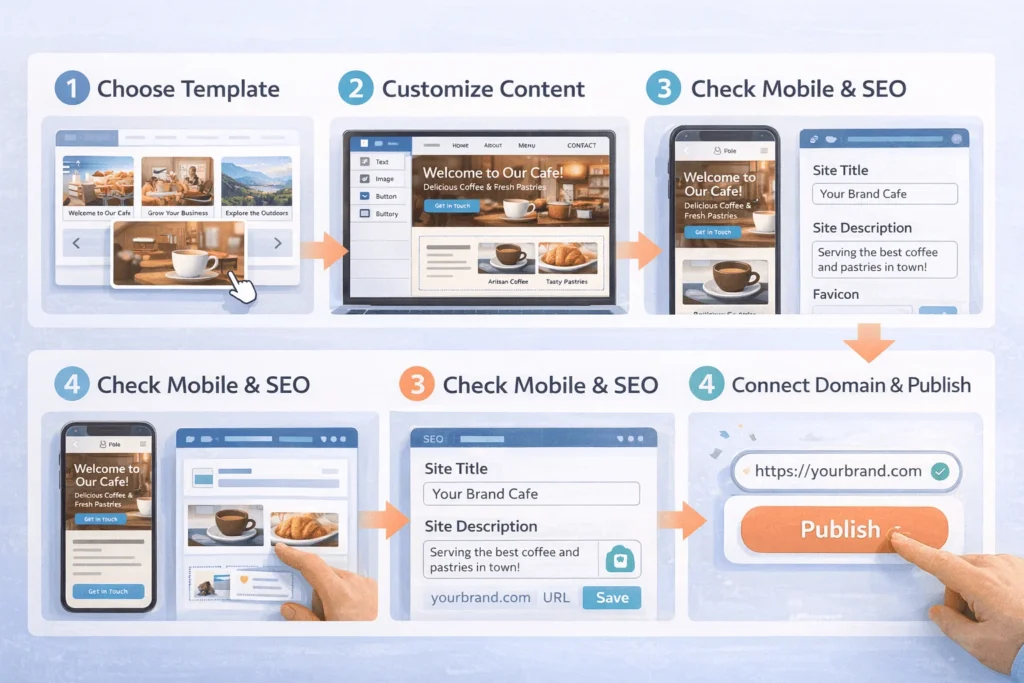
- Clarify Purpose and Must-Have Pages
Step Title: Decide Goal and Page Structure
Step Description: Write down your website’s main goal (leads, bookings, portfolio, sales) and list key pages like Home, About, Services, Blog, and Contact. Clear purpose simplifies template and builder selection. - Pick a Website Builder and Template
Step Title: Choose Platform and Starter Design
Step Description: Select a builder that matches your use case (e.g., Squarespace for portfolio, Shopify for store). Browse templates by industry and pick one where the layout already feels close to your brand style. - Customize Branding, Text, and Images
Step Title: Replace Demo Content with Your Story
Step Description: Update logo, colors, headings, and body text to match your brand. Replace stock images with your own photos where possible, and ensure every main page answers “who you are, what you do, and why it matters.” - Add Key Functional Blocks
Step Title: Insert Forms, Buttons, and Navigation
Step Description: Add a clear navigation menu, contact or inquiry form, and call‑to‑action buttons on key sections (e.g., “Book a Call”, “Get Quote”). Test that these lead to the right pages or actions. - Optimize for Mobile and Basic SEO
Step Title: Check Mobile View and Essential Settings
Step Description: Use the builder’s mobile preview to tweak spacing, text size, and button placement. Fill in page titles, meta descriptions, and basic SEO settings like site title and favicon to look professional in search results. - Connect Your Domain and Publish
Step Title: Link Domain, Review, and Go Live
Step Description: Connect your custom domain through the builder’s domain settings (or buy one inside the tool). Do a final review of all pages, test forms, then hit Publish and share your new website with customers and friends.
Tools Name: Any modern website builder (e.g., Wix, Squarespace, Shopify, WordPress + builder), Google Docs (for copy), Canva (for simple graphics)
Materials Name: Logo and brand colors, basic copy for each page, 5–15 high‑quality images, domain name credentials
For a more technical or scalable path, readers can also explore how to build a high‑performance WordPress website.
FAQ Section
Are website builders good enough for serious businesses?
Yes, many serious businesses start on website builders. They’re especially good for early stages, local services, and portfolios. As you grow and need more integration or custom flows, you can migrate to WordPress or a custom stack.
Do I own my website if I use a website builder?
You typically own your content and domain, but the builder’s code and platform are proprietary. If you leave, you’ll usually export content and rebuild design elsewhere. This is why planning for the next 2–3 years is important.
Are website builders bad for SEO?
Most major builders now provide solid SEO basics: editable titles, meta descriptions, alt text, mobile‑friendly layouts, and SSL. For heavy content and advanced SEO workflows, WordPress + quality hosting still offers more control.
Can I add custom code to a website builder site?
Many builders let you inject custom code snippets (e.g., tracking scripts) and sometimes small HTML blocks. For deep backend logic or complex routing, though, you’ll usually outgrow a pure builder and move to a CMS or framework.
How long does it take to build a site with a website builder?
A simple 3–5 page business site can be built in a few hours to a weekend, especially if you use a template as‑is and prepare your content beforehand. Complex stores or membership sites take longer because of products, logic, and integrations.
Are free plans worth using?
Free plans are useful for testing the editor and structure, but they often show builder branding, subdomains, and limited features. For a serious business, it’s usually worth paying at least for the lowest ad‑free, custom‑domain plan.
Should I choose a website builder or WordPress?
Choose a builder if you want speed, simplicity, and minimal maintenance. Choose WordPress if you want maximum flexibility, long‑term content strategy, and control. Your internal article on WordPress vs custom website is an ideal resource to help readers decide.
What should I check before publishing my site?
Review spelling, links, contact forms, mobile layout, and page speed. A structured website design checklist for startups ensures you don’t miss critical details like favicon, privacy policy, and clear CTAs.
Key Takeaways Section
- Website builders let you create a site without coding, using templates and drag‑and‑drop editing—ideal for first‑time creators and small business owners.
- There are three main types: all‑in‑one hosted builders, ecommerce‑focused builders, and CMS+page‑builder hybrids like WordPress plus a visual editor.
- Real‑world use cases—local services, portfolios, ecommerce stores, and startup landing pages—are better ways to evaluate tools than technical specs alone.
- Builders trade some flexibility and long‑term portability for speed, simplicity, and predictable subscription costs.
- For SEO‑heavy or complex projects, WordPress or a custom build may be better; for fast launches, modern website builders are more than enough.
- You can go live in one day by clarifying your goal, picking the right template, customizing content, and checking mobile and basic SEO settings.
Next Steps Section
- Define your website’s purpose (leads, sales, portfolio, or validation).
- Shortlist 1–2 website builders that match your use case and budget.
- Prepare your content: headlines, body copy, images, and offers.
- Build a first draft site in one weekend, focusing on clarity over perfection.
- Use your website design checklist (internal guide) to refine UX, content, and trust signals.
- If you foresee complex requirements or heavy content, read WordPress vs custom website and high‑performance WordPress articles before committing long term.
Conclusion
Website builders transform the question from “Can I code?” to “What do my visitors need?”. For first‑time website owners and early‑stage businesses, this is exactly where your attention should be.
Instead of fighting with hosting panels and CSS, you get templates, drag‑and‑drop sections, mobile responsiveness, and integrated hosting baked into a single tool. That makes it realistic to go from idea to live website in days, not months.
As your business grows, you can always move to WordPress or a custom build—and StartupMandi’s resources on WordPress vs custom and building high‑performance WordPress sites give you a clear path forward when you reach that stage.
For now, commit to launching your first version, even if it’s simple. Use a website builder to get something real in front of customers, then refine it using your website design checklist for startups and ongoing feedback.
A working website that explains who you are, what you offer, and how to contact you will always beat a “perfect” website that only exists in your head.