Share your love
Set up an ecommerce store has never been easier for entrepreneurs without technical expertise. Building an online store no longer requires coding knowledge or expensive developers. Therefore, the best way to create an online store involves choosing user-friendly platforms designed for beginners. Moreover, modern ecommerce solutions offer drag-and-drop interfaces simplifying the entire setup process.
Additionally, launching your digital storefront takes just hours instead of weeks. Consequently, profitable businesses emerge from simple, well-executed online strategies. Ultimately, anyone can become a successful ecommerce entrepreneur with proper guidance.
Read More: How to build Ecommerce Business India: Your Complete Launch Guide
Comprehensive Blog Overview
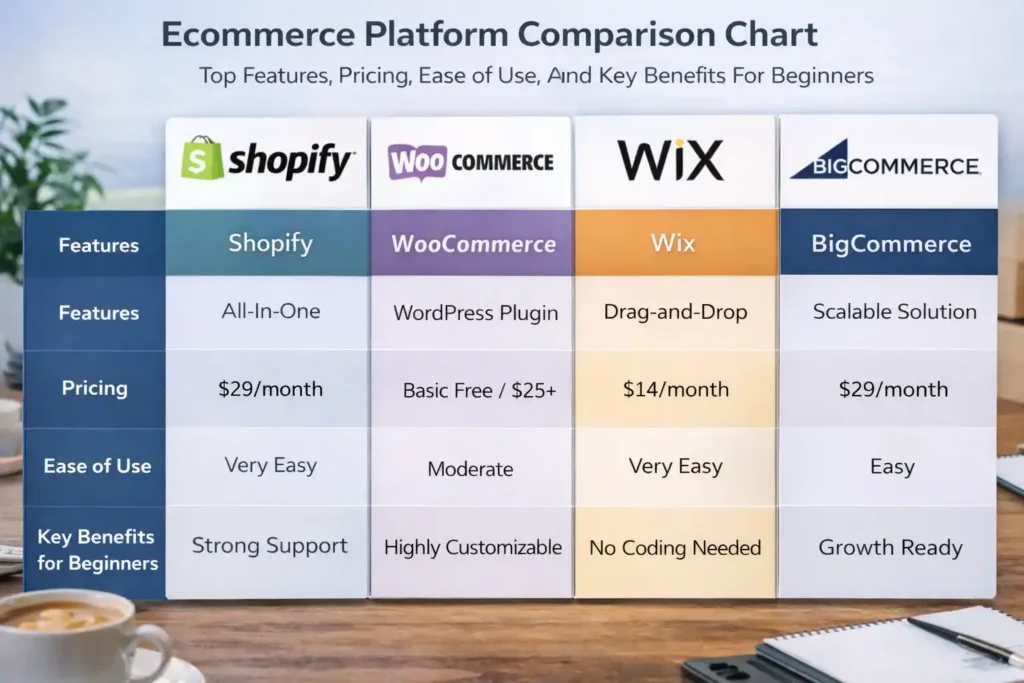
Platform Selection Matters: Choose between Shopify, WooCommerce, Wix, or BigCommerce based on your technical comfort and budget requirements.
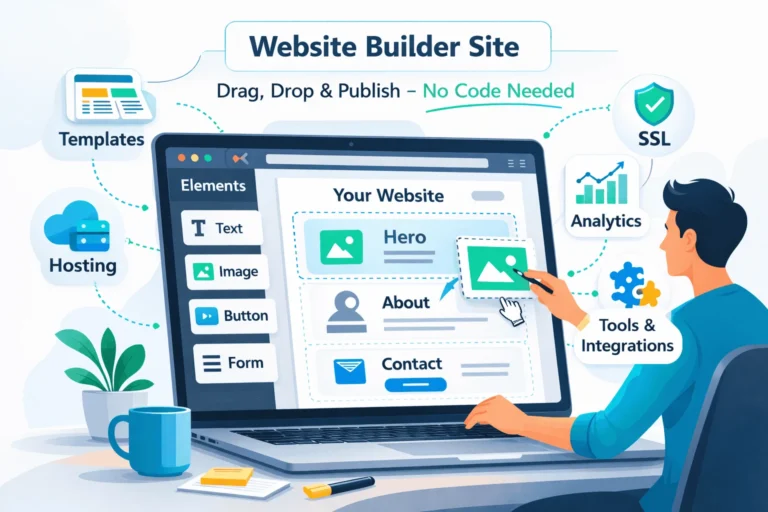
Drag-and-Drop Design Tools: Modern platforms eliminate coding requirements allowing visual customization of your storefront.
Payment Gateway Integration: Set up secure payment processing quickly using built-in payment solutions like Stripe or PayPal.
Launch in Hours: Get your online store live within 24-48 hours using streamlined setup processes and pre-designed templates.
Scale Confidently: Start small and expand your operations as your business grows with flexible, scalable platforms.
Looking for Website Design or Digital Marketing for Your New Business at Flexible Price?
UNDERSTANDING ECOMMERCE PLATFORMS FOR BEGINNERS
The Best Way to Choose Your Platform
The best way to create an online store begins with selecting the right platform matching your business needs. Starting an online store might seem daunting, especially without technical knowledge. Furthermore, thousands of entrepreneurs successfully launch stores yearly without coding skills. Therefore, understanding platform options becomes your first critical step. Moreover, each platform offers unique advantages for different business types. Consequently, comparing features ensures you choose the optimal solution for growth.
Shopify: The Industry-Leading Ecommerce Platform
Shopify stands out as the easiest solution for beginners launching their first ecommerce venture. This platform handles all technical infrastructure allowing complete focus on your products. Furthermore, Shopify offers a complete set of tools for managing stores, from product management to payment integration. Additionally, Shopify provides user-friendly interfaces enabling quick store setup within hours. Moreover, comprehensive templates and themes accelerate your launch timeline significantly.
Why Choose Shopify:
Exceptional Ease of Use: Intuitive dashboard with step-by-step setup wizard for beginners
Responsive Templates: Wide range of customizable, mobile-optimized designs available
Security & Hosting: Shopify manages all technical infrastructure ensuring constant availability
Built-in Marketing Tools: Integrated SEO features, email marketing, and social media integration
Reliable Payment Processing: Seamless integration with Stripe, PayPal, and other gateways
Shopify Pricing & Plans:
Shopify operates on subscription-based pricing starting from $29/month for basic plans. Furthermore, higher-tier plans offer advanced features including advanced analytics and staff accounts. Additionally, promotional rates like three months for $1 help test the platform affordably. Therefore, budget-conscious entrepreneurs access professional tools without significant upfront investment.
Shopify Store Setup Timeline:
Sign up and provide basic business information (15 minutes)
Choose and customize your store theme (30-60 minutes)
Add products and descriptions (varies by catalog size)
Configure payment methods and shipping options (30 minutes)
Launch your store and start selling (instantly)
Checkout Our Latest Services
Sale!
Lead Generation & Sales Acceleration (Paid Ads)
Sale!

Government Grant Application (Per Scheme)
Sale!

Complete Fundraising Package - Investor Ready Documents
Sale!

Govt Grant Application (6 Months Package)
Sale!

MSME / UDYAM Registration
Sale!

Govt Grants Application Package (1 Year)
Sale!

Organic Social Media Management
Sale!

Brand Kit (Covered Everything)
Sale!

Brand Awareness Campaigns - 3 Month Visibility Program
Sale!

130+ Live Investor Contacts (India & Global)
WooCommerce: WordPress Integration for Control & Flexibility
WooCommerce powers millions of online stores offering maximum customization for WordPress users. This plugin transforms WordPress sites into full-featured ecommerce solutions. WooCommerce itself is completely free, making it attractive for budget-conscious entrepreneurs. Moreover, you maintain complete control over design and functionality aspects. Additionally, the massive WordPress community provides extensive support resources.
WooCommerce Advantages:
Zero Licensing Costs: Platform and plugin are completely free
Complete Customization: Unlimited possibilities for unique store designs
Extensive Plugin Ecosystem: Thousands of free and paid plugins enhance functionality
SEO-Friendly Architecture: Built-in optimization features boost search visibility
Large Community Support: Massive user base ensures help availability
WooCommerce Considerations:
While WooCommerce costs nothing, you must handle hosting independently (₹200-600/month typically). Furthermore, security updates and maintenance become your responsibility. Additionally, the learning curve steeper than Shopify requires WordPress familiarity. Therefore, WooCommerce suits entrepreneurs comfortable with slightly more technical setup.
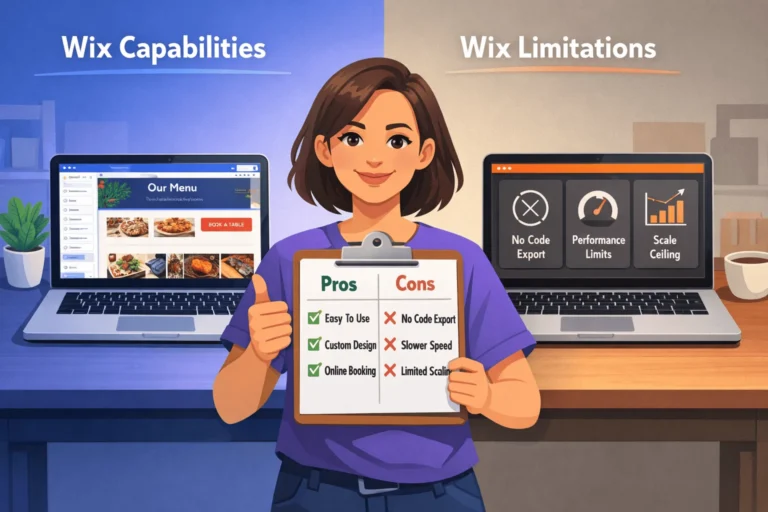
Wix: Simplicity & All-in-One Solutions
Wix represents simplicity paired with powerful ecommerce functionality through drag-and-drop design. Wix provides a drag-and-drop website builder allowing creation without coding knowledge. Additionally, Wix offers 500+ design templates from which to choose and customize. Moreover, hosting, security, and domain management are included automatically.
Why Choose Wix:
Drag-and-Drop Simplicity: Intuitive editor allowing visual website building
Professional Templates: Pre-designed, mobile-optimized templates suitable for various industries
All-in-One Package: Hosting, SSL security, and domain included
Affordable Pricing: Cost-effective plans with minimal hidden fees
Quick Launch: Most users launch stores within 1-2 days
ESSENTIAL SETUP STEPS FOR YOUR ONLINE STORE
Building Your Ecommerce Foundation
Set up an ecommerce store successfully by following systematic steps ensuring nothing gets overlooked. Even without development background, you can build modern stores using drag-and-drop tools.
Furthermore, the best way to create an online store involves careful planning before technical implementation. Therefore, understanding each step prevents costly mistakes and delays. Moreover, proper preparation accelerates your launch timeline significantly.
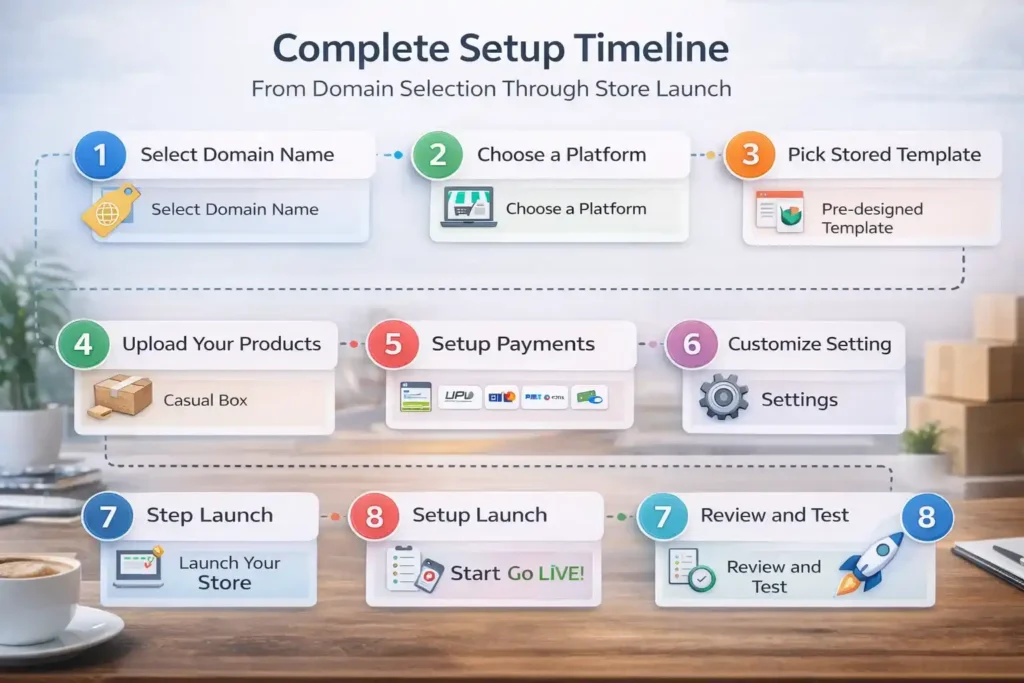
Step 1: Choose Your Domain Name 🌐
Your domain name represents your brand identity online and should be memorable and professional. Choose a short, memorable custom domain aligning perfectly with your brand identity.
Furthermore, domain selection impacts SEO and customer recall significantly. Additionally, avoid domains resembling competitors to prevent confusion. Moreover, ensure your domain extends to multiple platforms (social media handles matching your domain boost recognition).
Domain Selection Tips:
Keep domain names short (preferably under 15 characters)
Choose extensions like .com, .in, or .store for credibility
Avoid numbers and hyphens that confuse customers
Research trademark conflicts before finalizing selection
Register for multiple years protecting your brand
Step 2: Register Your Business & Obtain Required IDs 📋
Before launching your store, understand and acquire a business ID for legal and payment processing requirements. You need to legally register your business and obtain a business ID before accepting payments.
Furthermore, most payment gateways require business registration proof. Additionally, GST registration becomes necessary based on your revenue thresholds. Consequently, proper legal foundation protects your business and builds customer trust.
Required Documentation:
PAN (Permanent Account Number) for taxation
Business registration certificate from local authorities
GST registration (if turnover exceeds threshold)
Bank account details for payment processing
Business address proof and identification
Step 3: Set Up Payment Gateway Integration 💳
Payment gateway integration represents a critical functionality ensuring customers complete purchases securely. Setting up payment gateways involves choosing providers, creating merchant accounts, and integrating APIs.
Furthermore, proper payment integration increases conversion rates by offering familiar options. Additionally, customers expect multiple payment methods including cards, wallets, and UPI. Therefore, integrating reliable payment solutions becomes non-negotiable.
Payment Gateway Setup Process:
Select Payment Gateway Provider: Research options like Stripe, Razorpay, PayU, or PhonePe
Create Merchant Account: Complete KYC (Know Your Customer) verification process
Obtain API Credentials: Retrieve secure credentials enabling gateway communication
Install Payment Plugin: Use built-in plugins on Shopify, WooCommerce, or Wix (no coding needed)
Test in Sandbox Mode: Simulate transactions confirming everything works correctly
Go Live: Enable real payment processing for customers
Popular Payment Gateways Comparison:
| Gateway | Transaction Fee | Settlement Days | Support | Best For |
|---|---|---|---|---|
| Stripe | 2.9% + ₹0 | 2-3 days | Excellent | International customers |
| Razorpay | 2% flat | 1-2 days | Very good | Indian merchants |
| PayU | 2.9% + ₹0 | 1-3 days | Good | High volume sales |
| PhonePe | 1.95% | 1 day | Good | UPI-focused customers |
| Shopify Payments | Variable | 1-2 days | Built-in | Shopify store users |
Checkout Latest Grants Listed
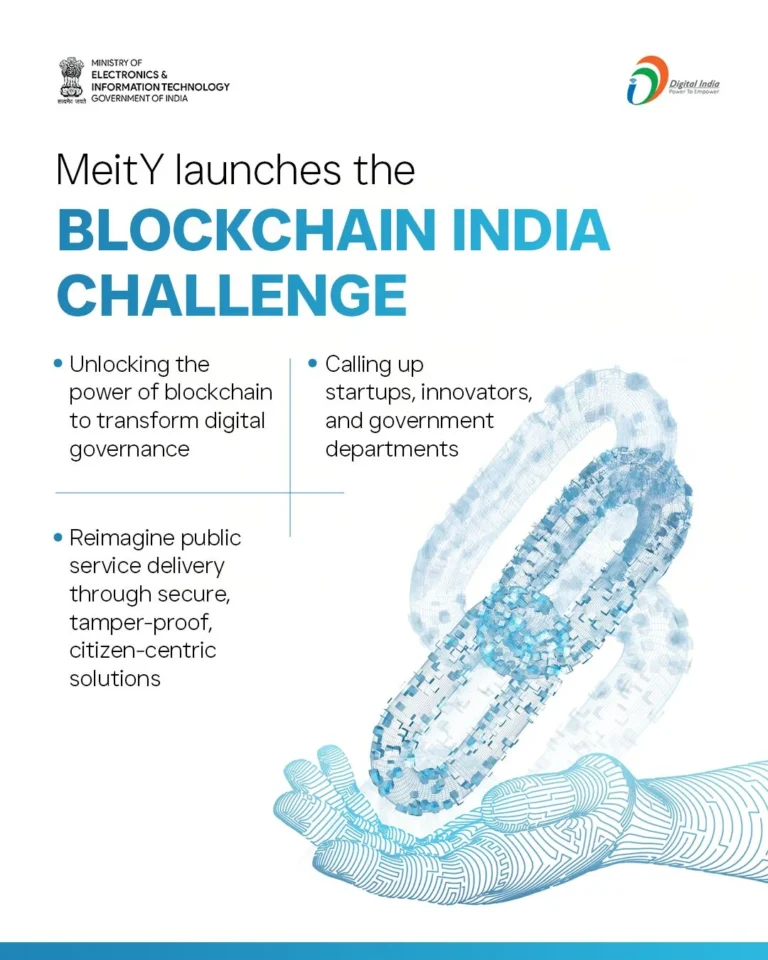


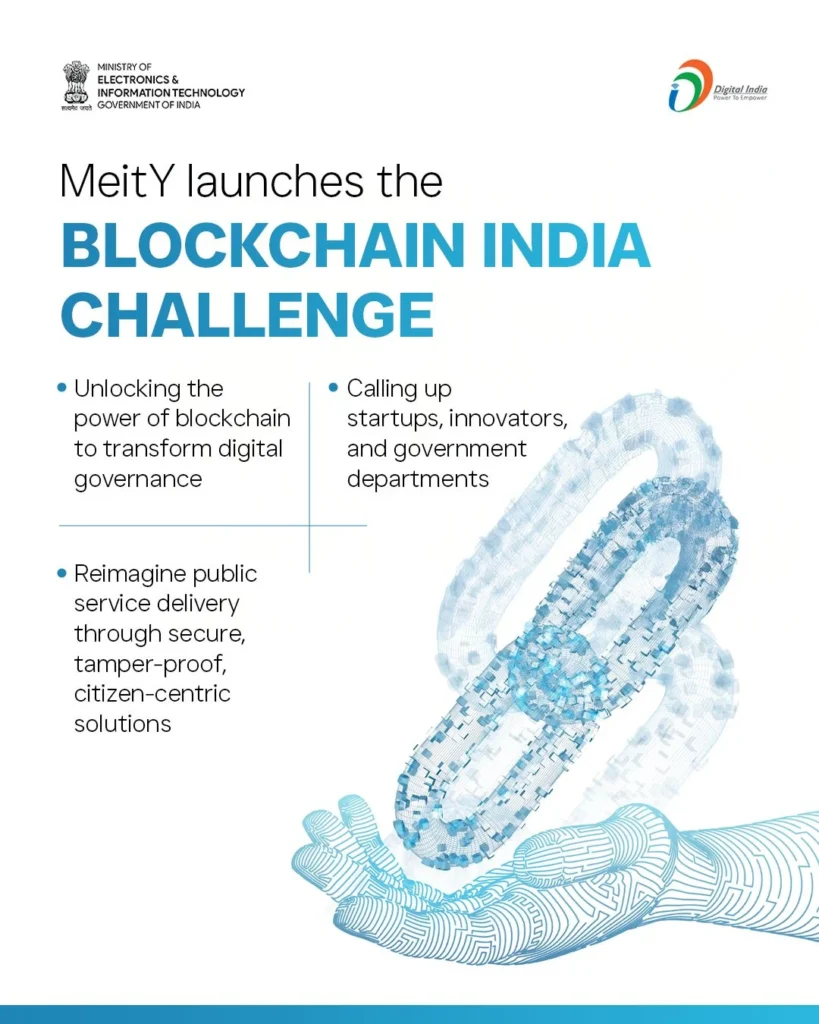
Blockchain India Challenge – Get Up to ₹50 Lakh
Ministry of Electronics and Information Technology (MeitY), Government of India (implemented by Centre for Development of Advanced Computing – C-DAC)
₹6,550,000.00
0.0
(0)
- Idea Stage, Prototype Stage, MVP Stage
- March 27, 2026
Blockchain India Challenge – Get Up to ₹50 Lakh
Ministry of Electronics and Information Technology (MeitY), Government of India (implemented by Centre for Development of Advanced Computing – C-DAC)
₹6,550,000.00
0.0
(0)
- Idea Stage, Prototype Stage, MVP Stage
- March 27, 2026

BIRAC–RDI Fund – Research, Development and Innovation Fund
Delta Change Challenge for Biotech Innovation – Biotechnology Industry Research Assistance Council (BIRAC), under Department of Biotechnology (DBT)
₹2,000,000,000.00
0.0
(0)
- MVP Stage, Early Revenue Stage, Growth Stage
- March 31, 2026
Step 4: Design Your Storefront Using Templates 🎨
The best way to create an online store visually involves selecting templates matching your brand perfectly. Design your store with tools anyone can use through drag-and-drop content tools and pre-designed themes.
Furthermore, professional templates eliminate design costs while maintaining quality. Additionally, mobile optimization comes standard on modern templates. Therefore, you achieve professional appearance without expensive designers.
Template Customization Best Practices:
Select templates aligned with your product category
Maintain consistent color schemes reflecting brand identity
Optimize images for fast loading (compress before uploading)
Create clear navigation structure for easy browsing
Include trust signals like testimonials and security badges
Step 5: Add Products & Optimize Descriptions 📦
Product quality and descriptions directly impact conversion rates significantly. Therefore, investing time in detailed product information pays dividends. Moreover, clear descriptions reduce customer confusion and return rates. Additionally, high-quality images from multiple angles increase purchase confidence. Consequently, proper product presentation becomes key to sales success.
Product Information Essentials:
Clear Product Titles: Include key details and relevant keywords
Detailed Descriptions: Explain features, benefits, and specifications clearly
Multiple Images: Show products from different angles and sizes
Pricing Information: Display prices prominently with any discounts
Stock Status: Indicate availability preventing customer disappointment
Customer Reviews: Build trust through authentic customer feedback
OPTIMIZING YOUR STORE FOR SUCCESS
Beyond Launch: Building for Growth
Launching your store represents the beginning, not the end, of your ecommerce journey. Furthermore, post-launch optimization determines long-term success and profitability. Therefore, continuous improvements based on customer feedback drive growth. Moreover, analytics provide valuable insights for strategic improvements. Consequently, data-driven decisions accelerate business expansion significantly.
Implement Security & Build Customer Trust 🔒
Trust represents the foundation of successful ecommerce businesses earning customer loyalty. Therefore, building trust through security measures becomes paramount for conversions. Moreover, customers hesitate purchasing from insecure stores. Additionally, SSL certificates, recognizable payment gateways, and clear policies signal professionalism. Consequently, security investment yields measurable conversion improvements.
Trust-Building Elements:
SSL Certificate: Encrypt customer data with HTTPS protocol
Trust Badges: Display security certifications and payment logos
Clear Policies: Communicate shipping, returns, and privacy policies
Contact Information: Provide accessible phone, email, and chat support
Customer Reviews: Showcase authentic feedback building credibility
Money-Back Guarantees: Reduce purchase anxiety through return assurances
Drive Traffic Through Strategic Marketing 🚀
Launching your store attracts zero traffic without active marketing efforts. Furthermore, set up an ecommerce store means nothing without customers discovering it. Therefore, marketing investment directly correlates with sales growth. Moreover, modern digital channels provide affordable promotional opportunities. Consequently, budget-conscious startups access effective marketing tools.
Cost-Effective Marketing Strategies:
Search Engine Optimization: Optimize product descriptions for Google rankings
Social Media Marketing: Leverage Facebook, Instagram, and Pinterest for free reach
Email Marketing: Build customer lists for repeat purchase campaigns
Content Marketing: Create blog content driving organic search traffic
Influencer Partnerships: Collaborate with micro-influencers within your budget
Paid Advertising: Start with small budgets testing platforms like Google Ads
Marketing Channel Effectiveness:
Social media marketing offers highest ROI for ecommerce businesses today. Furthermore, email marketing generates repeat customers at minimal cost. Additionally, SEO provides long-term, sustainable traffic growth. Therefore, balanced marketing combines multiple channels maximizing results.
Monitor Analytics & Optimize Continuously 📊
Data-driven decisions separate successful stores from struggling competitors. Furthermore, tracking key metrics reveals improvement opportunities automatically. Additionally, most platforms include analytics dashboards requiring no special expertise. Therefore, regular review of customer behavior guides strategic decisions. Moreover, A/B testing different approaches identifies optimal conversions.
Critical Metrics to Monitor:
Conversion Rate: Percentage of visitors making purchases
Average Order Value: Track spending patterns for upselling opportunities
Customer Acquisition Cost: Measure marketing efficiency and ROI
Bounce Rate: Identify pages causing visitor abandonment
Cart Abandonment Rate: Track lost sales opportunities for recovery
Customer Lifetime Value: Understand long-term profitability per customer
(adsbygoogle = window.adsbygoogle || []).push({});
Conclusion:
Set up an ecommerce store successfully by following systematic, beginner-friendly approaches avoiding unnecessary complexity. The best way to create an online store involves choosing user-friendly platforms like Shopify, WooCommerce, or Wix.
Furthermore, modern platforms eliminate technical barriers enabling anyone to launch professional stores. Additionally, proper planning and execution transform ecommerce aspirations into profitable businesses. Therefore, lack of technical skills no longer prevents entrepreneurial success.
Ultimately, thousands of beginners launch thriving stores yearly proving feasibility. Consequently, your ecommerce success depends on consistent effort rather than coding expertise. Finally, start today and transform your business ideas into profitable reality.
Frequently Asked Questions
Q1: How much does it cost to set up an ecommerce store?
Costs vary by platform choice. Shopify charges ₹1,500-5,000/month depending on plan selection. WooCommerce costs nothing for the plugin but requires ₹200-600/month hosting. Wix offers plans starting from ₹300/month. Additionally, payment gateway integration typically costs nothing beyond transaction fees. Therefore, you can launch a fully functional store with just ₹500-2,000 monthly investment.
Q2: How long does it take to set up an ecommerce store?
Timeline depends on your platform and preparation. Using Wix or Shopify, beginners launch stores within 1-3 days. WooCommerce typically requires 3-7 days due to additional setup steps. Furthermore, product photography and descriptions add 1-2 weeks typically. Therefore, a basic store launches in 2-3 days, while a comprehensive store requires 2-4 weeks.
Q3: Can I set up an ecommerce store without any technical knowledge?
Absolutely! Modern platforms like Shopify, Wix, and Woo Commerce specifically serve non-technical entrepreneurs. These platforms use drag-and-drop interfaces requiring zero coding knowledge. Therefore, anyone with basic computer literacy can successfully launch an online store. Millions of non-technical entrepreneurs worldwide prove feasibility daily.
Q4: Which platform is best for beginners: Shopify, WooCommerce, or Wix?
For absolute beginners with no WordPress knowledge, Shopify or Wix excel in ease of use. If you already use WordPress, WooCommerce becomes natural choice. Furthermore, Shopify offers best balance between features and simplicity. Therefore, choose based on your existing skills and budget constraints.
Q5: How do I drive customers to my new ecommerce store?
Multiple channels drive traffic: SEO optimization of product descriptions, social media marketing, email campaigns, and paid advertising through Google Ads. Furthermore, partnering with micro-influencers and creating valuable content build awareness. Therefore, combining multiple strategies produces exponential growth compared to single channels.
External References & Fact Sources 🔗
Tags
Share your love

Arshia Jahan
Digital Marketing and SEO professional, focused on content strategy & optimizing content, improving search rankings, and delivering results through smart, audience-focused strategies. As a Content Strategist and SEO professional, I believe that search engines don't buy products—people do. By blending technical SEO precision with a human-first content approach. I provide readers with the strategic blueprints needed to scale in a competitive digital world.