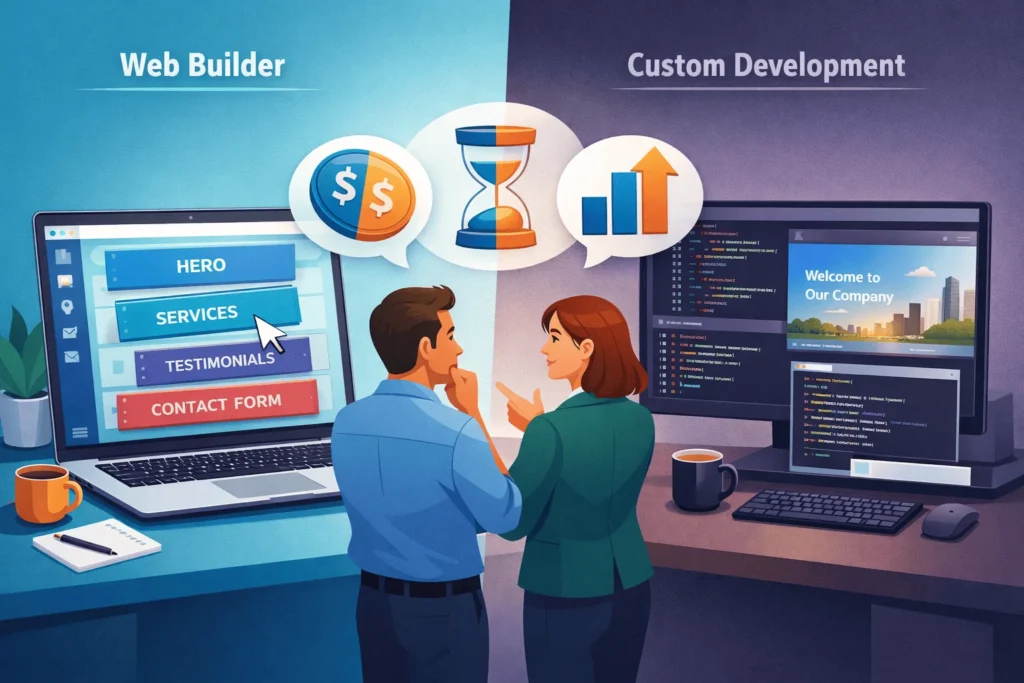
What Is the Core Difference Between a Web Builder and Traditional Development?
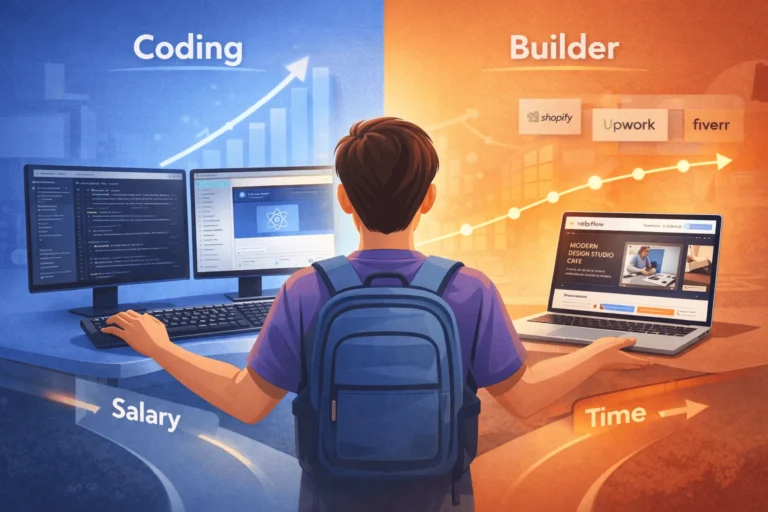
In 2026, the main difference is how much control you want vs how quickly you need to launch.
A web builder is a no‑code platform (like Wix, Squarespace, Shopify, or other drag‑and‑drop tools) where you design visually and the system handles hosting, security, and most technical details. Traditional web development uses custom code or flexible platforms like WordPress with a developer or agency building and maintaining your site.
If your priority is speed and low upfront cost, a web builder usually wins. If you care more about deep customization, performance, integrations, and long‑term scalability, traditional development is usually the better fit.
How Do Web Builders Work in Practice?
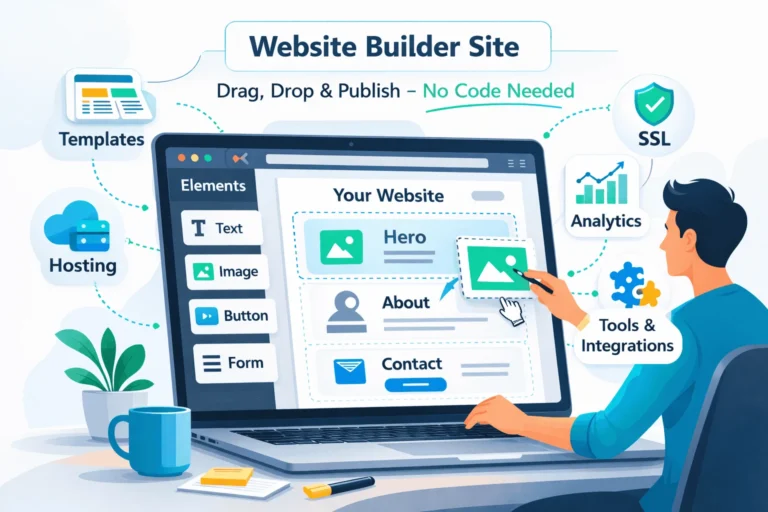
A modern web builder gives you:
- A visual editor to drag and drop sections (hero, services, testimonials, FAQ).
- Templates designed for specific industries and goals.
- Bundled hosting, SSL, and updates, so you avoid server management.
- Simple tools for basic SEO, forms, and analytics scripts.
You typically pay a monthly or annual subscription. Entry tiers are often inexpensive, with higher tiers adding ecommerce, bookings, or advanced features.
For many entrepreneurs, this feels like using Canva or PowerPoint: you focus on layout and content while the platform writes the HTML/CSS/JS and handles deployment.
This makes web builders ideal for:
- Local service businesses needing a brochure site and leads.
- Freelancers and agencies wanting a quick portfolio.
- Early‑stage startups testing an idea or marketing message.
- Non‑technical founders who want control without touching code.
How Does Traditional Web Development Differ?
Traditional web development covers everything from:
- Custom WordPress builds with themes and plugins, to
- Completely bespoke front‑end and back‑end frameworks (e.g., React, Node, Laravel, Django, etc.).
Here, you (or your agency):
- Choose hosting and infrastructure.
- Decide on architecture (CMS, framework, integrations).
- Design UX/UI, then implement it in code.
- Maintain security, updates, and performance over time.
This path is better when you need:
- Unique functionality (complex product configurators, multi‑step flows, dashboards).
- Serious performance/SEO control (core web vitals, caching, custom schemas).
- Complex integrations (CRM, ERP, marketing automation, custom APIs).
- Tailored user roles and permissions, or multi‑tenant systems.
Traditional development has higher upfront cost and more moving parts, but it is usually more adaptable to growth once your business model is validated.
For a practical example, your WordPress website development service page is a good reference for what “traditional” but scalable development looks like on a popular CMS.
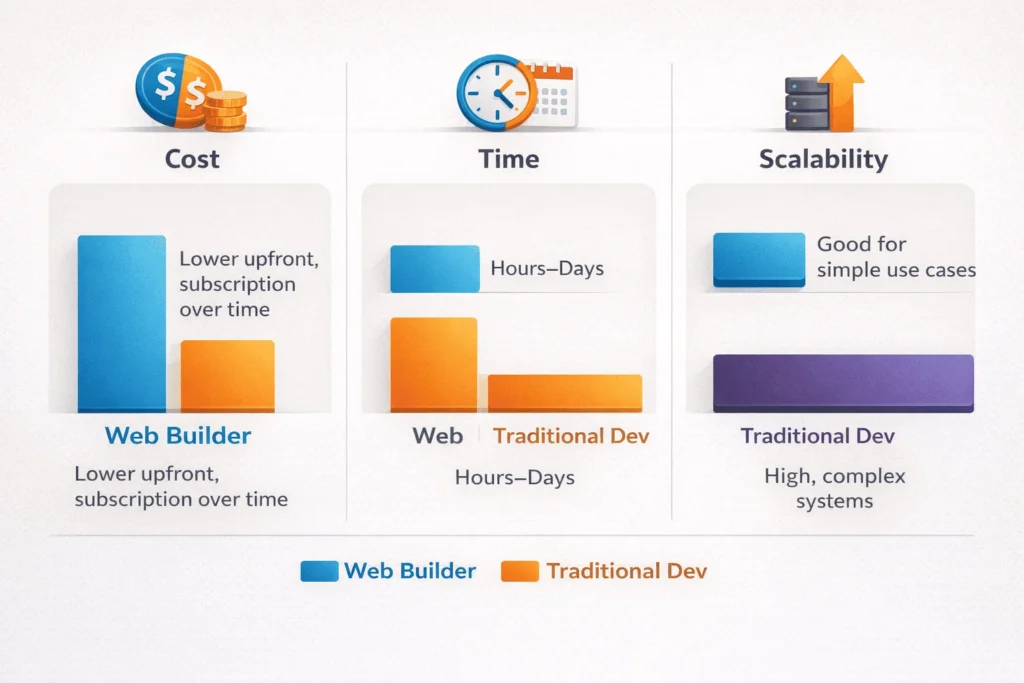
How Do Cost, Time, and Scalability Compare?
Here’s a simplified side‑by‑side view many decision‑makers find helpful:
| Dimension | Web Builder (No-Code) | Traditional Web Development |
|---|---|---|
| Upfront Cost | Low (subscription, setup time) | Medium to high (design, dev, QA) |
| Monthly Cost | Subscription (often predictable) | Hosting, maintenance, possible retainers |
| Time to Launch | Fast (hours to a few days for basic sites) | Slower (weeks to months, depending on scope) |
| Design Flexibility | Good within template limits | Very high (limited only by budget and tech choices) |
| Custom Features | Limited to what builder supports | Almost unlimited with the right team |
| Performance Control | Moderate (shared infrastructure, builder optimizations) | High (you can tune hosting, caching, assets) |
| Vendor Lock-In | High (harder to export/migrate cleanly) | Lower (you own more of the stack; easier to move hosts/tech) |
| Long-Term Scalability | Good for simple/medium needs, weaker for complex apps | Strong for growing, complex digital products |
In real budgets:
- A web builder site might effectively cost from very low per month at entry tiers to more at mid‑tier plans, plus your time.
- A custom or semi‑custom WordPress site often starts at a few hundred dollars equivalent for a basic build and can go much higher for complex sites, plus monthly hosting and maintenance.
The key question is: are you over‑engineering for your current stage or under‑investing for your long‑term needs?

When Is a Web Builder the Right Choice in 2026?
Use a web builder if you need to ship quickly, learn fast, and keep control without technical staff.
Good fit scenarios:
- Pre‑product or early‑stage startup validating demand with landing pages and simple funnels.
- Solo service provider (consultant, coach, freelancer) needing a professional online presence.
- Local business (salon, clinic, restaurant) where the website’s job is to show info, reviews, and contact/booking options.
- Temporary or campaign‑specific websites (event registrations, seasonal offers).
In these cases, the biggest risk is not launching, not minor limitations in performance or custom features. Modern builders handle:
- Mobile‑responsive layouts.
- Core security (SSL, platform updates).
- Basic on‑page SEO settings.
You can then apply a structured website design checklist (like the one you already provide for startups) to ensure messaging, structure, and trust signals are correct.
“For early-stage businesses, the opportunity cost of waiting months for a custom build is often higher than the platform limitations of a good web builder.” — Common view among digital agencies
When Is Traditional Web Development Better?
Traditional development becomes the better long‑term decision when your site is a core product, not just a digital brochure.
You should lean towards WordPress or fully custom development when:
- Your website is a growth engine, not just a presence.
- Heavy content marketing, SEO, multi‑language, complex information architecture.
- You need advanced integrations, such as:
- CRM pipelines, membership management, billing systems, or complex APIs.
- You care deeply about performance and technical SEO.
- Custom caching, image optimization, script control, and structured data.
- Your UI/UX must be unique.
- You’re building something closer to a web application or SaaS product.
A well‑built WordPress site with a good theme and development practices often sits in the sweet spot: more flexible than a typical web builder but cheaper and faster than fully bespoke frameworks for many business cases.
WordPress website development service is positioned exactly in this zone: giving businesses custom structure and performance without reinventing the wheel every time.
How Do Web Builders and Traditional Development Impact SEO and Performance?
From an SEO and performance perspective, each approach has trade‑offs.
Web Builders
- Provide mobile‑responsive templates and HTTPS by default.
- Offer basic SEO settings: title tags, meta descriptions, alt text, and URL editing.
- Allow standard integrations with analytics, pixels, and simple schema in some cases.
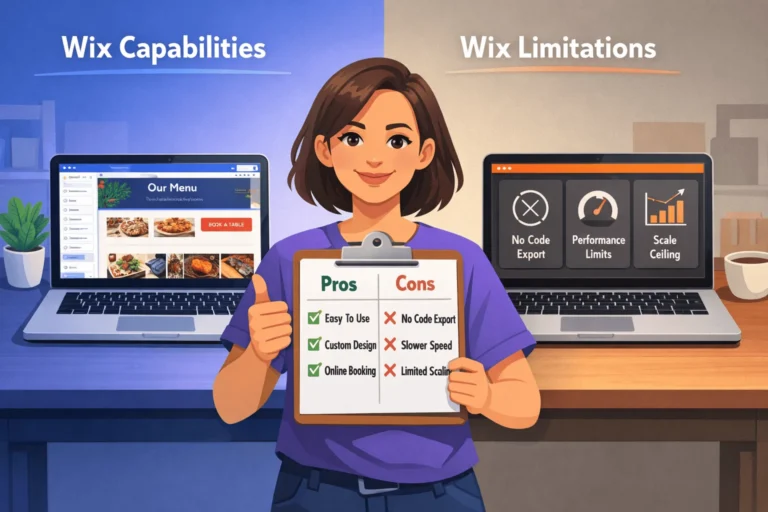
However, you may hit limits with:
- Fine‑grained control over HTML structure.
- Aggressive performance optimization (custom caching, script loading strategies).
- Advanced schema and technical SEO changes.
Traditional Development (especially WordPress done well)
- Lets you control markup, structure, and internal linking more precisely.
- Allows deeper tuning of Core Web Vitals via better hosting, caching, and asset optimization.
- Makes it easier to implement advanced schemas, redirects, and programmatic SEO patterns.
Used correctly, this can support more competitive SEO strategies over time.
For founders thinking in this direction, your internal articles on:
- Website design checklist for startups, and
- High-performance WordPress website for business growth are excellent next reads.
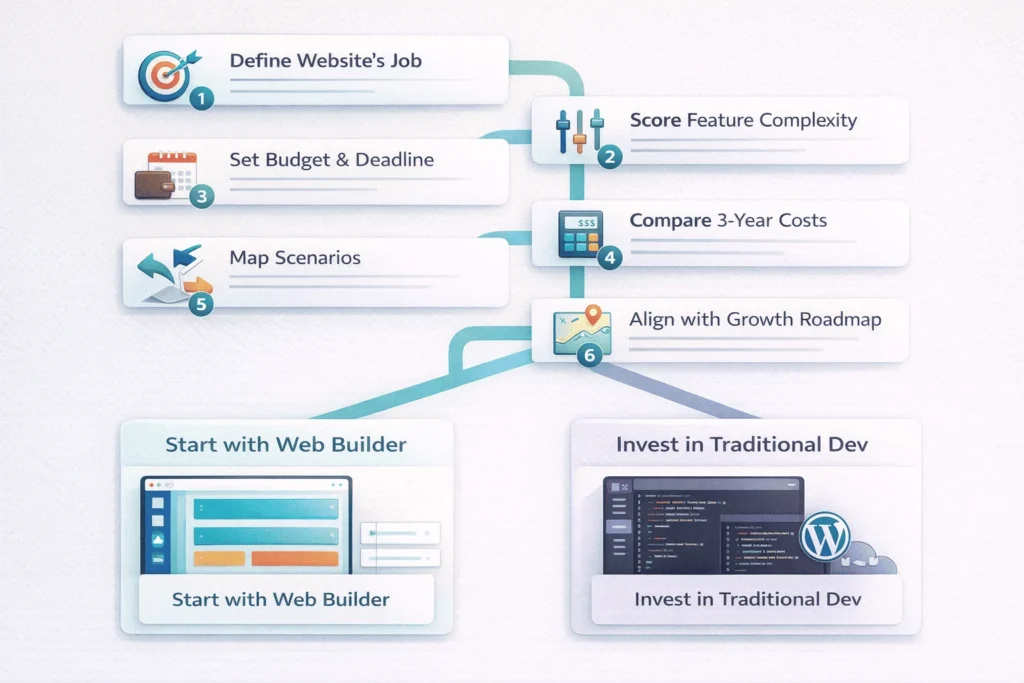
How To Decide Between a Web Builder and Traditional Development
Times Needed: 1 hour 30 minutes
Estimated Cost: 0 USD (decision exercise only)
Description: A structured 90‑minute decision process to choose between a web builder and traditional web development based on your goals, budget, and timeline for 2026.
Steps
- Define Your Website’s Job in One Sentence
Step Title: Clarify Primary Business Goal
Step Description: Write a single sentence describing the website’s main job (e.g., “Generate 50 qualified leads per month” or “Sell 200 products per month”). This keeps every technical decision aligned with business outcomes. - Score Complexity and Custom Needs
Step Title: Rate Features from Simple to Complex
Step Description: List required features (blog, store, bookings, membership, integrations) and rate each as Basic, Medium, or Advanced. If most are Basic, a web builder likely fits; if several are Advanced, lean toward traditional development. - Set Budget and Time Constraints
Step Title: Decide Budget and Launch Deadline
Step Description: Note how much you can invest in the next 3–6 months and your ideal launch date. If you need to launch in under a month with limited funds, a web builder is usually the pragmatic choice. - Compare 3-Year Total Cost of Ownership
Step Title: Look Beyond Initial Build Cost
Step Description: Estimate three years of costs for both paths: subscriptions vs hosting + maintenance + development. Consider whether paying slightly more upfront for a scalable base might save rebuild costs later. - Map Scenarios to Each Option
Step Title: Test Web Builder vs Traditional Outcomes
Step Description: Imagine best and worst case for each option (speed, flexibility, SEO). If a web builder satisfies your best realistic scenario, start there; if traditional dev is required to unlock your core value, prioritize that. - Align with Growth Roadmap
Step Title: Check Fit with 2–3 Year Plan
Step Description: Consider where your business will be in 2–3 years. If your website will become a core digital product, plan for a traditional build, even if you use a web builder as a short‑term bridge. Document that path now.
Tools Name: Simple spreadsheet or decision matrix, your website design checklist, basic cost calculator
Materials Name: Feature list, budget estimate, growth roadmap, notes from conversations with your team or advisors
FAQ Section
Is a web builder “unprofessional” compared to a custom site?
No. Many professional‑looking sites are built on web builders. What feels unprofessional is unclear messaging, weak content, and poor UX, regardless of platform. A well‑designed web builder site will beat a poorly executed custom site every time for a first impression.
Can I start on a web builder and move to WordPress later?
Yes, but migration is more like rebuilding with content reuse than exporting full layouts. You’ll copy text, images, structure, and SEO learnings, then implement them on WordPress or a custom stack when you’re ready to upgrade.
Which is better for SEO, web builder or traditional development?
For basic SEO, both can work. For competitive niches, content hubs, and technical SEO, traditional development (often WordPress) gives finer control over performance, structure, and custom schemas, which usually scales better long term.
Are web builders secure enough for business use?
Major platforms invest heavily in infrastructure, updates, and SSL, so they’re usually secure for standard business sites. However, you’re also trusting a third‑party platform and their uptime roadmap. With traditional development, you own more of the responsibility—and more of the control.
How do costs compare over 3 years?
Web builders tend to have lower upfront cost but recurring subscriptions, while traditional builds have higher initial cost plus hosting and maintenance. Over three years, the totals can converge, especially if you factor future re‑builds or redesigns.
What if my team has no technical skills?
If nobody can manage hosting, updates, or plugins, a web builder or managed WordPress service is safer. You can then engage a specialist later for performance and SEO improvements when the site justifies more investment.
Is WordPress “traditional development” or a builder?
WordPress sits in the middle. It is a flexible CMS that can be used with page builders (no‑code‑ish) or with custom themes and coding. Your internal WordPress website development service is exactly about using WordPress as a scalable, semi‑custom platform.
What should every startup site get right regardless of platform?
Clear value proposition, intuitive navigation, strong CTAs, trust elements (social proof, policies, contact info), mobile‑friendly design, and basic analytics. Your website design checklist for startups is an excellent checklist to enforce these fundamentals.
Key Takeaways Section
- Web builders prioritize speed and simplicity, making them perfect for early‑stage, low‑complexity websites where shipping quickly matters more than deep customization.
- Traditional development prioritizes control and scalability, enabling unique features, advanced SEO, and complex integrations that most web builders cannot easily support.
- The right choice depends on your website’s job, feature complexity, budget, and timeline, not on abstract “best platform” debates.
- Over 2–3 years, total cost of ownership can be similar; the big difference is how much future flexibility you’re buying with your upfront decisions.
- A structured decision process and a good website design checklist reduce the risk of both under‑building and over‑engineering your online presence.
Next Steps Section
- Write a one‑sentence job description for your website.
- List your must‑have features and label them Basic / Medium / Advanced.
- Estimate how quickly you must launch and how long the site should serve you before a major rebuild.
- Sketch two scenarios: one using a web builder, one using WordPress or custom development.
- Use StartupMandi website design checklist to ensure core UX/UX elements are covered in both scenarios.
- If your needs lean toward WordPress or more complex builds, explore StartupMandi’s WordPress website development services as a structured, low‑risk path to scalable traditional development.
Conclusion
In 2026, the question isn’t “Is a web builder better than traditional development?”—it’s “Which option is right for where my business is today and where it will be in 2–3 years?”
Web builders give you speed, affordability, and control without code, which is exactly what most early‑stage ventures and small businesses need to move from idea to reality. Traditional development—often starting with a well‑architected WordPress build—gives you room to grow, especially when your website evolves into a core growth engine or product.
Use the frameworks in this guide, combine them with website design checklist for startups, and, when ready, lean on professional WordPress development services to level up beyond what web builders can comfortably support.
Whichever route you choose, the most important step is to launch a clear, functional site, then iterate based on real users—not to stay stuck comparing platforms forever.