


Are Wix Websites Really Good for Business in 2026?
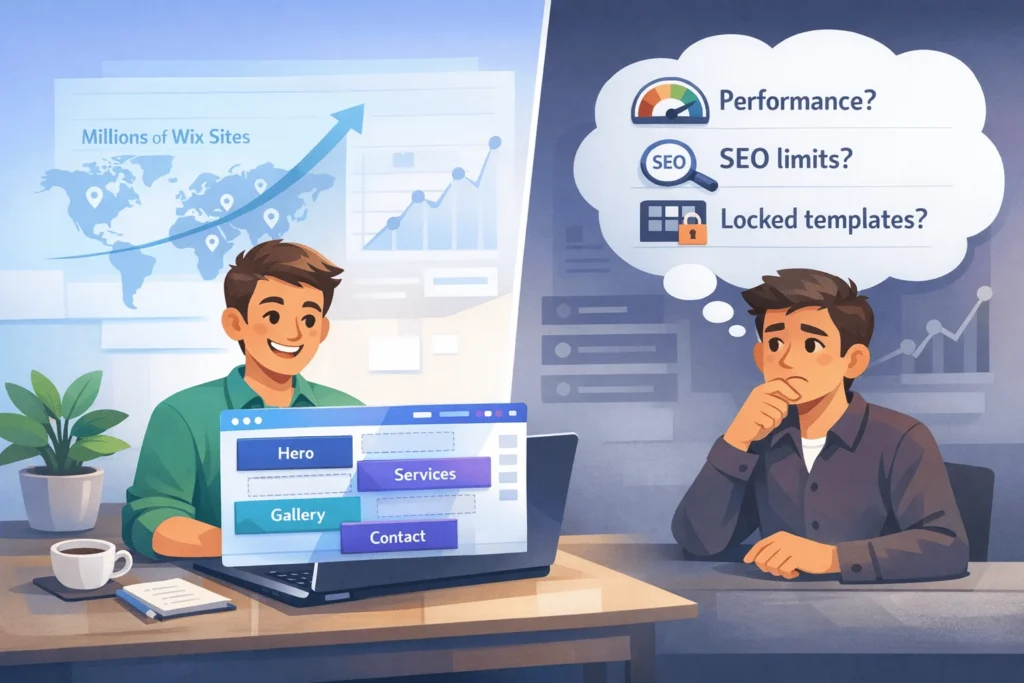
For many small businesses, Wix websites are good enough—and sometimes excellent—as a fast, affordable way to get online.
Wix leads the global website builder market with around 8 million live sites and roughly 38–45% market share, and about 79% of its active sites are small businesses. That scale alone proves Wix works in the real world for a huge number of solopreneurs, local services, and freelancers.
However, Wix is not perfect. Independent tests still highlight slower page speeds than well‑optimized WordPress, limitations in advanced SEO control, locked‑in templates, and difficulty exporting your site.
This article gives an honest, non‑affiliate evaluation of Wix websites: where they shine, where they break, and when you should consider alternatives.
What Are Wix Websites and How Do They Work ?
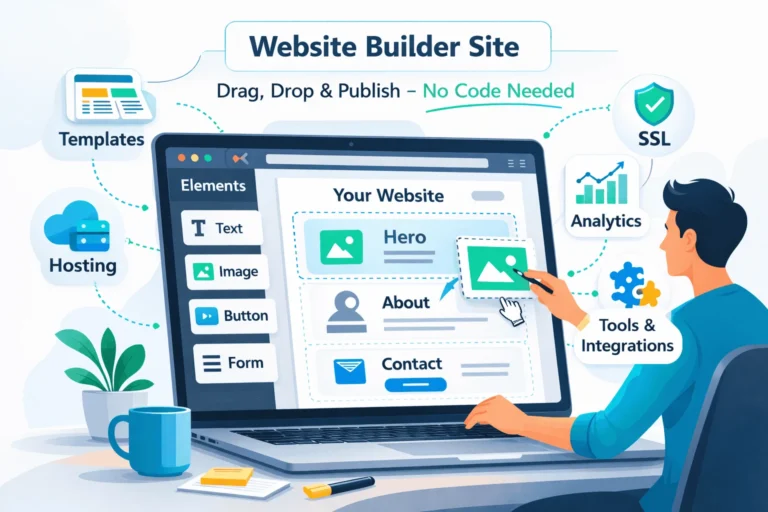
Wix is a hosted, drag‑and‑drop website builder. You log into a browser‑based editor, choose from 900+ templates, and design your pages visually—no code required.
Key traits of Wix websites:
- All‑in‑one platform: Hosting, SSL, updates, and infrastructure handled for you.
- Visual editor: Drag‑and‑drop sections with granular design control.
- App market: Add forms, bookings, email marketing, and more via built‑in apps.
- AI helpers: Tools like Wix ADI and content suggestions to speed up setup.
For small businesses, this means you can launch a professional website quickly and manage it yourself, instead of depending entirely on a developer.
Wix’s own small‑business analysis shows millions of small business sites and positions the platform as a fast way to get online with templates and integrated business tools.
What Are The Main Pros of Wix Websites for Small Businesses ?
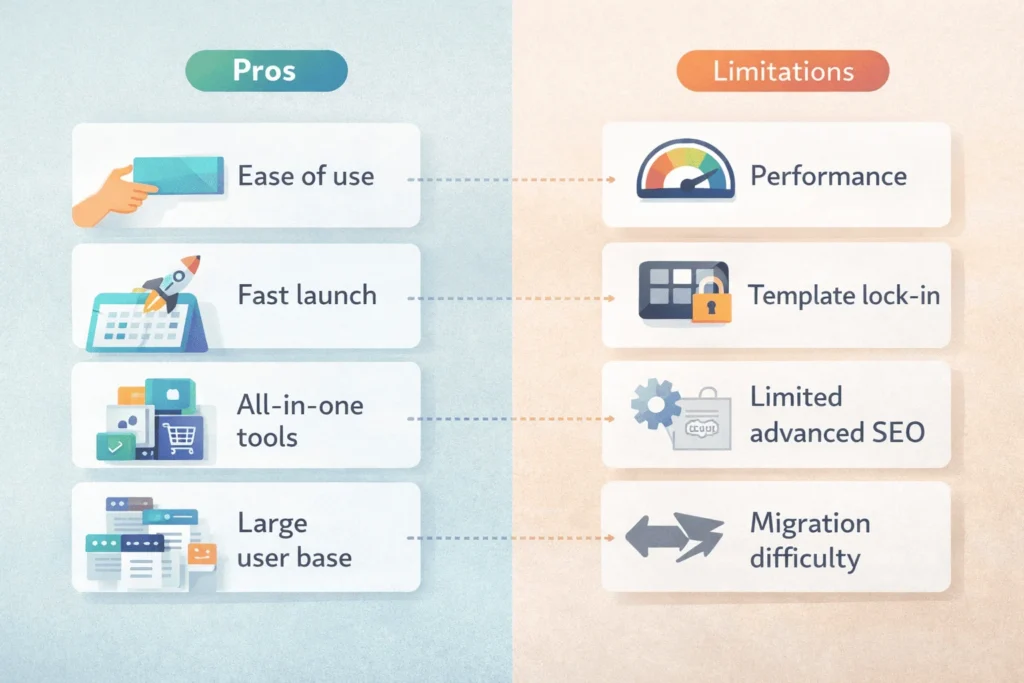
Most positive reviews of Wix websites focus on ease of use, speed to launch, and built‑in business features.
- Very beginner-friendly editor
Wix’s drag‑and‑drop interface is designed for non‑technical users, with a single sidebar to control elements and live visual feedback.
You do not need to understand HTML, CSS, or hosting to go live. - Huge template library and verticals
Wix offers over 800–900 templates across niches—restaurants, portfolios, consultants, online stores, and more.
This reduces design time and gives first‑time users a professional starting point. - All-in-one business tools
- Built‑in email marketing and simple CRM tools.
- Booking systems for salons, clinics, and trainers.
- Ecommerce with products, payments, and basic shipping.
These tools mean many small businesses can avoid stitching together multiple services.
- Fast time to market
Wix and independent reviewers highlight that you can build and launch a business site in days, sometimes hours, if content is ready. - Market validation and stability
Wix’s 38–45% market share among website builders, millions of live sites, and billions in ecommerce volume indicate a mature, stable platform.
“Wix is a good ‘all-rounder’ — a rich feature set, wide range of templates, and reasonable pricing make it an easy recommendation for solopreneurs and small businesses.”
What Honest Limitations Do Wix Websites Have ?
Most surface‑level reviews gloss over limitations that matter a lot once your site starts to grow.
- Performance and Core Web Vitals challenges
Independent tests and critical SEO reviews note that Wix websites are still slower on average than well‑tuned WordPress sites, often struggling with Core Web Vitals benchmarks due to heavy JavaScript and limited control over caching.
While Wix’s own engineering team reports major improvements and claims five times more Wix URLs now achieve “good” Core Web Vitals scores, they acknowledge performance still requires careful optimization choices. - Template lock‑in and layout rigidity
Once you choose a template, you cannot simply switch to another without effectively rebuilding your site.
This makes big redesigns more painful than on systems where themes can be swapped more easily. - Limited deep SEO and technical control
- Sitemaps: Automatically generated with limited ability to customize or exclude pages, which can cause crawl inefficiencies on large sites.
- Schema/structured data: Wix supports basics but is weaker for complex, custom schema strategies important in AI‑driven SERPs.
- Script and server control: You cannot fine‑tune JS, caching, or hosting stack the way you can on custom WordPress or other platforms.
- Content portability and lock‑in risk
Wix does not offer clean, full export of your site’s layout and code, making migration to another platform essentially a rebuild using exported content only. - Ecommerce at scale can get expensive
While basic ecommerce is included, more advanced features (subscriptions, complex shipping, B2B features) often require higher‑tier plans or workarounds.
These constraints don’t make Wix “bad”—they just mean it’s not the right long‑term platform for every growth‑stage business, especially if performance and advanced SEO are central to your strategy.
Do Wix Websites Compare to Alternatives for Business Use?
From a business decision‑maker perspective, the choice is usually Wix vs other builders vs WordPress/custom.
High-level comparison for typical small‑business use cases:
| Factor | Wix Websites | Other Web Builders | WordPress / Custom Dev |
|---|---|---|---|
| Ease of use | Very high | Moderate to high | Low–medium (depends on stack) |
| Upfront cost | Low (subscription, no dev needed) | Low | Medium–high (design + dev + hosting) |
| Time to launch | Very fast (days) | Fast | Slower (weeks–months) |
| Design flexibility | High visually, but template‑locked | Varies | Very high with code, themes, builders |
| Performance control | Limited; improving but JS-heavy | Similar or slightly better in some cases | High; full control over hosting and optimization |
| SEO control | Good basics, limited advanced | Similar | Excellent with right setup and plugins |
| Content portability | Weak (rebuild needed on migration) | Weak–moderate | Strong (export DB, files, reuse code) |
| Best suited for | Small businesses, freelancers, local services | Similar segments | Growing brands, content/SEO sites, complex needs |
For many micro‑businesses, Wix is the most realistic way to get online. For content‑heavy, SEO‑driven, or highly customized experiences, WordPress or custom development generally wins.
What Real-World Use Cases Suit Wix Websites Best?
Based on reviews, stats, and case studies, three categories stand out where Wix is often an excellent fit.
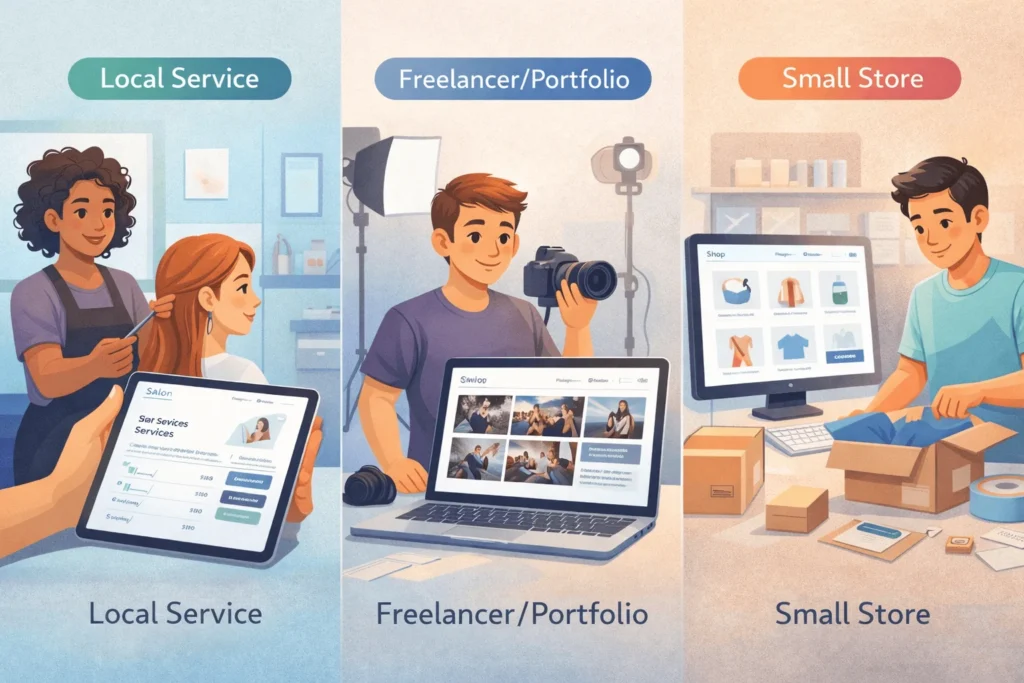
1. Local Service Businesses and Solo Professionals
Examples: salons, clinics, yoga trainers, tutors, lawyers, real estate agents, consultants.
Why Wix fits:
- All-in-one local toolkit: Maps, bookings, contact forms, and basic CRM in one platform.
- Template fit: Many service‑oriented templates with sections for services, pricing, testimonials, and FAQs.
- DIY updates: Owners can update timings, offers, and posts without hiring a developer.
2. Freelancers, Creators, and Portfolios
Examples: photographers, designers, writers, coaches.
Why Wix fits:
- Strong visual templates ideal for galleries and creative work.
- Built-in blogging and email tools to showcase expertise and nurture leads.
- Low overhead: Affordable for solo operators, especially on lower‑tier premium plans.
3. Small Ecommerce and Side Hustles
Examples: small clothing lines, artisan products, simple digital products.
Why Wix fits:
- Integrated ecommerce with products, carts, and payment gateways, plus some marketing automation.
- Third-most used website builder for online stores, behind Shopify and WooCommerce, indicating real adoption.
- Good for small catalogs and simple logistics, less ideal for complex operations.
“Small businesses make up 79% of all active Wix sites globally in 2025, and Wix ecommerce has enabled over $12.4 billion in transaction volume in just 12 months.”
What Business Scenarios Are Wix Websites Not Ideal For?
There are also clear patterns where relying on Wix websites long term is risky.
- Performance- and SEO-critical content sites
If you aim to dominate organic search in a competitive niche with hundreds of posts, heavy schema, and technical SEO, WordPress or a custom stack offers significantly more control. - Complex ecommerce or SaaS-like products
- Multi‑currency, complex taxation, custom checkout flows.
- Tiered memberships, complex logic, multi‑tenant dashboards.
These typically require more flexible platforms like Shopify + custom apps, WooCommerce, or bespoke frameworks. Wix’s advanced ecommerce features exist but can become limiting and expensive.
- High-traffic, heavily customized experiences
For high‑scale, mission‑critical sites, you will likely want more control over infrastructure, caching, deployment, and observability than Wix allows. - Teams that need deep integration with internal systems
Deep CRM, ERP, or custom backend integration is much easier when you control the stack or use a flexible CMS.
In these scenarios, it’s often smarter to invest in custom or WordPress development early, rather than pay a Wix “tax” later when you must rebuild.
How To Decide If Wix Websites Are Right for Your Business
Times Needed: 1 Hour
Estimated Cost: 0 USD (decision exercise + trial)
Description: A 60‑minute evaluation framework to decide whether Wix websites fit your business stage, goals, and constraints in 2026, including when to stick with Wix and when to choose a more flexible platform.
Steps
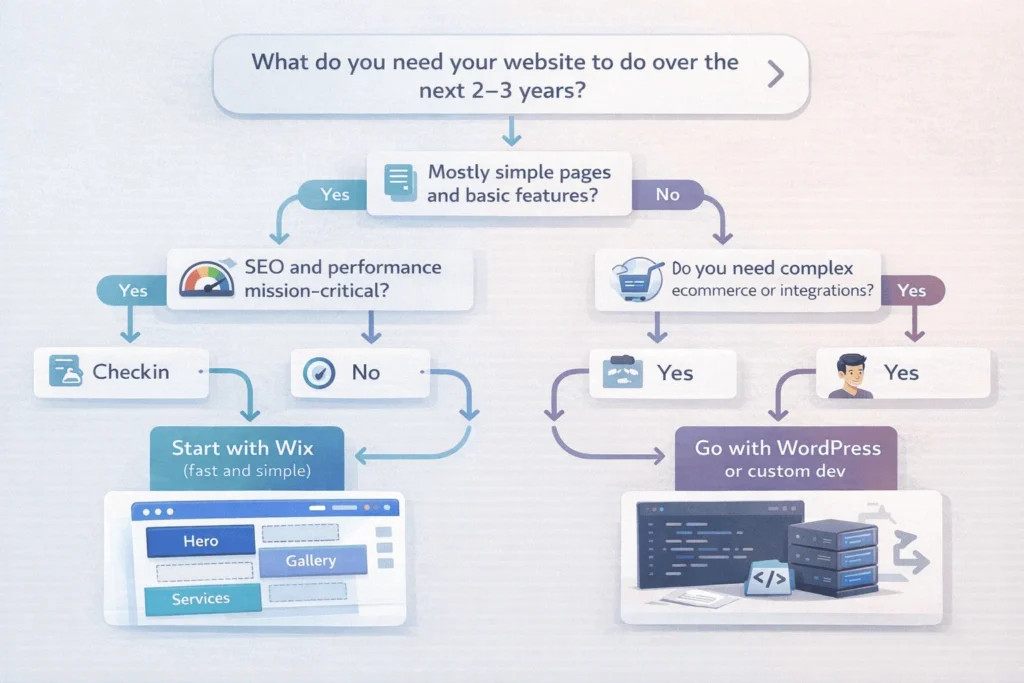
- Define Your Website’s Job and Time Horizon
Step Title: Clarify Purpose for the Next 2–3 Years
Step Description: Write one sentence describing what your website must do (e.g., “Book 50 appointments/month,” “Drive 30 SEO leads/month,” or “Sell 200 products/month”) and how long you expect the current platform to last before a major rebuild. - List Required Features and Rate Complexity
Step Title: Score Features as Basic or Advanced
Step Description: List must‑have features (blog, booking, ecommerce, memberships, integrations) and label each Basic or Advanced. If most are Basic and near‑term, Wix is a strong candidate; if multiple are Advanced, consider WordPress or custom development. - Assess Internal Skills and Budget
Step Title: Match Platform to Team Capability
Step Description: Note your in‑house tech skills and budget. If you have no developer and limited budget, a Wix website can be pragmatic. If you have or can hire technical help, investing in a more flexible stack may pay off long term. - Compare Performance and SEO Requirements
Step Title: Decide How Critical Speed and SEO Are
Step Description: If search and technical performance are central to your strategy, prioritize platforms with deeper control. If SEO is important but not your primary engine, a properly optimized Wix site can be sufficient, especially if you follow Core Web Vitals best practices. - Test With a Trial Build
Step Title: Prototype a Real Page in Wix
Step Description: Sign up for Wix, select a template, and recreate your planned homepage and one key landing page. Evaluate how quickly you can achieve an acceptable result and note any painful limitations. Compare this with a quick WordPress or other builder test if possible. - Plan for Migration Risk
Step Title: Decide If Future Rebuild Is Acceptable
Step Description: Assume that moving off Wix later will require a redesign. If that’s acceptable and you mainly need speed now, Wix is a strategic bridge. If you want to avoid that rebuild, lean toward a more flexible platform from day one.
Tools Name: Wix free plan or trial, a basic spreadsheet, simple performance testing tools (e.g., PageSpeed Insights), any alternative CMS demo environment
Materials Name: Feature list, content outline, brand guidelines, rough growth roadmap
FAQ Section
Are Wix websites good for serious small businesses, not just hobbies?
Yes. Wix’s own stats show that around 79% of active sites are small businesses, and independent reviews call Wix a “great option” for small and mid‑sized businesses wanting to manage and grow their brand online.
Are Wix websites bad for SEO?
Not inherently. Wix has improved SEO features and Core Web Vitals significantly, and Wix’s team reports 5x more Wix URLs now achieving “good” CWV scores. However, independent SEO tests still find that WordPress offers faster speeds and deeper technical control, especially for large, SEO‑heavy sites.
Can I switch templates easily on Wix?
Not without work. A common complaint is that once you choose a template, you cannot switch to another without largely rebuilding your site, which makes major redesigns more time‑consuming.
Can I move a Wix website to WordPress later?
You can export content (like blog posts) in limited ways, but not the full layout or templates. In practice, migration is a rebuild using your existing copy and assets, rather than a true one‑click transfer.
Are Wix websites secure and reliable enough for business use?
Yes. Wix manages hosting, updates, and SSL at scale, with millions of live sites and a leading share of the website builder market. For standard small‑business use cases, this infrastructure is more than adequate.
Are Wix websites fast enough for good user experience?
They can be, but you need to be careful. Heavy use of video, animations, and apps can slow pages, and critics note ongoing speed challenges. Following Wix’s own Core Web Vitals optimization guidance (optimizing media, lazy loading, limiting heavy effects) improves results.
Is Wix good for ecommerce?
Wix is a strong choice for small to medium online stores, with billions in annual transaction volume and ranking among the top platforms for ecommerce websites. For complex, high‑scale commerce with advanced multi‑currency or taxation needs, platforms like Shopify or WooCommerce are usually better.
How much do Wix websites cost in practice?
Pricing varies by region and tier, but in general entry‑level paid plans are affordable, with higher tiers adding ecommerce and advanced features. For many small businesses, total cost is still much lower than hiring a developer for an equivalent custom build.
Key Takeaways Section
- Wix websites are genuinely good for many small businesses, freelancers, and local services, offering fast time‑to‑market, all‑in‑one tools, and a very beginner‑friendly editor.
- With 8 million live sites and around 38–45% website builder market share, Wix has substantial real‑world validation and stability for small‑business use.
- The main limitations are performance and SEO control compared with a well‑optimized WordPress or custom stack, template lock‑in, and limited content portability when you eventually outgrow the platform.
- Wix is ideal for simple business sites, portfolios, and smaller ecommerce stores, but less suited to complex SEO, large content libraries, advanced ecommerce, or app‑like products that need deep customization.
- A structured decision process—clarifying your website’s job, complexity, budget, and time horizon—helps you choose whether to start on Wix as a fast bridge or invest in a more scalable platform from day one.
Next Steps Section
- Clarify your website’s primary job and how long you expect your current platform to last (2–3 years vs 5+ years).
- List must‑have features and classify them as Basic or Advanced, then see how many align with Wix’s strengths vs where it might struggle.
- Prototype a homepage and key landing page in Wix on a free or trial plan and measure your experience, performance, and SEO settings.
- In parallel, explore a WordPress or alternative demo if you anticipate heavy SEO, content marketing, or complex functionality.
- Decide whether a Wix website is a smart starting point you’re comfortable rebuilding from later, or if you should skip directly to a more flexible stack with professional development help.
- Keep a long‑term content and performance plan in mind, regardless of platform, because strategy will matter more than the tool alone.
Conclusion
Wix websites are not “toys” anymore. They are serious, battle‑tested tools for millions of small businesses, especially those that need to get online fast with limited budgets and no in‑house developers.
At the same time, the honest answer is nuanced: Wix is excellent for certain stages and use cases, and the wrong choice for others. If your business relies heavily on advanced SEO, performance tuning, complex ecommerce, or custom integrations, WordPress or a custom stack will likely serve you better over the long term, despite higher upfront cost and complexity.
Treat Wix as one powerful option in your toolkit—not the default and not the enemy. Use it where it shines (simple, fast, integrated small‑business sites) and be ready to graduate to more flexible platforms when your business outgrows its constraints.
If you make the decision with clear eyes—understanding both the pros and the honest limitations of Wix websites—you will avoid expensive rebuild surprises and choose the platform that actually matches your business, not just today’s trend.






As someone who’s managed a few small business sites, I appreciate the honest take on Wix’s trade-offs. While it’s great for getting online quickly and affordably, the SEO and performance limitations do become real issues as businesses grow. It’s reassuring to see a breakdown of when it makes sense versus when something like WordPress or custom development might be a better fit.
Thank you for your comment. To use your site link & generate backlink on our platform, 1st go through a paid plan on this page: https://startupmandi.in/services/digital-services/premium-brand-promotion-on-startupmandi/
Great breakdown of Wix’s role in 2026—especially how it works well for solopreneurs and local businesses but falls short when it comes to SEO and performance. I’ve seen too many Wix sites struggle with loading times and ranking, which really impacts long-term growth. It’s a solid starting point, but knowing its limitations early on can save a lot of headaches down the road.
Thank you for your comment. To use your site link & generate backlink on our platform, 1st go through a paid plan on this page: https://startupmandi.in/services/digital-services/premium-brand-promotion-on-startupmandi/
Great breakdown of Wix’s role in 2026—especially how it works well for solopreneurs and local businesses but falls short when it comes to SEO and performance. I’ve seen firsthand how easy it is to hit limitations as a site grows, which makes the comparison with WordPress or custom builds even more relevant. Thanks for the honest take on when Wix makes sense and when it might be time to upgrade.
Great breakdown of Wix’s role in 2026—especially the part about how it works well for solopreneurs and local businesses but falls short when it comes to SEO and performance. I’ve seen too many Wix sites struggle with loading times and ranking in search results, which really impacts long-term growth. It’s a solid starting point, but knowing its limitations early on can save a lot of headaches down the road.
Great breakdown of Wix’s role in 2026—especially the part about how it works well for solopreneurs and local businesses but falls short when it comes to SEO and performance. I’ve seen too many Wix sites struggle with indexing and slow load times, which can really hurt visibility. It’s a solid starting point, but knowing its limitations early on helps set better expectations for growth.
Thank you for your comment. To use your site link & generate backlink on our platform, 1st go through a paid plan: https://startupmandi.in/services/digital-services/premium-brand-promotion-on-startupmandi/