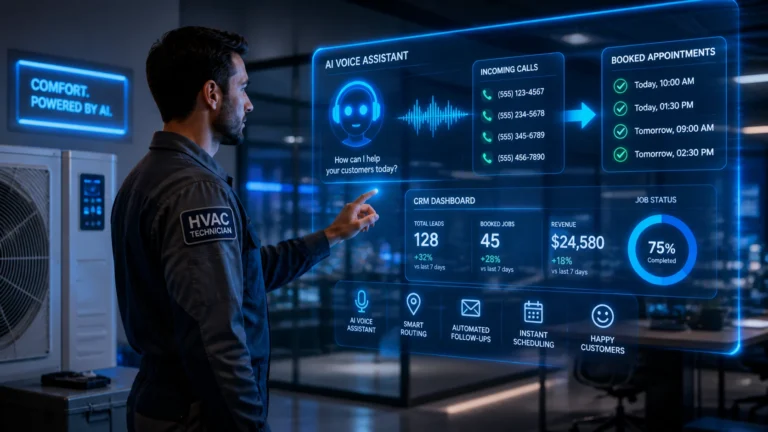
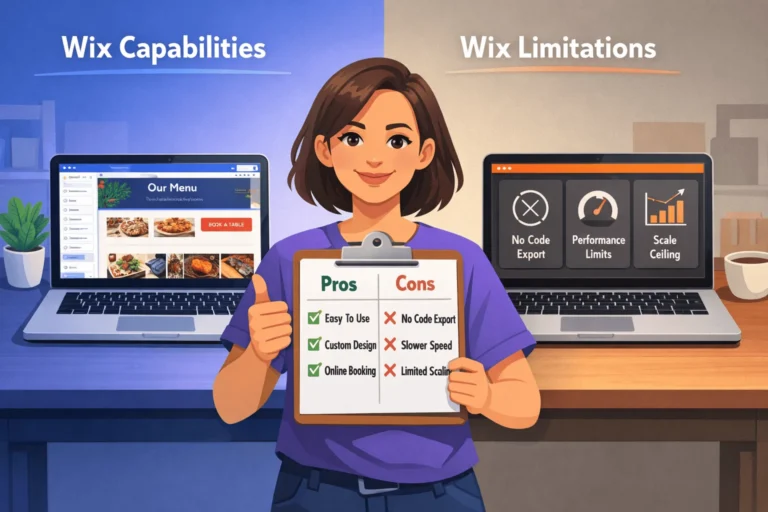
Free AI video generator tools 2026 are revolutionizing content creation for startups, marketers, and entrepreneurs. Moreover, these innovative platforms transform simple text prompts into engaging short-form videos within minutes. Therefore, you no longer need expensive equipment or advanced editing skills to produce professional content.
Here’s what you’ll discover in this comprehensive guide:
✅ Top 5 free AI video tools that deliver exceptional quality without breaking your budget
✅ Step-by-step features and unique capabilities of each platform for maximum results
✅ Real-world comparisons to help you choose the perfect tool for your needs
✅ Pro tips to create viral short videos that boost engagement and grow your audience
✅ Practical use cases specifically designed for startup owners and digital marketers
Why AI Video Generators Are Game-Changers in 2026
The digital landscape has transformed dramatically. Consequently, short-form video content dominates platforms like YouTube Shorts, TikTok, and Instagram Reels. Furthermore, artificial intelligence has democratized video creation, making it accessible to everyone.
The Rise of Short-Form Video Content 📈
Short-form videos generate 2.5x more engagement than traditional long-form content. Additionally, platforms prioritize this format in their algorithms. Therefore, creators who leverage AI video tools gain a significant competitive advantage. Studies show that 82% of internet traffic comes from video consumption. This trend isn’t slowing down—it’s accelerating rapidly.
Moreover, attention spans continue shrinking. Therefore, delivering your message within 15-60 seconds becomes crucial. AI video generators solve this challenge by automatically creating compelling narratives. Furthermore, they optimize content specifically for each platform’s requirements.
How AI Saves Time and Resources ⏰
Traditional video production requires substantial investments. Specifically, hiring videographers, editors, and voice artists drains budgets quickly. However, AI video generators eliminate these costs entirely. Additionally, what once took days now takes mere minutes to complete.
Furthermore, AI handles multiple tasks simultaneously. For instance, it writes scripts, selects visuals, adds voiceovers, and generates subtitles automatically. Therefore, you focus on strategy while AI handles execution. Consequently, small teams produce content at enterprise scale efficiently.
Breaking Down Technical Barriers 🔓
Many entrepreneurs avoid video marketing due to technical complexity. However, modern AI tools require zero editing experience. Additionally, intuitive interfaces make creation as simple as typing an email. Therefore, anyone can produce professional-quality videos regardless of technical background.
Moreover, these platforms offer pre-designed templates and styles. Consequently, maintaining brand consistency becomes effortless. Furthermore, automatic subtitle generation ensures accessibility for all audiences.
Therefore, your content reaches wider demographics effectively.

Top 5 Free AI Video Generator Tools for 2026
Choosing the right tool determines your content’s success. Therefore, we’ve tested dozens of platforms to identify the best free options. Furthermore, each tool offers unique strengths for different use cases.
1. InVideo AI – Best Overall for Beginners 🏆
InVideo AI dominates the text-to-video space with exceptional quality and ease. Additionally, it offers 10 minutes of free video generation weekly. Moreover, the platform handles everything from script writing to final export automatically.
Key Features:
✨ Prompt-based video generation with AI script writing
🎬 Access to 16 million+ stock photos and videos
🗣️ Human-like voiceovers in 150+ languages
✏️ Text-prompt editing (just type “add subtitles” to add them!)
📱 Automatic formatting for all social media platforms
Furthermore, InVideo AI supports faceless video creation, perfect for businesses maintaining brand consistency. Additionally, the platform generates AI visuals when stock footage doesn’t match requirements. Therefore, creative possibilities remain unlimited.
Best For: Social media marketers, YouTube creators, and startups needing high-volume content production efficiently.
2. Runway Gen-4 – Best for Creative Control 🎨
Runway pushes creative boundaries with advanced AI models. Specifically, it offers 125 free credits upon signup. Moreover, the platform’s Aleph technology enables unprecedented editing capabilities.
Key Features:
🔄 Video-to-video transformations with style changes
📹 Advanced angle adjustments and weather modifications
🎭 Act Two for transferring actor performances to characters
🎬 Gen-4 model for dynamic, high-quality outputs
💬 Chat-based generation for iterative improvements
Additionally, Runway excels at experimental and artistic projects. However, it requires more learning than simpler platforms. Therefore, creative professionals and agencies benefit most from its capabilities.
Best For: Content creators seeking unique visual styles, filmmakers experimenting with AI, and marketing teams producing standout campaigns.
3. HeyGen – Best Budget-Friendly Avatar Tool 👤
HeyGen specializes in AI avatar videos at unbeatable prices. Furthermore, it offers 3 free non-interactive videos monthly. Additionally, the platform supports 175+ languages and dialects.
Key Features:
🤖 Realistic AI avatars with natural expressions
🎙️ Voice cloning for personalized content
🌍 Multilingual support for global reach
⚡ Fast generation (under 1 minute typically)
🎯 Custom avatar creation from your photos
Moreover, HeyGen’s avatars appear remarkably lifelike. Therefore, they work perfectly for explainer videos and training content. Additionally, the platform integrates seamlessly with other marketing tools.
Best For: Businesses creating training materials, product demos, and personalized marketing messages at scale.
4. Synthesia – Best for Professional Presentations 🎓
Synthesia delivers enterprise-grade quality with accessible pricing. Specifically, it provides 3 minutes of free video monthly. Moreover, it’s the first ISO 42001 certified AI video company, ensuring security and governance.
Key Features:
👥 Access to 125+ professional AI avatars
🎤 Text-to-speech in 140+ languages
📊 PowerPoint integration for enhanced presentations
🔒 Enterprise-level security and compliance
🎯 Industry-leading lip-sync accuracy
Furthermore, Synthesia avatars deliver scripts naturally with appropriate gestures. Therefore, corporate training and educational content benefit significantly. Additionally, the platform’s reliability makes it ideal for professional environments.
Best For: Corporate training, educational institutions, professional service providers, and business communications.
5. Descript – Best for Editing Existing Footage ✂️
Descript revolutionizes video editing through transcript manipulation. Additionally, it offers 1 hour of free transcription monthly. Moreover, editing videos becomes as simple as editing text documents.
Key Features:
📝 Edit videos by editing the transcript
🎬 Auto B-roll insertion from stock libraries
🎙️ Underlord AI for studio-quality audio enhancement
✨ Automatic highlight and clip generation
🎯 Silence detection and filler word removal
Furthermore, Descript excels at repurposing long-form content into shorts. Therefore, podcasters and YouTubers maximize content value efficiently. Additionally, the intuitive interface minimizes learning curves dramatically.
Best For: Podcasters, interview-based content creators, and anyone repurposing existing video content into multiple formats.

Comparing Features and Capabilities
Understanding each tool’s strengths helps you make informed decisions. Therefore, this detailed comparison highlights critical differences. Moreover, we’ve organized information for quick reference and clarity.
| Tool | Free Credits/Month | Best Feature | Video Length | Watermark | Ideal Use Case |
|---|---|---|---|---|---|
| InVideo AI | 10 min/week | Stock media library | Up to 15 min | ✅ Yes | Social media content |
| Runway | 125 credits (one-time) | Creative transformations | 5-10 seconds | ❌ No (paid only) | Artistic projects |
| HeyGen | 3 videos/month | AI avatars | Up to 3 min each | ❌ No | Business presentations |
| Synthesia | 3 min/month | Professional quality | Multiple clips | ❌ No | Corporate training |
| Descript | 1 hour transcription | Transcript editing | Unlimited | ✅ Yes | Content repurposing |
Understanding Credit Systems and Limitations 💳
Different platforms use varying credit systems. Consequently, understanding these helps maximize free resources. Additionally, some tools offer renewable credits while others provide one-time allocations.
For instance, InVideo AI renews credits weekly. Therefore, consistent users benefit from ongoing free access. However, Runway offers one-time credits requiring eventual upgrades. Furthermore, watermarks appear on free exports from several platforms.
Moreover, video length restrictions vary significantly. Specifically, InVideo AI supports longer videos while Runway focuses on short clips. Therefore, choose based on your content strategy requirements.
Quality Considerations for Professional Output 🎯
Video quality directly impacts audience perception and engagement. Therefore, selecting tools producing high-resolution outputs becomes critical. Additionally, factors like avatar realism and audio quality matter significantly.
Synthesia leads in avatar realism with natural movements and expressions. Furthermore, InVideo AI provides 1080p exports on paid plans. Additionally, Descript ensures studio-quality audio through AI enhancement.
Moreover, consider platform-specific optimization features. Specifically, tools offering automatic aspect ratio adjustments save substantial editing time. Furthermore, built-in subtitle generation improves accessibility and engagement simultaneously.
Integration and Workflow Efficiency 🔄
Seamless integration with existing tools accelerates production workflows. Therefore, platforms offering API access and automation capabilities provide additional value. Additionally, compatibility with popular marketing tools enhances efficiency.
For example, several tools connect with Zapier for automation. Consequently, videos generate automatically based on triggers like form submissions or calendar events. Furthermore, direct publishing to social platforms eliminates manual uploads.
Moreover, collaboration features support team-based workflows effectively. Specifically, multiplayer editing capabilities enable real-time cooperation. Therefore, agencies and marketing teams benefit from synchronized production processes.
Pro Tips for Maximizing Free AI Video Tools
Strategic usage multiplies the value of free AI video generators. Therefore, implementing these proven techniques optimizes results dramatically. Furthermore, smart workflows extend limited credits effectively.
Optimizing Your Prompts for Better Results ✍️
Prompt quality determines output excellence significantly. Therefore, crafting detailed, specific instructions produces superior videos. Additionally, including context about audience and purpose improves AI understanding.
Follow these prompt optimization strategies:
🎯 Be specific: Instead of “fitness video,” write “30-second workout routine for busy professionals showing 3 quick exercises”
🎨 Define style: Specify visual aesthetics like “modern minimalist” or “energetic with bright colors”
🗣️ Choose tone: Indicate whether content should be “professional,” “casual,” or “humorous”
📱 State platform: Mention “for TikTok” or “YouTube Shorts” for automatic optimization
⏱️ Set duration: Clearly specify desired video length upfront
Moreover, iterative refinement improves outputs progressively. Therefore, start broad then narrow focus through follow-up prompts. Additionally, studying successful examples provides inspiration for effective descriptions.
Batching Content for Maximum Efficiency 📦
Strategic batching multiplies productivity exponentially. Therefore, creating multiple videos in single sessions conserves time and mental energy. Additionally, this approach ensures consistent content calendars.
Implement these batching techniques:
Plan themes weekly: Outline 5-7 video topics before starting production cycles
Prepare scripts in advance: Write multiple scripts simultaneously for efficient generation
Use templates: Create reusable formats for consistent branding across videos
Schedule uploads: Generate content ahead for stress-free publishing schedules
Repurpose aggressively: Transform one long video into multiple short clips strategically
Furthermore, most platforms allow saving preferences and styles. Consequently, subsequent videos require minimal adjustments. Therefore, efficiency improves dramatically with experience and organization.
Leveraging Multiple Platforms Strategically 🎪
Different tools excel at specific tasks uniquely. Therefore, combining platforms creates comprehensive workflows. Additionally, this strategy maximizes free tier benefits across multiple services.
Consider this multi-platform approach:
Start with InVideo AI for initial video generation with stock footage
Enhance in Descript for precise editing and audio refinement
Add avatars via HeyGen for personalized introductions or conclusions
Polish in Runway for unique visual effects and transformations
Export optimized versions for each social platform automatically
Moreover, this approach prevents dependence on single platforms. Therefore, feature limitations become manageable through strategic tool combinations. Additionally, experimenting across platforms reveals optimal workflows for specific needs.
Conclusion: Start Creating Today! 🚀
Free AI video generator tools 2026 have democratized content creation completely. Moreover, these powerful platforms enable anyone to produce professional videos effortlessly. Therefore, no more excuses prevent you from starting your video marketing journey today.
Furthermore, the tools reviewed offer exceptional value without financial investment. Consequently, startups and entrepreneurs compete effectively with established brands. Additionally, consistent content creation builds audiences and drives business growth sustainably.
Remember these key takeaways: Start with InVideo AI for comprehensive features and ease. Experiment with Runway for creative differentiation and unique styles. Use HeyGen for personalized, avatar-based messaging at scale. Choose Synthesia for professional corporate and training content. Leverage Descript for efficient repurposing of existing content.
Most importantly, consistent action beats perfect planning every time. Therefore, select one tool and create your first video today! 🎬
Frequently Asked Questions (FAQs)
1. Are these AI video generators truly free to use?
Yes, all five tools offer genuine free tiers with functional features. However, limitations exist like watermarks, credit caps, or video length restrictions. Moreover, free plans provide sufficient resources for testing and small-scale production. Therefore, most creators start free before upgrading as needs grow.
2. Can I create videos without showing my face?
Absolutely! Faceless video creation is a primary strength of these platforms. Specifically, tools like InVideo AI and HeyGen specialize in this format. Furthermore, AI avatars, stock footage, and text animations eliminate the need for on-camera presence completely.
3. How long does it take to generate a short video?
Generation speed varies by platform and video complexity. However, most tools produce videos within 1-5 minutes. Additionally, simpler formats like slideshows generate faster than complex animations. Therefore, you can realistically create multiple videos per hour efficiently.
4. Do I need technical skills or video editing experience?
No technical expertise is required whatsoever. Moreover, these platforms prioritize user-friendly interfaces specifically for beginners. Furthermore, many tools operate through simple text prompts, making them as easy as typing messages.
5. Can I use these videos for commercial purposes?
Usage rights vary by platform and plan tier. However, most tools allow commercial use even on free plans. Nevertheless, always review specific terms of service before monetizing content. Additionally, paid plans typically offer broader licensing and remove watermarks completely.
Referring Sources & External Links 🔗

Nitesh Roy
Founder @ StartUpMandi. Working in various Domains since 2017. Like, Sales & Marketing, Web & App Development, Graphic Design, Digital Marketing, SEO, Business Development. Hobby: Research & Innovation, Photography, Travelling, Cooking.